Quick Answer
RAM speed has negligible effect on average FPS in GPU bottlenecked 4K gaming. GPU load saturates render pipeline before memory bandwidth limits throughput. Faster RAM improves 1% low frame pacing by reducing frame time spikes. Upgrade memory only after confirming CPU limitation via low GPU utilization metrics.

Pros
- High-speed rated performance up to 6400MT/s
- Large 64GB capacity for heavy desktop workloads
- Intel XMP 3.0 profile for fast configuration
- Silver heat spreaders with luxury styling
Cons
- Requires BIOS profile activation for rated speed
- Incompatible with mixing additional memory kits
Pros
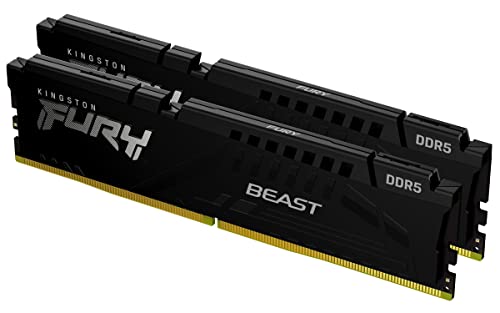
- 64GB total capacity as a 2x32GB kit
- Rated 5600MT/s speed with CL36 timing
- Supports both AMD EXPO and Intel XMP 3.0 profiles
- Low-profile heat spreader design per the listing
- Black finish with a compact 0.26-inch profile
Cons
- Overclocking stability benefits are manufacturer-stated only
- Listing gives limited detail beyond speed, capacity, and profiles

Pros
- High 64GB capacity rated up to 6600MHz at CL32
- Patented DHX heatspreader cools ICs and PCB directly
- Customizable aesthetics with 11 addressable RGB LEDs
- Swappable top bar accommodates custom or 3D-printed parts
- Supports Intel XMP and Corsair iCUE software
Cons
- Tall 2.26-inch height may interfere with bulky CPU air coolers
- Achieving rated 6600MHz speed depends on system and BIOS setup
At native 4K, a modern GPU typically needs 14-25 ms to render each frame, while a current CPU and memory subsystem can usually prepare the next frame in 5-10 ms. System memory therefore has little influence on average frame rate once the graphics card is the limiting component. That conclusion has exceptions. Upscaling, high-refresh targets, simulation-heavy titles and insufficient capacity can all expose the memory subsystem. This guide covers the frame pipeline, what RAM frequency and timings change electrically and architecturally, how to benchmark without false positives, and where budget produces measurable gains.
GPU-Bound vs CPU-Bound: How the Frame Pipeline Actually Limits Performance
Every rendered frame passes through two largely independent stages. The CPU side runs game logic, physics
For related maintenance and equipment benchmarks, review our technical guides on gaming desktop memory, examine multitasking ram benchmarks, and compare pc desktop motherboards. You can also reference our analyses on 4k gaming memory configs and high speed memory setups. For industry engineering standards, consult JEDEC memory standards.