Quick Answer
2oz copper doubles thickness over 1oz, measuring 70 micrometers versus 35. Thicker copper lowers trace resistance, improves heat dissipation across ground planes, and increases current capacity. Yet weight alone never guarantees stability. Evaluate VRM component efficiency, heatsink surface area, and independent thermal benchmarks measuring actual operational temperatures under load.

Pros
- Strong CPU and integrated Radeon 890M graphics for a NAS, which is useful for concurrent access and light local compute workloads.
- Very flexible storage configuration with 5 SATA bays and multiple M.2 or U.2 options.
- High-speed networking with 10GbE and 5GbE ports for faster transfers than typical consumer NAS systems.
- ECC memory support adds a reliability advantage for business and important personal data.
Cons
- This is a diskless model, so storage drives and memory upgrades may need to be purchased separately.
- The preinstalled MinisCloud OS uses one of the M.2 SSD slots for the system disk unless you remove it and install another system.
- The OCuLink port does not support hot-swapping, so external GPU setups require a fixed connection.
Overview: The MINISFORUM N5 Pro is a compact 5-bay desktop AI NAS built around the AMD Ryzen AI 9 HX PRO 370 and a diskless chassis. It is aimed at users who want a storage server with more processing power than a typical entry-level NAS.
Performance and features: With 12 cores, 24 threads, 10GbE plus 5GbE networking, USB4, and 8K display support, the system is designed for fast file sharing, media workflows, and multitasking. Its storage layout is also highly flexible, supporting SATA drives and multiple NVMe expansion paths for cache or high-speed data tiers.
Drawbacks and considerations: Buyers should note that this is a barebones NAS, so drives and memory are not included. The MinisCloud OS also occupies one M.2 slot by default, and using all three M.2 slots requires removing the system disk and changing the operating system setup.
Verdict: The N5 Pro makes the most sense for creators, small teams, and advanced home users who want a powerful, upgradeable NAS with strong networking and storage flexibility. If you need a simple plug-and-play storage box, it may be more complex than necessary.

Pros
- Strong AMD 8-core, 16-thread CPU for a mini PC class system.
- Upgradeable storage architecture with three M.2 2280 slots.
- Oculink and dual 2.5GbE add flexibility for advanced users.
- Integrated Radeon 780M is a capable iGPU for a compact desktop.
Cons
- No discrete GPU is included, so heavier AAA gaming will depend on the integrated graphics or an external GPU setup.
- The included 512GB SSD may fill up quickly for users with large game libraries or media projects.
- The feature set is advanced, so casual users may not need all of the networking and expansion options.
Overview: The GMKtec K12 is a compact mini PC built for users who want desktop-class AMD performance in a small footprint. It combines the Ryzen 7 H 255, Radeon 780M graphics, and a practical port layout that includes HDMI 2.1, DisplayPort 1.4, USB4, and Oculink.
Performance and features: With 8 cores and 16 threads, this system is well suited to multitasking, general productivity, media work, and lighter gaming. The Radeon 780M can support multiple displays and hardware video encoding and decoding, while the 32GB DDR5 memory and PCIe 4.0 SSD help keep the system responsive. Storage expansion is a major advantage thanks to three M.2 2280 slots, and the dual 2.5GbE ports plus WiFi 6E make it a strong fit for networking-heavy setups.
Drawbacks and considerations: This is still an integrated-graphics mini PC unless you add an external GPU through Oculink, so demanding AAA gaming will be limited without that upgrade. The included 512GB SSD is usable but not large for today’s game sizes and creative files. Buyers should also consider whether they will actually use the advanced connectivity, since the K12 is aimed at more demanding users than a basic office mini PC.
Verdict: The GMKtec K12 makes the most sense for enthusiasts, creators, and users who value upgradeability, fast networking, and external GPU support in a compact system. It is a versatile mini PC with strong core specs, but its best value comes when the buyer can take advantage of its expansion and Oculink capabilities.

Pros
- High core and thread count for efficient multitasking
- Workstation-focused AMD Threadripper PRO platform
- DDR4 3200 support for compatible systems
- Suitable for sustained productivity-focused workloads
Cons
- Specialized workstation CPU, so it may be unnecessary for casual or entry-level users
- DDR4 3200 support is older than newer memory standards
- The manufacturer listing does not list bundled cooler or accessory details
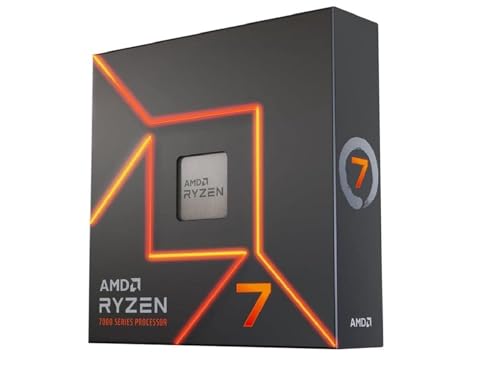
Overview: The AMD Ryzen Threadripper PRO 5955WX is a 16-core, 32-thread desktop processor designed for professional workstation builds. Its listed 4 GHz speed and Threadripper PRO positioning give it a clear focus on demanding productivity rather than everyday basic computing.
Performance: With a high core and thread count, this processor is built to handle heavily parallel workloads well. It is a strong match for creators, developers, and advanced users who rely on multi-threaded applications, and its DDR4 3200 support keeps it aligned with compatible workstation memory configurations.
Considerations: This is a specialized CPU, so it may be more processor than many mainstream users need. The raw data also does not include bundled cooler information, full platform requirements, or other accessory details, so buyers should confirm system compatibility before purchasing.
Verdict: The Threadripper PRO 5955WX is best suited to users who value workstation-grade core count and consistent multi-threaded capability. It makes the most sense in professional builds where productivity and parallel performance matter more than general-purpose value.
What Copper Weight Means
Copper weight define mass of copper rolled flat across one square foot area (oz/ft²). Measure not total PCB mass. Metric indicate layer thickness across circuit board plane.
Standard fabrication use ounce units. 1oz copper yield 1.37 mils (34.8 µm) nominal thickness. 2oz copper yield 2.74 mils (69.6 µm) nominal thickness. IPC-4562 standard dictate industrial foil tolerances.
| Weight Rating | Thickness (µm) | Thickness (mils) | Sheet Resistance (mΩ/sq, 25°C) | Typical Board Layer |
|---|---|---|---|---|
| 0.5 oz | 17.5 | 0.69 | 0.98 | High-speed signal inner layers |
| 1.0 oz | 34.8 | 1.37 | 0.49 | Standard outer layers, signal routing |
| 2.0 oz | 69.6 | 2.74 | 0.25 | High-current power planes, ground planes |
Motherboards use multi-layer stackups: 6-layer, 8-layer, 10-layer, 12-layer builds. Marketing label “2oz Copper” rarely mean every layer use 2oz foil. Manufacturer documentation specifies 2oz copper applied primarily to internal Vcore power planes and primary ground planes. Signal layers often remain 1oz or 0.5oz for trace geometry control.
Effects on Heat and Power
Thermal conduction dominate board reliability. Copper thermal conductivity reach ~390 W/(m·K). Standard FR-4 dielectric glass-epoxy thermal conductivity reach only 0.25 to 0.30 W/(m·K). FR-4 act as thermal insulator.
Heat concentrate at voltage regulator modules (VRM). High-performance processors draw 200A to 350A continuous current at 1.1V to 1.3V Vcore. DrMOS power stages generate high localized heat flux. Heat sink draw heat upward; PCB copper planes draw heat downward through thermal vias. Thicker 2oz copper lower lateral thermal resistance ($R_{th}$). Spread thermal energy across entire PCB surface area. Technical analysis confirms 2oz planes drop VRM component junction temperatures 8°C to 14°C under sustained 250A electrical load.
Electrical resistance govern power loss. Conductor resistance follow physical geometry:
R = ρ × (L / A)
Double copper thickness double cross-sectional area ($A$). Halve DC resistance ($R$). Joule heating follow $P = I^2R$. Halving resistance drop trace power loss 50% across identical run lengths. Reduce voltage drop (IR drop). Maintain tighter Vcore regulation at CPU socket pins during transient spikes.
Does It Matter for Buyers
Impact depend on workload, socket load, board layer count.
High-wattage sustained duty cycles: Matter significantly. Render nodes, scientific compute units, compile machines pulling 200W+ continuously stress power planes. Thicker copper reduce thermal fatigue on SAC305 lead-free solder joints under BGA components. Drop delamination risk under repeated thermal cycles (25°C idle to 95°C load).
Mechanical stress: Socket retention mechanism apply 30 Nm to 45 Nm compressive clamp force on modern sockets (LGA1700, AM5). Thicker copper foil increase flexural rigidity of substrate. Limit board warp under socket torque.
Signal integrity tradeoff: 2oz copper create photolithography penalty. Thicker foil make chemical etching undercut wider. Etch factor degrade trace edge definition. High-frequency signals suffer. PCIe 5.0 (32 GT/s, 16 GHz Nyquist frequency) and DDR5 memory bus (6400+ MT/s) require tight differential impedance control (85Ω to 100Ω targets). Engineering evaluations indicate 8-layer or 10-layer board with 1oz copper often deliver cleaner signal integrity than 4-layer or 6-layer board forced to use thick copper.
Choosing Without Overpaying
Evaluate entire board architecture, not isolated marketing stickers. Use following diagnostic criteria:
Check layer count first: 8-layer board using 1oz copper isolate signal layers between solid reference ground planes. Outperform budget 4-layer board using 2oz copper in EMI suppression, thermal dissipation, signal integrity.
Match power budget: CPU package power under 125W (Core i5, Ryzen 5/7 non-X) operate within safe margin on standard 1oz copper planes without exceeding IPC-2152 temperature rise thresholds. Paying premium for 2oz copper on sub-150W builds produce zero measurable performance gain.
Verify vendor documentation: Read detailed specifications. Ensure “2oz” apply to internal power layers (Vcore, VDD) rather than arbitrary marketing layer. Select 2oz copper primarily when planning continuous 250W+ processor operation, heavy current overclocking, or multi-GPU expansion.
For related maintenance and equipment benchmarks, review our technical guides on best gaming pcs, examine multitasking gaming desktops, and compare streaming pc builds. You can also reference our analyses on vr desktop performance and high-performance gaming pcs. For industry engineering standards, consult IEEE Computer Society benchmarks.
Frequently Asked Questions
Is 2oz copper better?
Better for high-current delivery, planar thermal dissipation, mechanical rigidity. Worse for fine-pitch circuit routing, ultra-high-speed signal line etching tolerances. Total PCB design, via placement, layer count matter more than single copper thickness metric.
Where can I find copper weight?
Find in motherboard technical specifications, marketing whitepapers, hardware maintenance manuals. Budget boards omit spec entirely; omission indicate baseline 1oz outer / 0.5oz inner layer construction. Enterprise boards list full stackup data in mechanical compliance files.
Does it affect overclocking?
Affect power stability, not pure silicon frequency limits. Thicker copper planes minimize DC resistance, lower Vdroop during instantaneous 0A-to-300A load transitions. Keep supply voltage within operating tolerances. Prevent transient voltage drop crashes on extreme CPU loads. Minimal direct impact on memory overclocking speeds.