Quick Answer
Gaming PC noise comes from fast fans driven by heat, dust buildup, restricted airflow, chassis vibration, or inductor coil whine. Remove dust using compressed air. Adjust fan curves in BIOS or dedicated software. Optimize case airflow pathways, install rubber fan dampeners, and cap frame rates to reduce electrical noise.

Pros
- Liquid-cooled design can help keep temperatures under control under load.
- High-end RTX 2080 performance with ray tracing support.
- 8GB GDDR6 memory and a 256-bit bus provide solid graphics bandwidth.
- Flexible output options include DisplayPort, HDMI, and USB Type-C.
Cons
- As an older-generation RTX card, it may not match the efficiency or feature set of newer GPUs.
- Liquid cooling can add installation and compatibility considerations compared with simpler air-cooled cards.
- The manufacturer listing does not list power requirements, dimensions, or bundled accessories, so fit should be verified separately.
Overview: The MSI GAMING GeForce RTX 2080 SEA HAWK X is a premium NVIDIA GeForce RTX 2080 graphics card with liquid cooling. It pairs 8GB of GDDR6 memory and a 256-bit interface with MSI's SEA HAWK X design for a high-end gaming build.
Performance: With core clocks up to 1860 MHz and ray tracing support from the Turing architecture, it is built for demanding games and graphics-heavy workloads. The liquid cooling setup is intended to help keep temperatures under control during sustained use.
Considerations: This is an older-generation flagship GPU, so buyers should weigh it against newer cards for efficiency and overall value. The manufacturer listing does not include power requirements, dimensions, or accessories, so system compatibility should be checked before purchase.
Verdict: The RTX 2080 SEA HAWK X is best for enthusiasts who want a liquid-cooled RTX card with solid memory bandwidth and flexible display outputs. It makes the most sense when thermal performance and NVIDIA features matter more than chasing the latest release.

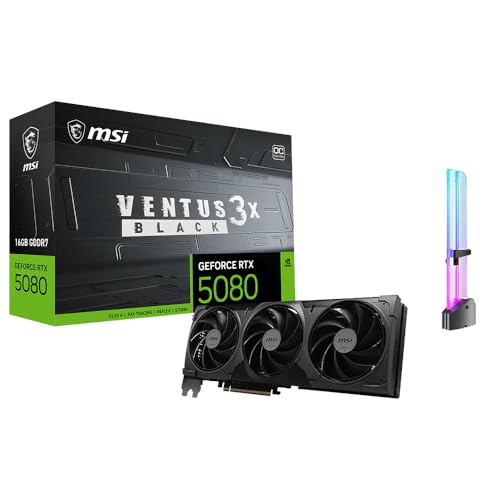
Pros
- Compact 2.5-slot design suits small chassis builds
- 0dB technology and dual BIOS offer quiet and flexible operation
- 767 AI TOPS supports AI-related tasks
- Dual-ball fan bearings improve longevity
Cons
- No power supply requirement or connector type specified, so buyers must verify system compatibility
- No customer evidence or verified testing provided to confirm real-world performance

Pros
- 16GB GDDR7 memory, as listed
- Dual BIOS switch for Quiet or Performance profiles
- Dual-ball fan bearings listed to last longer
- Metal backplate listed for rigidity
- GPU Tweak III software for tuning and monitoring
Cons
- 2.5-slot cooler takes more space than dual-slot cards
- 0dB and bearing life claims are manufacturer-stated
Excessive acoustic output in a gaming PC is a symptom, not a fault in itself. It is the audible result of a thermal, mechanical, or electrical condition. Fan speed is governed by temperature feedback, so a loud
For related maintenance and equipment benchmarks, review our technical guides on best gaming pcs, examine vr gaming pc specifications, and compare desktop gaming systems. You can also reference our analyses on 4k gaming desktops and multitasking gaming pcs. For industry engineering standards, consult PCI-SIG specification standards.