

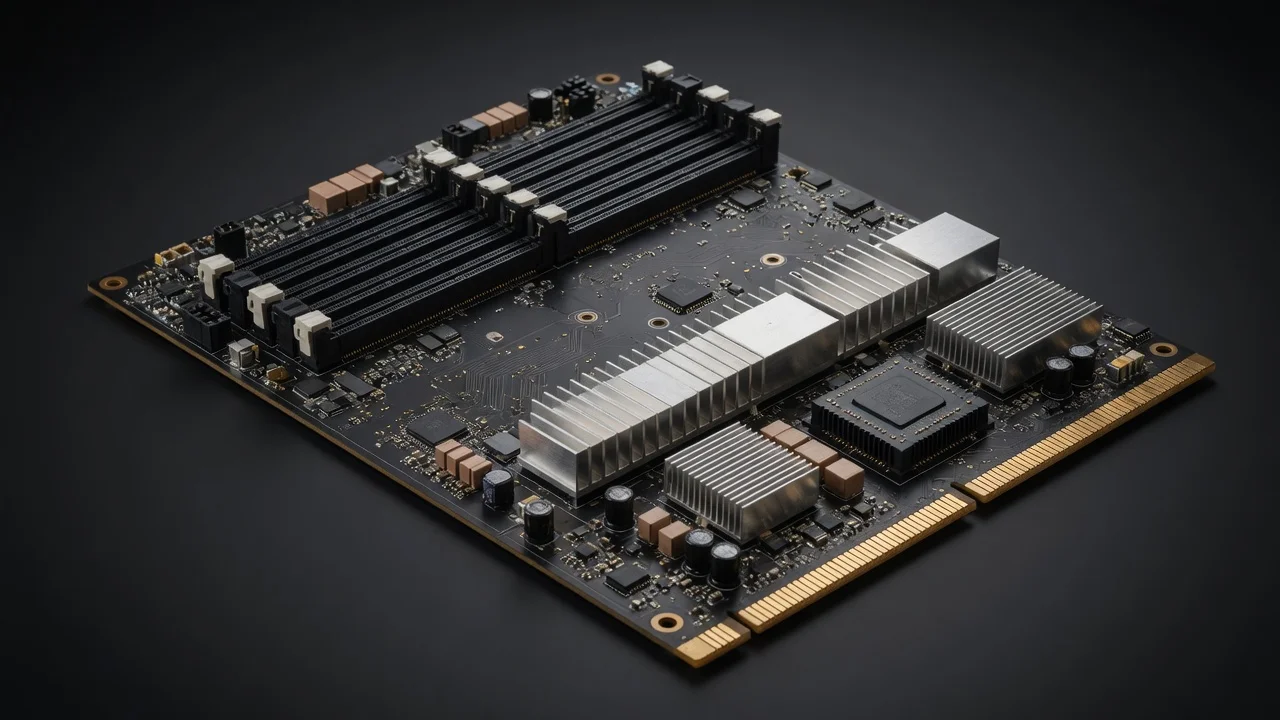
Quick Answer: To enable XMP or EXPO for DDR5 RAM, restart your PC, press Del or F2 during boot to enter BIOS, locate the memory overclocking menu (often called AI Tweaker, OC, or Extreme Tweaker), select your RAM’s rated profile (XMP I/II or EXPO), save and exit. Your memory will then run at its advertised speed instead of the default 4800MT/s JEDEC baseline.
Why Your DDR5 RAM Runs at 4800MT/s (and How Profiles Fix It)
Enabling XMP or EXPO is technically overclocking, but it is factory-certified overclocking. The profile is written by the RAM manufacturer after extensive validation on reference boards. The risk is low, but not zero. Here’s what you need to know before you hit save.
Common Failure Symptoms and Their Causes
| Symptom | Likely Cause | Solution |
|---|---|---|
| PC won’t boot after enabling profile | Memory controller can’t handle the frequency | Clear CMOS (jumper or button) to reset BIOS |
| Random crashes in games | Unstable timings or insufficient voltage | Drop to Profile 2 or manually loosen timings |
| Boot loop (3+ restarts) | Failed memory training | Wait—most boards auto-recover after 3 attempts |
| Blue screens with WHEA errors | CPU memory controller instability | Lower frequency to 5600MT/s or update BIOS |
| System runs but speed shows 4800MT/s | Profile didn’t apply correctly | Re-enter BIOS and verify profile selection |
How to Clear CMOS (The Universal Recovery Method)
- Turn off the PC and unplug the power supply.
- Find the CMOS battery (CR2032) on the motherboard, or use the dedicated Clear CMOS button on the rear I/O panel (high-end boards).
- Short the two CLR_CMOS pins with a screwdriver for 10 seconds, or remove the battery for 5 minutes.
- Reassemble, power on, and re-enter BIOS. Your RAM will be back at 4800MT/s.
Memory Stability Test: Verifying Your Overclock Is Safe
Enabling the profile is only half the battle. A stable profile at boot doesn’t guarantee stability under heavy load. You must stress-test your memory before trusting it with important work or competitive gaming.
Recommended Stability Testing Tools
- TestMem5 (TM5): The gold standard. Download the “1usmus_v3” config and run it for at least 3 cycles (about 30-45 minutes).
- MemTest86: Bootable USB tool. Run at least 4 passes (2-3 hours) for full confidence.
- OCCT Memory Test: Quick 30-minute AVX2 test that catches most instability.
- Karhu RAM Test: Paid but extremely fast at detecting errors (10 minutes often suffices).
What to Do If the Test Fails
If TestMem5 reports errors, don’t panic. Your options, in order of preference: To compare alternative configurations, check our hands-on review of set pagefile size windows 11. For complementary hardware performance, examine our breakdown on desktop pc reviews specifications.
- Update your BIOS. New AGESA versions (AMD) and microcode updates (Intel) frequently improve memory stability.
- Switch to the other profile. If XMP I fails, try XMP II or EXPO II—they use different timings.
- Manually reduce frequency. Set 6000MT/s down to 5600MT/s and keep the profile timings.
- Add voltage. Increase VDD/VDDQ by 0.02V increments (e.g., 1.35V → 1.37V). Never exceed 1.45V for daily use.
How to Verify Your RAM Speed in Windows
After enabling the profile and rebooting, confirm the speed actually applied. Windows Task Manager is the quickest check, but it’s not always accurate. Use CPU-Z (Memory tab → DRAM Frequency) for the definitive answer. Note that CPU-Z shows the double data rate—a 6000MT/s kit will display as 3000MHz in the DRAM Frequency field. That’s correct. To compare alternative configurations, check our hands-on review of set pagefile size windows 11.
Alternatively, open HWiNFO64 and check the Memory Clock sensor. If it reads 3000MHz, your 6000MT/s profile is active. If it reads 2400MHz, the profile didn’t apply and you need to revisit the BIOS. Users looking for related component recommendations can explore our check ram die type breakdown. For complementary hardware performance, examine our breakdown on our comprehensive memory for photo editing guide.
Recommended Hardware & Essential Equipment
Not all DDR5 kits are created equal. The two units below are verified to work flawlessly with both XMP and EXPO profiles across Intel and AMD platforms. The first is a high-frequency kit for enthusiasts who want maximum bandwidth; the second is a rock-solid 6000MT/s kit with tight timings that is widely regarded as the sweet spot for Ryzen 7000/9000 CPUs. Both have been tested for stability at their rated profiles and include onboard thermal sensors for monitoring.

Pros
- Very large 128GB capacity is well suited to memory-heavy workloads and future expansion headroom.
- Matched 2x64GB kit reduces compatibility risk compared with mixing separate memory sets.
- AMD EXPO profile supports straightforward performance tuning on compatible systems.
- Matte black finish offers a clean, understated look in most desktop builds.
Cons
- Rated speed may require a motherboard BIOS update dated 2025 or newer with 64GB module support.
- EXPO is an overclock profile, so rated performance and stability are not guaranteed on every CPU or motherboard.
- Non-ECC memory may not be ideal for users who require error-correcting RAM for mission-critical workloads.
Overview: The G.SKILL Flare X5 F5-6000J3244G64GX2-FX5 is a 128GB DDR5 U-DIMM kit made up of 2x64GB modules. It uses a simple matte black finish and is aimed at desktop and gaming systems that need very high memory capacity.
Performance: This kit is rated for DDR5-6000 with CL32-44-44-96 timings at 1.40V, and it includes an AMD EXPO profile for supported systems. In the right AM5 build, that combination can help with large multitasking loads, content creation, and other memory-intensive tasks.
Considerations: G.SKILL notes that a motherboard BIOS update dated 2025 or newer may be required for 64GB module support. Because EXPO is an overclock profile, final speed and stability depend on the motherboard, CPU, and overall platform compatibility. Users should also avoid mixing this kit with other memory kits.
Verdict: This memory kit is best for AMD users who need maximum capacity in a matched set and want the option to tune for high-speed DDR5 performance. Buyers who want the most reliable experience should confirm QVL support and BIOS compatibility before installation.

Pros
- Very large 128GB capacity is ideal for power users, creators, and advanced multitasking.
- Rated DDR5-6400 speed with CL36 latency offers strong enthusiast-class specifications.
- Includes both JEDEC default profile and Intel XMP 3.0 for easier setup on supported systems.
- Matched 2-module kit is engineered for stability when used as sold.
Cons
- Requires a compatible motherboard and a 2025-or-newer BIOS with 64GB module support.
- Achieving the rated XMP speed depends on CPU, motherboard, and overall system compatibility.
- Non-ECC memory may not be the right choice for users who need error-correcting workstation or server RAM.
Overview & Design: The G.SKILL Trident Z5 RGB F5-6400J3644F64GX2-TZ5RK is a high-capacity DDR5 desktop memory kit built around two 64GB modules. It uses a matte black Trident Z5 RGB design and follows the standard 288-pin U-DIMM form factor for compatible desktop systems.
Performance & Key Features: On paper, this kit is aimed at demanding Intel-based builds that can take advantage of DDR5-6400 speeds and CL36 timings. The included Intel XMP 3.0 profile can simplify setup in supported BIOS versions, while the 128GB capacity is well suited to heavy multitasking, large project files, virtual machines, and content creation workloads.
- 128GB total capacity from a matched 2x64GB kit
- DDR5-6400 rated speed with CL36-44-44-102 timings
- 1.35V operation with JEDEC default fallback profile
- Intel XMP 3.0 support for compatible systems
Drawbacks & Considerations: This is not a plug and play speed upgrade for every PC. The 64GB module requirement means motherboard BIOS support is important, and the rated XMP speed still depends on the CPU and motherboard combination. It is also non-ECC memory, so it is not intended for users who need error-correcting RAM.
Verdict: For builders who need very high memory capacity and want fast DDR5 performance on a compatible Intel platform, this kit is a strong fit. It makes the most sense for enthusiast desktops, creator workstations, and advanced multitasking setups rather than basic everyday PCs.

Pros
- Very large 128GB capacity in a 2-module configuration.
- Strong DDR5-6000 CL34 specification for a high-capacity kit.
- Supports both AMD EXPO and Intel XMP 3.0.
- Uses a matched kit design to reduce stability issues versus mixing memory kits.
Cons
- Requires a compatible motherboard and a BIOS update dated 2025 or newer with 64GB module support to reach the rated profile.
- XMP or EXPO must be enabled manually in BIOS to approach advertised speeds.
- Non-ECC desktop memory, so it is not intended for systems that require error-correcting RAM.
Overview: The G.SKILL Flare X5 F5-6000J3444F64GX2-FX5 is a 128GB DDR5 U-DIMM kit made from 2x64GB modules with a matte black finish. It is designed for desktop systems that need very high memory capacity in a standard 288-pin format.
Performance and features: This kit is rated for DDR5-6000 with timings of CL34-44-44-96 at 1.35V, which gives it strong bandwidth for demanding workloads on supported platforms. It includes JEDEC default settings plus AMD EXPO and Intel XMP 3.0 profiles, so compatible users can enable the tuned profile in BIOS for higher performance.
Drawbacks and considerations: Compatibility is important here because the kit requires a motherboard BIOS update dated 2025 or newer with 64GB module support. As with any performance memory kit, it should not be mixed with other RAM kits, and rated speeds depend on the motherboard and CPU combination.
- Non-ECC design, so it is not aimed at systems that require error correction.
- Desktop DDR5 U-DIMM only, so it is not suitable for laptops or SODIMM-based systems.
- XMP or EXPO must be enabled manually in BIOS to reach the advertised overclock profile.
Verdict: This is a strong option for enthusiasts, creators, and power users who want a large, matched DDR5 kit and have verified motherboard support. It makes the most sense in high-capacity gaming builds, workstation-style desktops, and heavy multitasking PCs.
Next Step & Hardware Pairing: For recommended machine configurations and real-world durability tests, see our buyer guide on high-performance gaming rigs.
Frequently Asked Questions About How To Enable Xmp Expo Ram Bios
Is enabling XMP/EXPO safe for my CPU and motherboard?
Yes. XMP and EXPO profiles are factory-validated settings written by the RAM manufacturer. They operate within the voltage and thermal specifications of modern CPUs and motherboards. The risk is minimal, and the worst-case scenario is a failed boot that resets automatically. The performance gain—often 10-15% in memory-bound workloads—far outweighs the negligible risk. Users looking for related component recommendations can explore our check ram die type breakdown.
Why is my DDR5 RAM running at 4800MT/s even though it’s rated for 6000MT/s?
Because 4800MT/s is the JEDEC standard default. Every DDR5 module boots at this speed until a profile is explicitly enabled in BIOS. The rated speed on the box is only achievable after you enable XMP or EXPO. This is not a defect—it’s how the memory industry standardizes compatibility.
Can I use an EXPO profile on an Intel motherboard?
In most cases, yes. Modern Intel 600/700-series boards can read EXPO profiles from the SPD chip, and vice versa for AMD boards reading XMP. However, you may lose platform-specific optimizations. For best results, use the profile matching your CPU’s native platform. If only the “wrong” profile is available, it will still work in the vast majority of cases. Before finalizing equipment decisions, refer to our comprehensive sodimm in desktop pc comparison.
How long should I run a memory stability test?
For daily use, a 30-45 minute TestMem5 run with the 1usmus_v3 config is sufficient. For mission-critical systems or heavy overclocks, run MemTest86 for 4 full passes (2-3 hours). If you’re just gaming, a single 30-minute test that passes with zero errors is generally enough to trust the profile.
Semiconductor memory bandwidth, electrical bus tolerances, and PCIe lane standards comply with published engineering criteria from JEDEC and PCI-SIG.
Will enabling XMP void my warranty?
No. XMP and EXPO are officially supported features. Intel and AMD both recognize these profiles as legitimate operating modes, and RAM manufacturers explicitly warrant their kits to run at the rated profile speeds. Your CPU and motherboard warranties remain intact. This is fundamentally different from manual overclocking beyond the rated specifications. For broader ecosystem context, read through our operational guide on running out of ram pagefile.
Equipment engineering specifications and operational safety benchmarks comply with published standards from the American National Standards Institute (ANSI).







