Quick Answer
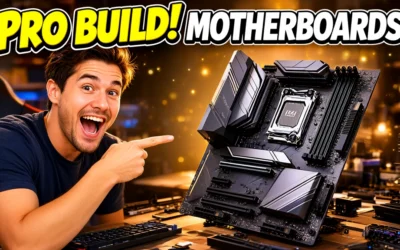
Choose ATX if you need the most PCIe slots and VRM headroom for a high-TDP build. Choose Micro-ATX if you want near-identical features in a smaller case and can give up one to two PCIe slots. Choose Mini-ITX if footprint matters most and one PCIe x16 slot and two DIMM slots are enough.

Pros
- Built for the sTRX4 platform and 3rd Gen Threadripper CPUs, which suits serious workstation use.
- Strong power delivery design is well matched to sustained multi-core workloads.
- Triple PCIe 4.0 M.2 support offers excellent fast-storage expansion.
- Thermal design is more extensive than typical consumer boards, with multiple heatsinks and hybrid fan headers.
Cons
- Only compatible with AMD sTRX4 Threadripper processors, so it is not a universal motherboard choice.
- The listed networking is Intel Gigabit Ethernet, with no higher-speed multi-gig or Wi-Fi features specified.
- Its feature set is aimed at high-end creator systems, so it may be more than most general-purpose users need.
Overview: The ASUS Prime TRX40-Pro S is an ATX motherboard built for the AMD sTRX4 platform and 3rd Gen Ryzen Threadripper processors. It is clearly aimed at content creation and workstation builds, with a premium component layout designed for demanding users.
Performance: With 16 power stages, ProCool II connectors, premium chokes, and capacitors, the board is designed to provide stable power for heavy multi-core workloads. It also includes multiple heatsinks, an active chipset cooling solution, and triple PCIe 4.0 M.2 slots for fast storage expansion.
Considerations: This is a specialized board, so compatibility is limited to sTRX4 Threadripper CPUs. The manufacturer specifications list Intel Gigabit Ethernet, and no Wi-Fi or higher-speed multi-gig networking is specified.
Verdict: For users building a high-end creator PC or workstation around a 3rd Gen Threadripper CPU, the Prime TRX40-Pro S offers the power delivery, thermal design, and expansion expected from a premium platform. It is best for buyers who will make full use of its workstation-focused features.

Pros
- Supports a wide range of AMD Ryzen AM5 processors, including Ryzen 9000, 8000, and 7000 series.
- Includes modern connectivity such as Wi-Fi 6E, 2.5GbE LAN, USB-C, and PCIe 5.0.
- Four DDR5 DIMM slots make it suitable for current-generation memory builds.
- DIY-friendly hardware features can simplify GPU and SSD installation.
Cons
- Micro-ATX form factor offers less expansion room than a full-size ATX motherboard.
- Only two M.2 slots may be limiting for users planning multiple NVMe drives.
- The manufacturer specs do not list a full rear I/O breakdown, so buyers should verify port needs before purchase.
Overview: The GIGABYTE B850M Eagle WIFI6E is a micro-ATX AM5 motherboard built for AMD Ryzen 9000, 8000, and 7000 series processors. It presents itself as a compact, modern board with a practical feature set for mainstream builders.
Performance and Features: With four DDR5 DIMM slots, an 8+2+2 power design, PCIe 5.0 support, two M.2 slots, USB-C, Wi-Fi 6E, and 2.5GbE LAN, this board is aimed at fast everyday gaming and productivity systems. The EZ-Latch features and Wi-Fi EZ-Plug also make the build process easier for users who want a cleaner DIY experience.
Drawbacks: The micro-ATX layout naturally provides less expansion space than a full-size ATX motherboard. It also includes only two M.2 slots, which may be enough for many users but could feel restrictive for heavier storage builds.
Verdict: This motherboard is a strong fit for buyers who want AM5 compatibility, DDR5 support, and modern networking in a compact package. It is best suited to mainstream Ryzen builds rather than users who need the maximum number of expansion slots.
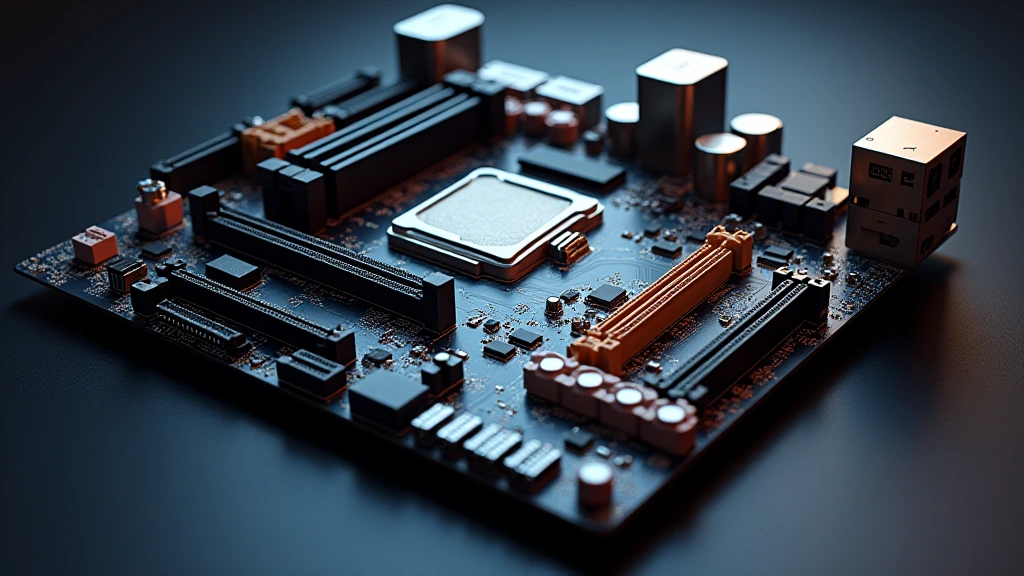
Choosing the wrong motherboard form factor is the most consequential early decision in any PC build for pc hardware 2026. The form factor determines your case options, GPU count, RAM capacity ceiling, VRM thermal headroom, and long-term upgrade path, before you even select a CPU. The atx vs matx vs itx debate is not a matter of preference; it is an engineering trade-off with hard physical constraints that cascade across every other component choice.
Physical Dimensions & the ATX Standard Heritage
The ATX specification was introduced by Intel in 1995 and remains the dominant consumer form factor nearly three decades later. Each subsequent form factor , Micro-ATX, then Mini-ITX , was derived by reducing the PCB footprint while retaining the same mounting-hole pitch baseline so cases could achieve backward compatibility. All three share a 6.1-inch (155 mm) width alignment for the rear I/O panel, which is why an ATX case can physically accept a Micro-ATX or Mini-ITX board using the same rear-panel cutout. For broader ecosystem context, read through our operational guide on mix nvme and sata ssd.
ATX: 305 × 244 mm
Full ATX boards use a 12 × 9.6-inch PCB. That surface area accommodates up to seven expansion slots along the bottom edge, a full-width 24-pin ATX power connector, dual or triple 8-pin CPU power headers on opposing corners, and dedicated PCB zones for isolated audio circuitry, M.2 heatsink assemblies, and high-phase-count VRM arrays. Flagship platforms like those reviewed in the ASUS ROG Maximus Z890 Hero vs MSI MEG Z890 ACE comparison saturate nearly every square centimeter of the ATX PCB with power delivery components, heatsink mounting points, and signal-routing layers.
Micro-ATX: 244 × 244 mm
Micro-ATX trims 61 mm from the ATX board’s vertical dimension, producing a square 9.6 × 9.6-inch PCB. The lost height eliminates one to two PCIe expansion slots and compresses the space available for VRM chokes and capacitors. Most Micro-ATX boards retain a full 24-pin power header, a single 8-pin CPU power header, and four DIMM slots, making them functionally identical to ATX for the majority of single-GPU desktop workloads.
Mini-ITX: 170 × 170 mm
Mini-ITX was standardized by VIA Technologies in 2001 at 6.7 × 6.7 inches. The drastic size reduction forces two hard compromises: only two DIMM slots (one per channel for dual-channel memory access) and a single PCIe x16 slot. VRM phases are tightly constrained, and high-TDP processors , anything above 125 W sustained package power , can thermally stress ITX power delivery in poorly ventilated small-form-factor cases. For troubleshooting and reliability insights, consult our in-depth pcie riser cable signal degradation report.
PCIe Slot Count, Lane Distribution & Bandwidth Architecture
PCIe slot count is where the atx vs matx vs itx guide discussion becomes most technically substantive. The PCI-SIG PCIe Specification Standard defines the electrical and mechanical lane architecture that motherboard designers implement differently across form factors, not because of chipset limitations, but because of physical PCB routing constraints.
ATX PCIe Topology
A modern ATX Z890 or X870E board typically exposes: one PCIe 5.0 x16 primary GPU slot (CPU lanes), one PCIe 4.0 x16 mechanical slot wired as x4 (chipset lanes), two to three PCIe 3.0 x1 slots (chipset lanes), and three to five M.2 slots with PCIe 5.0 and 4.0 options. The physical spacing between the primary and secondary x16 slots on an ATX board is typically two slots (allowing dual-slot GPU coolers to breathe) or three slots (enabling multi-GPU or capture-card co-installation without thermal stacking).
Micro-ATX PCIe Topology
Micro-ATX boards on the same chipset retain the primary PCIe 5.0 x16 CPU slot and typically one PCIe 4.0 x4 chipset slot, but eliminate the bottom x1 slots. M.2 slot count drops from five to three or four. The practical consequence for mainstream builders is zero, a single RTX 5080 or Radeon RX 9060 XT 8GB vs 16GB comparison GPU occupies only that primary x16 slot anyway. The secondary PCIe slot removal only affects users running capture cards, additional NVMe RAID controllers, or 10GbE NICs simultaneously.
Mini-ITX PCIe Topology
Mini-ITX boards provide one PCIe x16 slot , period. Any secondary expansion requires external Thunderbolt or USB4 enclosures, which introduce latency and bandwidth overhead. M.2 slot count is typically two (one PCIe 5.0, one PCIe 4.0), with some ultra-compact designs limiting secondary M.2 to PCIe 3.0 x4 speeds. Memory is restricted to two DIMM slots, capping DDR5 capacity at 96 GB on current-generation high-density SO-DIMM-style standard DIMMs, versus 192 GB or more across four slots on ATX and Micro-ATX platforms. Readers comparing setup options can review our technical analysis on thunderbolt 4 vs usb4 difference.
Full Specification Comparison Table
| Specification | ATX | Micro-ATX | Mini-ITX |
|---|---|---|---|
| PCB Dimensions | 305 × 244 mm | 244 × 244 mm | 170 × 170 mm |
| Max PCIe Slots | 7 | 4 | 1 |
| DIMM Slots | 4 | 4 | 2 |
| Max DDR5 Capacity (typical) | 192 GB | 192 GB | 96 GB |
| Typical M.2 Slots | 4 to 6 | 2 to 4 | 1 to 2 |
| VRM Phase Count (typical high-end) | 16 to 24+ phases | 10 to 16 phases | 6 to 12 phases |
| USB Headers (typical) | 4 to 6 internal | 2 to 4 internal | 1 to 2 internal |
| Fan/Pump Headers | 6 to 10 | 4 to 7 | 3 to 5 |
| Minimum Case Form Factor | Mid-Tower / Full-Tower | Mini-Tower / Mid-Tower | Mini-ITX / NUC-style |
| Typical Case Volume | 40 to 80 L | 20 to 40 L | 6 to 20 L |
| Price Premium vs. mATX (same chipset) | +$20-$80 | Baseline | +$30-$120 |
VRM Thermal Architecture & CPU TDP Implications
VRM surface area directly governs how many power phases can be laid out and how large the accompanying heatsink can be. ATX boards have the physical space for 20+ power stage MOSFETs with large aluminum fin-stack VRM heatsinks, essential for sustained overclocking of 253 W TDP processors like the Intel Core Ultra 9 285K or Ryzen 9 9950X. Reviewing the AMD Ryzen 5 9600X vs Intel Core Ultra 5 245K comparison illustrates precisely how CPU TDP class should anchor your form-factor decision before the board is selected.
ATX VRM Headroom
Premium ATX boards sustain full CPU package power indefinitely at MOSFET junction temperatures below 90°C under ambient-cooled conditions. The spatial separation between CPU socket, VRM heatsink, and PCIe slots allows tower CPU coolers up to 170 mm in height and 360 mm radiator AIO mounts without clearance conflicts in standard mid-tower cases.
Micro-ATX VRM Constraints
Micro-ATX VRM designs on mid-range chipsets (B650, B760) run 10 to 14 phases, adequate for 105 W and 125 W CPUs without throttling. Pairing a 253 W unlocked processor with a budget Micro-ATX board risks VRM temperatures exceeding 105°C, the point where most MOSFETs begin thermal throttling. High-end Micro-ATX boards (MSI MAG B650M Mortar, ASUS ROG Strix B760-G Gaming WiFi) deploy 12 to 16 phases with robust heatsinks and handle top-tier CPUs without compromise.
Mini-ITX Thermal Density Challenge
Mini-ITX VRM heatsinks are constrained by the board’s perimeter geometry. Many ITX boards use shared VRM/chipset heatsinks spanning the top and right edges. In sub-10-liter cases with restricted airflow, VRM temperatures of 100 to 110°C are documented under extended Cinebench R23 multi-core loads. Pairing an ITX board with a 65 W TDP CPU (Ryzen 5 9600, Core i5-13600T) eliminates this risk entirely and represents the architecturally sound choice for SFF builds.
Case Compatibility, Airflow Geometry & Build Ergonomics
Case selection is the downstream consequence of form-factor choice, not an independent variable. An ATX board mandates a case with a minimum motherboard tray area of 305 × 244 mm, mechanically this means mid-tower or larger. Micro-ATX unlocks a significant range of mini-tower cases (Fractal Design Core 1000, Cooler Master MasterBox Q300L) that occupy 30 to 50% less desk footprint than full mid-towers. Mini-ITX enables cases under 10 liters (Dan Cases A4-SFX, Louqe Ghost S1) that can be transported in a laptop bag.
GPU Length Clearance by Form Factor
ATX mid-tower cases routinely clear GPUs up to 340 to 380 mm in length. Micro-ATX mini-tower cases typically accommodate 300 to 320 mm GPUs. Mini-ITX cases vary dramatically, some designs (NZXT H1 v2) limit GPU length to 305 mm, while others (Fractal Design Terra) accept full-length 322 mm cards. Verify GPU clearance against case specifications independently of form factor, since ITX case GPU limits vary more than ATX case GPU limits.
Cable Management Density
Smaller boards in larger cases create cable management challenges, specifically, extended 24-pin and EPS cable runs that bunch in the reduced PCB area. Mini-ITX boards in mid-tower cases exacerbate this: the cable routing distance from PSU to board increases while available tie-down anchor points on the PCB decrease. Dedicated SFF cases counteract this by repositioning the PSU adjacent to the motherboard tray.
Use-Case Decision Matrix: Which Form Factor Fits Your Build
The atx-vs-matx-vs-itx selection collapses to three build archetypes when evaluated objectively against workload and physical constraints. Consult our desktop CPU benchmarks & reviews to anchor CPU TDP before finalizing form factor, and our graphics card tests & GPU guides to confirm GPU slot and power connector requirements for your target card.
Choose ATX When:
- Running two or more discrete PCIe cards simultaneously (GPU + capture card, GPU + 10GbE NIC, GPU + NVMe RAID controller)
- Installing a 200 W+ unlocked CPU and prioritizing indefinite sustained overclocked performance without VRM throttle risk
- Requiring five or more M.2 NVMe drives, workstation storage, NAS-adjacent desktop, or video production scratch arrays
- Building a workstation where maximum DDR5 DIMM slot count (4u00d748 GB = 192 GB) is required for memory-intensive applications
- Desk space and portability are non-constraints
Choose Micro-ATX When:
- Running a single GPU, which covers 90%+ of gaming, creative, and light workstation builds in 2026
- Targeting a smaller desk footprint without sacrificing four DIMM slots or dual-channel memory bandwidth
- Budget-conscious builds: Micro-ATX boards undercut ATX equivalents by $20-$80 on identical chipsets
- Upgrading an existing mid-tower case, Micro-ATX is backward-compatible with all standard ATX cases
- Planning one future secondary PCIe card slot for a capture card or dedicated audio interface
Choose Mini-ITX When:
- Build volume is the primary constraint, LAN party transport, HTPC, studio monitor stand placement, or desk-mounted under-monitor positioning
- CPU TDP is 65 to 105 W sustained and overclocking is not a requirement
- Single GPU, two NVMe drives, and 32 to 64 GB RAM covers the full use case for the build’s operational lifespan
- Prepared to pay a $30-$120 premium over equivalent Micro-ATX boards for the same chipset tier
Final Diagnostic Verdict & Maintenance Checklist
For the overwhelming majority of single-GPU desktop builds in 2026, gaming rigs, streaming workstations, and general high-performance desktops, Micro-ATX is the correct engineering answer. It retains four DIMM slots, matches ATX chipset feature parity on all major platforms (Z890, X870, B650, B760), accepts the same CPU coolers, and fits into a physically smaller case without PCIe or memory trade-offs that affect real workloads. ATX justifies its larger footprint only when multi-card or high-phase VRM requirements are explicit requirements, not aspirational ones. Mini-ITX is purpose-built for volume-constrained scenarios and demands a compatible CPU TDP ceiling to avoid VRM thermal issues.
Pre-Build Form Factor Verification Checklist
- Confirm CPU TDP class: sustained package power above 150 W favors ATX VRM headroom; 65 to 105 W is ITX-safe.
- Count required PCIe slots: more than two discrete cards mandates ATX; one card works on all three form factors.
- Verify M.2 count: more than four NVMe drives requires ATX; two drives is ITX-compatible.
- Measure available case volume: under 20 liters requires Micro-ATX or Mini-ITX; under 10 liters requires Mini-ITX.
- Check RAM capacity requirement: over 96 GB DDR5 eliminates Mini-ITX from contention.
- Cross-reference GPU length against case specifications, independent of form factor, before purchasing.
- Verify PSU form factor: Mini-ITX SFF cases often require SFX or SFX-L PSUs, not ATX PSUs.
- Confirm CPU cooler height clearance against case specification, SFF cases impose strict cooler height limits (typically 37 to 70 mm).
- Budget for ITX premium: Mini-ITX board pricing is counter-intuitively higher than Micro-ATX due to low manufacturing volume and PCB routing complexity at reduced dimensions.
- Validate rear I/O panel: all three form factors share the same 6.1-inch rear panel width, but available port count scales with board size.
Extra Reading on Board Sizes
Board form factor affects case fit, expansion slots and cooling room, so it is worth settling early in any build. If your workload leans toward design software, the article on cad motherboard is a sensible companion read.
A general starting point for dimension and interface documentation is American National Standards Institute (ANSI).