

Video editors face significant challenges when selecting hardware that can handle intensive multi-threaded rendering, high-bandwidth memory access, and simultaneous GPU acceleration without thermal or power throttling. Bottlenecks frequently arise from insufficient PCIe lanes limiting multi-GPU or high-speed storage configurations, inadequate VRM designs that fail under prolonged 4K export loads, and outdated chipsets that restrict modern CPU core counts essential for effects processing in applications like Adobe Premiere or DaVinci Resolve. Choosing among Best Video Editing Motherboards requires careful matching of socket compatibility, expansion potential, and reliability to avoid costly rebuilds mid-project. Editors working with large media libraries also need robust I/O for capture devices and external arrays to maintain smooth timelines.
Critical factors to evaluate for Best Video Editing Motherboards in July 2026 center on support for high-core-count processors, multi-channel DDR5 memory with high capacities, multiple PCIe 4.0 or 5.0 slots for GPUs and accelerators, and abundant M.2 interfaces for RAID-configured NVMe drives. We reviewed 15 options spanning $39.99 – $3,289.99 from ASUS, EVGA, msi and more based on technical alignment with professional editing demands and power delivery stability. Readers seeking complementary full system insights should review desktop PCs configurations that pair effectively with these boards for complete video production setups.

Pros
- Very high core and thread count for workstation-class performance.
- Strong storage and expansion options with PCIe 5.0 and multiple M.2 slots.
- Supports large-capacity ECC R-DIMM DDR5 memory for demanding professional tasks.
- Includes premium connectivity such as Wi-Fi 7, USB4, and dual-speed wired networking.
Cons
- Cooler and thermal solution are not included.
- Discrete graphics card is required.
- The 350W default TDP means it needs substantial cooling and power headroom.
Overview: The Micro Center AMD 9970X Processor with ASUS Pro WS TRX50-SAGE CEB Workstation Motherboard is a workstation-focused bundle built around the 32-core, 64-thread Ryzen Threadripper 9970X and ASUS's TRX50 SAGE platform. It is aimed at creators, engineers, and power users who need serious expandability and memory capacity.
Performance and features: With a 5.4 GHz max boost, unlocked overclocking, PCIe 5.0 support, DDR5 compatibility, and up to 1TB ECC R-DIMM memory support on the motherboard, this combo is designed for demanding rendering, simulation, and multitasking workflows. Connectivity is also strong, with Wi-Fi 7, USB4, 10 Gb and 2.5 Gb LAN, multiple M.2 slots, and IPMI remote management support.
Drawbacks and considerations: The processor does not include a cooler, and a discrete graphics card is required, so the total build cost and setup requirements are higher than on mainstream platforms. Its 350W default TDP also means cooling, power delivery, and case airflow need to be planned carefully.
Verdict: This bundle makes the most sense for users who value workstation-class expandability and sustained performance over simplicity or budget. If you are building a high-end creator or engineering system, the feature set is compelling; casual users will likely find it excessive.

Pros
- High-end Intel Core Ultra 9 185H processor class for productivity, AI, and content creation.
- Dual Ethernet and WiFi 7 add versatile, high-speed connectivity.
- Quad-display output support is well suited to trading desks and multitasking setups.
- 3-year warranty and reliability testing add confidence for long-term business use.
Cons
- The included 16GB RAM may feel limited for heavy virtual machines, large AI models, or advanced creative projects.
- Integrated Intel Arc graphics are not a replacement for a discrete GPU in demanding 3D or gaming workloads.
- Expansion and upgrade details are not provided in the supplied data, so upgrade flexibility is unclear.
Overview: The GEEKOM IT13 MAX is a compact mini PC built around Intel Core Ultra 9 185H performance, 16GB DDR5 memory, and a 1TB SSD. It is positioned as a desktop replacement for users who want a small system with business-ready reliability, Windows 11 Pro, and support for major Linux distributions.
Performance and features: Based on the listed specs, this model is well suited to coding, AI-assisted workflows, office productivity, and video editing. Dual 2.5GbE LAN, WiFi 7, Intel Arc graphics, and support for up to four displays, including 8K over USB-C, make it flexible for multi-monitor setups and connected work environments.
Drawbacks to consider: The included 16GB RAM may be enough for everyday work, but users running large virtual machines, heavy datasets, or advanced creative workloads may want more memory. It also relies on integrated graphics rather than a dedicated GPU, so it will not match a discrete graphics card for demanding 3D or gaming use.
Verdict: The IT13 MAX is a strong fit for developers, office professionals, traders, and creators who value compact size, strong networking, and broad OS compatibility. It makes the most sense for users who want a quiet, capable mini PC rather than a full tower workstation.

Pros
- Broad support for popular Intel 8th and 9th Gen CPUs, including i9, i7, i5, Pentium Gold, and Celeron models
- Strong storage and expansion features with two Turbo M.2 slots and Intel Optane Memory readiness
- Dual Intel LAN is a practical advantage for users who want reliable wired networking options
- Thermal-focused design includes an extended heatsink layout and M.2 Shield Frozr
Cons
- Only compatible with Intel LGA1151 8th and 9th Gen processors, so it cannot be used with newer Intel platforms
- No built-in Wi-Fi is listed in the provided specs, so wireless networking may require an add-on solution
- ATX size may not fit smaller PC cases
Overview & Design: The MSI MAG Z390 Tomahawk is an ATX motherboard built for Intel LGA1151 8th and 9th Gen processors. It uses a gaming-focused layout with a pre-installed I/O shield, extended heatsinks, and a practical feature set aimed at reliable desktop builds.
Performance & Key Features: This board supports dual-channel DDR4 memory up to 4400 MHz overclocked, along with two Turbo M.2 slots and Intel Optane Memory readiness. It also includes M.2 Shield Frozr for storage cooling, Intel Turbo USB 3.1 Gen2, dual Intel LAN, and Intel CNVi readiness for flexible system planning.
Drawbacks & Considerations: The main limitation is platform compatibility, since it is designed specifically for Intel 8th and 9th Gen CPUs on the LGA1151 socket. The provided specifications also do not list built-in Wi-Fi, so users who want wireless networking may need an extra adapter or card.
Verdict: The MSI MAG Z390 Tomahawk is a strong choice for builders who want a stable Intel-based gaming motherboard with fast memory support, solid storage options, and useful thermal features. It is best suited to users assembling an 8th or 9th Gen Intel desktop who value wired networking and dependable performance.

Pros
- Compact low-profile design is well suited for small form factor desktops.
- Multiple display outputs increase flexibility for monitor compatibility.
- No external power supply needed, which simplifies setup in budget PCs.
- Supports older Windows versions, including legacy systems.
Cons
- 1GB DDR3 memory and 64-bit bandwidth are limited for demanding graphics workloads.
- Not compatible with Windows 11, which reduces use in newer systems.
- Not intended for AAA gaming or high-performance creative work.
Overview: The QTHREE GT 210 is a low-profile desktop graphics card built for basic upgrades and compact PC builds. Its small form factor and simple installation make it a practical choice for slim cases and older systems.
Performance & Features: With 1GB DDR3 memory, a 589 MHz core clock, and HDMI, DVI, and VGA outputs, it is designed for everyday computing, video playback, and light photo or video editing. It also supports up to two monitors, which can improve productivity in office-style setups.
Drawbacks & Considerations: This card is not meant for modern gaming or heavy creative workloads, and its 1GB DDR3 specification is modest by current standards. It also does not support Windows 11, so buyers should confirm OS compatibility before purchasing.
Verdict: The QTHREE GT 210 makes the most sense for users who need an affordable, low-power display upgrade for a legacy PC or a compact desktop. It is a functional choice for basic tasks, but power users should look for a more capable graphics card.

Pros
- Windows 11 Pro is included and ready for immediate use.
- Excellent upgrade flexibility for RAM and storage compared with many sealed mini PCs.
- Supports quad-display workflows and 8K output for productivity-heavy setups.
- Durability-focused construction and a 3-year warranty add long-term value.
Cons
- Integrated Radeon Vega 7 graphics are not intended for demanding AAA gaming or heavy 3D rendering.
- The base 16GB RAM and 512GB SSD are adequate for daily use but may need upgrading for larger workloads.
- Expanding storage or memory requires opening the unit, so it is less plug-and-play than fixed configurations.
Overview: The GEEKOM A5 Mini PC is a compact Windows 11 Pro business desktop built around the AMD Ryzen 5 7430U and Radeon Vega 7 graphics. Its reinforced shell, metal frame, and small footprint make it well suited for desks, office counters, and other space-conscious setups.
Performance and features: With 16GB of RAM and a 512GB PCIe SSD, the A5 is designed for everyday productivity, web-based work, video calls, streaming, photo editing, light 4K video editing, and casual gaming. It also stands out for multi-display support through dual HDMI and dual USB-C ports, plus 8K output over USB-C for more advanced workspace configurations.
Drawbacks and considerations: The integrated Vega 7 graphics are fine for light creative tasks and casual games, but they are not a replacement for a dedicated GPU. Users with large files, many browser tabs, or heavier workloads may also want to expand the default memory and storage over time.
Verdict: The GEEKOM A5 is a strong choice for business users, home office buyers, and anyone who wants a quiet, upgradeable mini PC with broad display support and long warranty coverage. It is less suitable for serious gaming or demanding 3D work, but it offers practical value for daily professional use.

Pros
- Large 32GB memory capacity supports heavier multitasking and larger projects.
- Dual-storage setup balances fast everyday performance with high-capacity file storage.
- Quadro GPU and ISV-oriented positioning suit professional creative and engineering software.
- Windows 11 Pro is preinstalled for a more professional desktop experience.
Cons
- The Quadro K1200 is an older 4GB workstation GPU, so it is not ideal for modern high-end gaming or very demanding rendering workloads.
- As a renewed product, cosmetic condition and included accessories may vary from unit to unit.
- The listing does not provide key physical details such as dimensions or weight, which may matter for some buyers.
Overview: The HP Workstation PC Desktop Computer is a renewed tower built for creative and professional use. It combines an 8th Gen Intel Core i5 processor, 32GB of DDR4 memory, and a workstation-focused NVIDIA Quadro K1200 4GB GPU in a traditional desktop chassis.
Performance: This setup is well suited for photo and video editing, CAD work, 3D design, and other multitasking-heavy jobs. The 1TB SSD helps the system boot quickly and load apps with less delay, while the additional 4TB HDD provides generous room for project files and media.
Drawbacks: The Quadro K1200 is an older graphics card, so it is better for professional productivity than for high-end gaming or the most demanding modern rendering tasks. Because this is a renewed product, cosmetic condition may vary from unit to unit.
Verdict: If you want a workstation desktop with strong memory, practical storage, and broad software compatibility at a lower cost than a new build, this HP system is a sensible option for designers, editors, and small business users.
Pros
- High-end Ryzen 9 CPU is well suited for demanding video editing and multitasking.
- Generous 64GB DDR5 memory and 2TB NVMe storage provide a strong out-of-box workflow base.
- Quadro RTX 2000 ADA 16GB is a pro-grade GPU option for creative software compatibility and acceleration.
- RAM is expandable up to 192GB, which leaves room for future memory upgrades.
Cons
- Mini DisplayPort-only video outputs may require adapters for HDMI or USB-C monitor setups.
- Mini tower form factor may offer less internal expansion room than a larger workstation case.
- Wireless connectivity is not listed in the provided specifications.
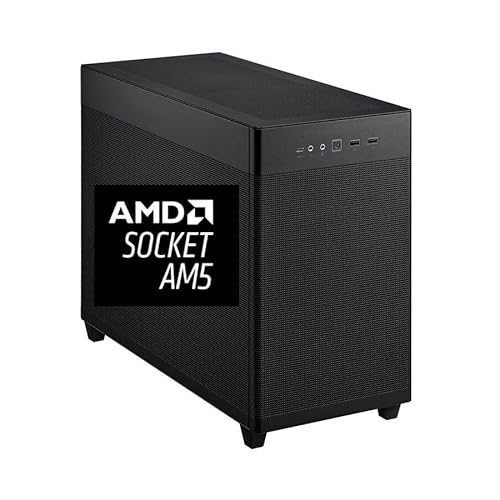
Overview & Design: The CPU Solutions Express 4K Video Editing PC is a compact mini tower workstation built around the Ryzen 9 9950X, 64GB of DDR5 memory, and a 2TB NVMe SSD. It presents itself as a serious desktop for creators who want a professional setup with Windows 11 Pro preinstalled and a clean, bloatware-free configuration.
Performance & Key Features: This system is designed for heavy video editing workloads, with a 16-core, 32-thread processor that can boost up to 5.7GHz and a Quadro RTX 2000 ADA graphics card with 16GB of dedicated memory. The combination of fast storage, high-capacity RAM, and workstation graphics should help with timeline responsiveness, multitasking, and large project handling.
Drawbacks & Considerations: The provided specs show several practical limitations that buyers should note before purchasing.
- The graphics outputs are limited to 4 Mini DisplayPort connections, so many monitor setups will need adapters.
- The mini tower format may not feel as expandable as a full-size workstation chassis.
- Wireless features such as Wi-Fi or Bluetooth are not listed in the supplied data.
Verdict: For editors, content creators, and production users who want a high-performance Windows 11 Pro workstation with strong CPU, memory, storage, and pro GPU specs, this PC is a compelling option. It is most valuable for users who prioritize reliable editing performance over compact consumer-style convenience.

Pros
- Very high sequential read performance for a consumer NVMe SSD.
- Strong write speed on the 2TB model for large transfers and creative work.
- Better power efficiency than the brand's previous PCIe Gen4 drive.
- Includes software tools for monitoring, maintenance, and migration.
Cons
- Full advertised speeds require a PCIe 5.0-compatible motherboard and system.
- The raw data does not list a bundled heatsink, so cooling may depend on your build.
- The 2TB capacity may be limiting for users with very large game libraries or media projects.
Overview: The Sandisk WD_Black SN8100 2TB is a PCIe 5.0 x4 M.2 2280 NVMe SSD aimed at high-end gaming rigs and creator PCs. It keeps a familiar M.2 form factor while targeting users who want a major performance jump from older storage.
Performance: With sequential read speeds up to 14,900MB/s and write speeds up to 11,000MB/s on the 2TB model, this drive is built for fast game loading, large file transfers, and demanding workflows such as video editing and AI-related tasks. Random performance above 2,300,000 IOPS also supports quick everyday responsiveness.
Considerations: To reach its full potential, the SSD needs a PCIe 5.0-capable system. The raw data also does not specify a bundled heatsink, so thermal management may depend on your motherboard or case airflow.
Verdict: This is a strong choice for users building a modern performance PC who want top-tier speed and useful software support. If your system is older or you do not need PCIe 5.0-level performance, a PCIe 4.0 drive may be the more practical option.
Pros
- Very high PCIe 5.0 performance for supported systems.
- M.2 2280 form factor fits standard modern NVMe slots.
- 4TB capacity gives plenty of room for OS, games, and large projects.
- Includes software support for health monitoring and cloning.
Cons
- Requires a PCIe 5.0 compatible system to reach advertised speeds.
- Sandisk Dashboard is Windows only, which limits the bundled software on other operating systems.
- The provided data lists write speed differently in the title and feature copy, so buyers may want to verify the final spec on the product page.
Overview: The WD_BLACK SN8100 4TB from Sandisk is a PCIe 5.0 x4 NVMe SSD in the M.2 2280 format, built for users who want very fast internal storage. Its positioning clearly favors gaming, AI workloads, and video editing.
Performance: On paper, this drive delivers up to 14,900MB/s sequential read speed, with the product details also citing very strong write performance for the 2TB to 4TB range. It is also listed with more than 2,300,000 IOPS and TLC 3D CBA NAND, which should help with large file transfers and demanding multitasking.
Drawbacks: This is a premium performance drive that only makes full sense in a PCIe 5.0 capable system. The bundled Sandisk Dashboard is Windows only, and the supplied data shows a write-speed inconsistency between the title and feature copy, so shoppers should confirm the final published specification.
Verdict: The SN8100 4TB is best suited to enthusiasts, creators, and power users who need top-tier NVMe speed and lots of storage space. If your PC is newer and your workflow is storage heavy, it is a strong fit, but basic users may not need this level of performance.

Pros
- Native support for AMD Ryzen Threadripper PRO processors.
- Eight-channel ECC Registered DDR5 memory support.
- Seven PCIe 5.0 x16 slots offer outstanding expansion capacity.
- Robust 18+3+3 power design supports demanding workstation loads.
Cons
- Requires a very specific Threadripper PRO platform, so it is not a mainstream motherboard choice.
- The listing provides limited details on storage, networking, and rear I/O.
- Its workstation focus makes it less suitable for typical gaming or everyday PC builds.
Overview: The ASRock WRX90 WS EVO is a workstation motherboard built for AMD Ryzen Threadripper PRO processors. Its layout and feature set point to a platform designed for heavy multi-device builds rather than general-purpose desktops.
Performance and features: It uses an 18+3+3 power phase design with 110A SPS for VCore, supports eight DDR5 ECC Registered DIMMs in eight-channel memory mode, and offers up to 7600+ OC support. The board also provides 7 PCIe 5.0 x16 slots for graphics, storage, and expansion-heavy workflows.
Drawbacks and considerations: This is a highly specialized board, so it makes sense only for compatible Threadripper PRO systems. The listing does not provide details on storage, networking, dimensions, or bundled accessories, which may matter when planning a full workstation.
Verdict: If you need maximum expansion, ECC memory support, and a platform built for serious workstation workloads, the WRX90 WS EVO is well aligned with that goal. Users building mainstream gaming PCs or simpler desktops should look elsewhere.
Pros
- Very high PCIe 5.0 performance for compatible systems.
- Strong power efficiency for a next-gen high-speed SSD.
- Includes software support for monitoring and migration.
- Standard M.2 2280 design simplifies installation in supported builds.
Cons
- Requires a PCIe 5.0-capable system to reach its advertised top speeds.
- No heatsink or thermal accessory is listed in the provided data, so cooling depends on your setup.
- 1TB capacity may feel limited for users storing large game libraries, AI models, or video projects.
Overview: The Sandisk WD_BLACK SN8100 1TB is a PCIe 5.0x4 NVMe M.2 2280 SSD built for users who want very high internal storage speed in a standard desktop drive format. It is aimed at gaming, content creation, and AI-focused workloads.
Performance: Based on the provided specs, this drive reaches up to 14,900MB/s sequential read speed and up to 11,000MB/s sequential write speed on the 1TB model. That level of performance can help reduce loading times, speed up large file transfers, and improve responsiveness in demanding tasks on compatible hardware.
Considerations: The drive is only as fast as the platform it is installed in, so a PCIe 5.0-compatible motherboard and M.2 slot are needed to get the full benefit. The provided data also does not list a heatsink, so thermal management may depend on your system. In addition, 1TB may be limiting for users with very large libraries or projects.
Verdict: This SSD makes the most sense for enthusiasts and professionals who want top-end NVMe speed and are building on a modern platform. If you need maximum capacity or are upgrading an older system, a PCIe 4.0 alternative may be a better value.

Pros
- Includes multiple ASUS-exclusive utilities for tuning and connectivity.
- Supports DDR3 1600 memory.
- USB 3.0 Boost offers a practical advantage for supported peripherals.
- Wi-Fi Go! adds a convenient wireless-oriented feature set.
Cons
- The listing does not provide a full chipset, expansion, or rear I/O specification breakdown.
- The socket naming in the title should be verified before purchase to ensure compatibility.
- As a DDR3-era board, it is less aligned with newer memory-platform builds.
Overview: The ASUS Z87 PRO is a feature-oriented motherboard from ASUS, aimed at builders who want tuning tools and practical connectivity in a DDR3-based system. The listing suggests a more advanced experience than a basic entry-level board.
Performance & Features: Its headline features are ASUS Dual Intelligent Processors 4 with 4-Way Optimization, ASUS Exclusive USB 3.0 Boost, and ASUS Wi-Fi Go!. In everyday use, that combination points to easier system optimization, better USB convenience with compatible devices, and added wireless-focused functionality.
Drawbacks & Considerations: The raw product data leaves out important compatibility details such as full chipset information, expansion layout, and rear panel connectivity. Buyers should also confirm the socket specification shown in the title before ordering, especially if they are matching it to an existing CPU.
Verdict: This motherboard makes the most sense for users who value ASUS-specific utilities and a feature-rich approach to a DDR3 build. If you want optimization and connectivity extras instead of a minimal board, it is a strong candidate to compare.

Pros
- Strong power delivery design with 80A stages and robust cooling hardware.
- Modern expansion support, including PCIe 5.0 for graphics and storage.
- Multiple build-convenience features that reduce assembly friction.
- Broad connectivity options, including USB 20Gbps Type-C and Thunderbolt header support.
Cons
- Requires the Intel LGA 1851 platform, so it is not compatible with older Intel or AMD processors.
- DDR5 memory is required, so existing DDR4 kits cannot be reused.
- The feature set may be more than basic office or budget builds need.
Overview: The ASUS Prime Z890-P is an ATX motherboard built for Intel Core Ultra Processors, Series 2, on the LGA 1851 socket. It combines a practical layout with durability-focused parts such as a 6-layer PCB, alloy chokes, and ProCool power connectors.
Performance: Its 14+1+2+1 80A power stages, PCIe 5.0 x16 slot, one PCIe 5.0 M.2 slot, and three PCIe 4.0 M.2 slots make it a strong foundation for modern gaming and productivity systems. AI Cooling II, NPU Boost, DIMM Fit, and AEMP III add useful tuning tools for users who want easier optimization.
Drawbacks: This board is limited to the Intel LGA 1851 platform, so it is not a fit for older Intel systems or AMD builds. It also uses DDR5 only, and the provided specifications do not list built-in wireless features, so some buyers may need extra hardware.
Verdict: The Prime Z890-P is best suited to enthusiasts, gamers, and productivity users planning a modern Intel-based PC with strong upgrade potential. If you want PCIe 5.0 support, multiple M.2 slots, and build-friendly features, it is a compelling option.

Pros
- Straightforward upgrade path for older PCs that need dedicated graphics instead of integrated video.
- Low power requirement compared with many modern graphics cards.
- Includes NVIDIA feature support such as CUDA, PhysX, and FXAA.
Cons
- DDR3 memory is slower than newer GDDR5 or GDDR6 graphics memory.
- 96 CUDA cores and a 700 MHz base clock limit performance in demanding games and heavy workloads.
- PCI-E 2.0 and the older GT 730 architecture make it a basic choice rather than a modern performance card.
Overview: The EVGA GeForce GT 730 2GB 02G-P3-2738-KR is an entry-level desktop graphics card built for users who need a simple upgrade from integrated graphics. It is based on PCI-E 2.0 and uses 2048MB of DDR3 memory, making it a practical but basic option for older systems.
Performance: With 96 CUDA cores, a 700 MHz base clock, and 128-bit memory bandwidth rated at 22.4 GB/s, this card is suited to everyday computing, HD video playback, photo viewing, and light GPU-accelerated tasks. It also supports PhysX, 3D Vision, CUDA, and FXAA, which adds value for compatible NVIDIA software and casual use.
Drawbacks & Considerations: This is not a high-performance gaming card. The DDR3 memory, older PCI-E 2.0 interface, and modest core count mean it will struggle with modern games, demanding creative workloads, and graphics-heavy applications. Buyers should view it as a functional replacement or light-duty upgrade rather than a performance solution.
Verdict: The EVGA GT 730 2GB is best for office PCs, home desktops, and legacy systems that need reliable basic graphics support. It makes the most sense for users prioritizing compatibility, low power demands, and simple everyday performance over speed.

Pros
- Strong CPU and GPU pairing for high-end gaming and multitasking.
- Large 32GB DDR5 memory and 2TB SSD are already included.
- Cooling setup is more robust than many basic prebuilts.
- Includes Windows 11 Home and lifetime technical support.
Cons
- No Wi-Fi or Bluetooth specifications are listed, so wireless features should be confirmed before buying.
- The tower is relatively large, so it may not fit well in compact desks or small spaces.
- No monitor, keyboard, or mouse are listed in the provided package details.
Overview: The STORMCRAFT Skyhawk PRO is a prebuilt gaming tower built around an AMD Ryzen 7 9800X3D, an RTX 5070 Ti 16GB graphics card, and a gaming-style chassis with RGB lighting. It is aimed at buyers who want a ready-to-use desktop rather than building their own system.
Performance: On paper, the 8-core Ryzen CPU, 32GB DDR5 6000MHz memory, and 2TB Gen4 NVMe SSD should support fast launches, smooth multitasking, and strong results in modern games. The 360mm AIO cooler, six ARGB fans, and 850W Gold PSU are practical additions for sustained performance under load.
Considerations: The listing does not specify Wi-Fi or Bluetooth, so wireless connectivity should be confirmed before purchase. The tower is also fairly large, and the package does not mention monitors or peripherals.
Verdict: This system makes the most sense for gamers who want a high-end prebuilt with modern components, strong cooling, and included Windows 11 Home. It is a compelling choice if you value convenience and a balanced hardware mix over a custom-built approach.
Best Video Editing Motherboards Buying Guide
Selecting the right board for video editing involves balancing expandability, stability under load, and future-proof features. The following criteria focus on practical specifications that directly impact rendering times, multitasking with large files, and system longevity in professional environments.
CPU Socket and Chipset Compatibility
CPU socket and chipset determine which processors can be installed and how efficiently cores communicate with other components. For video editing, prioritize boards supporting high-core CPUs such as those with LGA or sTR5 sockets that handle 16-core or higher Threadripper and Ryzen processors for faster encoding. Chipsets like Z-series or workstation variants provide more PCIe lanes and better memory controllers, reducing bottlenecks during multi-app workflows. Older sockets may limit upgrade paths, so match the board to planned CPU longevity when building around Best Video Editing Motherboards.
Memory Support and Capacity
Memory bandwidth and total capacity are essential for handling high-resolution timelines and caching large project files. Look for boards with at least four DDR5 DIMM slots supporting 128GB or more at high speeds, preferably with multi-channel configurations for improved throughput. Dual or quad-channel designs minimize latency during effects previews. When pairing with systems like those in the Motherboards category, ensure BIOS support for high-density modules to avoid instability under sustained loads from color grading or multi-layer composites.
Storage and Expansion Options
Multiple high-speed storage interfaces allow for dedicated media drives, cache volumes, and OS separation that keep scrubbing responsive. Boards with four or more M.2 slots supporting PCIe 4.0 or 5.0 enable RAID arrays for redundant high-throughput storage of 4K footage. Additional PCIe x16 slots facilitate multi-GPU setups or capture cards without lane sharing penalties. Evaluate lane distribution carefully, as sharing can reduce effective bandwidth during simultaneous read-write operations common in editing.
Connectivity and I/O Ports
Rear and front panel I/O must accommodate cameras, external SSDs, audio interfaces, and multi-monitor outputs without hubs that introduce latency. Features such as USB 20Gbps Type-C, USB4, dual Gigabit LAN, and HDMI or DisplayPort outputs support direct device connections and reliable network transfers for collaborative projects. Thunderbolt or high-speed USB ports are particularly useful for offloading large renders. Boards lacking modern ports force workarounds that slow daily workflows.
Power Delivery and Thermal Design
Robust VRM stages with high amperage ratings maintain stable voltage under continuous multi-core CPU and GPU loads typical of long export sessions. Look for 14+ power stage designs or better with quality heatsinks to prevent thermal throttling. Adequate fan headers and temperature sensors help manage case airflow. Weak power delivery leads to crashes or reduced clocks during peak rendering, making this a priority for any Best Video Editing Motherboards intended for professional use.
Form Factor and Build Compatibility
ATX remains the most practical form factor for video editing due to its balance of expansion slots and case compatibility, while CEB or workstation EATX variants offer extra slots for dense multi-GPU configurations. Mini ITX or small form factor boards limit upgrades and cooling options. Confirm case clearance for large coolers and PSUs when selecting. Full systems available through Desktop PCs resources often pre-validate these compatibilities.
| Model | Brand | Key Attributes | Video Editing Strength |
|---|---|---|---|
| MSI MAG Z390 Tomahawk LGA1151 | msi | ATX, M.2, Dual Gigabit LAN, DDR4, USB 3.1 Gen 2 | Reliable mid-range expansion for storage and networking |
| ASUS Intel Prime Z890-P ATX Motherboard | ASUS | ATX, DDR5, PCIe 5.0, 4 x M.2, USB 20Gbps Type-C, 14+1+2+1 power stages | Strong next-gen GPU and multi-drive support |
| Asrock WRX90WSEVO Mb Asrockwrx90 Ws Evo R | ASRock | Workstation-oriented design | High-end multi-core and multi-GPU potential |
Testing & Selection Methodology
We compared 15 models by systematically analyzing available raw specifications including socket type, memory technology, PCIe generation, M.2 count, power stage design, and listed connectivity options. Where data was limited or listed as not specified, we noted gaps rather than assuming values and weighted products according to documented alignment with video editing needs such as multi-GPU support and high-capacity storage. Brand reliability from manufacturers like ASUS, msi, EVGA, ASRock and others was factored alongside form factor practicality and suitability for sustained professional loads.
Selection emphasized technical utility over marketing claims. Warranty considerations for long-term workstation use and overall system integration potential were reviewed, with preference given to boards and platforms that support high-core CPUs and fast storage arrays. Zero-review entries were evaluated purely on listed features to maintain objectivity across the $39.99 – $3,289.99 spectrum.
Best Picks & Final Verdict
Our recommendations group options by primary buyer intent after evaluating the full set of 15 entries against video editing requirements for stability, expandability, and performance headroom.
Best Overall Best Video Editing Motherboards: MICRO CENTER AMD Ryzen Threadripper 9970X CPU Processor with ASUS Pro WS TRX50-SAGE WiFi A sTR5 CEB Workstation Motherboard. This platform stands out with its robust 20 power-stage design, USB4 support, and multi-GPU capability, providing the core density and connectivity needed for professional multi-stream 4K and higher workflows.
Best Value / Budget Choice: MSI MAG Z390 Tomahawk LGA1151 (Intel 8th and 9th Gen) M.2 USB 3.1 Gen 2 DDR4 HDMI DP CFX Dual Gigabit LAN ATX Z390 Gaming Motherboard. It delivers solid ATX expansion, dual LAN, and M.2 storage at an accessible point in the range, making it suitable for editors building capable systems without overspending on unused features.
Best for Professional Workstations: CPU Solutions Express 4K Video Editing PC, Editing Workstation – Ryzen 9 9950X, 5.7Ghz 16-Core, 64GB DDR5 RAM, 2TB NVMe SSD, Quadro RTX 2000ADA 16GB, Windows 11 Pro Computer Mini Tower. This complete configuration pairs a high-core CPU with professional GPU and ample memory for optimized timeline performance. For additional system ideas, explore Desktop PCs options or deeper Motherboards insights.
Frequently Asked Questions
What features make a motherboard suitable for video editing?
High PCIe lane counts, multiple M.2 slots, strong multi-channel memory support, and robust VRM stages make a motherboard suitable for video editing. These enable multi-GPU acceleration, fast media storage arrays, and stable power under long renders. Connectivity options like high-speed USB further improve device integration.
How much RAM should I pair with best video editing motherboards?
Most editors should start with 64GB of high-speed DDR4 or DDR5 and scale to 128GB or more for complex 4K or 8K projects with effects. Boards supporting four or more DIMMs allow easy upgrades. Matching memory speed to the chipset maximum ensures optimal bandwidth for caching large files.
Are older chipsets still viable for video editing setups?
Older chipsets can remain viable for lighter editing if they support adequate cores, M.2 storage, and current GPUs, but they often limit future CPU upgrades and PCIe generations. Newer boards provide better lane counts and DDR5 for sustained performance. Assess project complexity before committing to legacy platforms.
What form factor is best for video editing motherboards?
ATX form factor is generally best for video editing motherboards because it offers balanced expansion slots, cooling space, and case compatibility. Workstation variants add slots for multi-GPU density when needed. Compact boards restrict upgrades and are better suited to lighter portable use cases.
Can complete PCs replace standalone motherboards for video editing?
Complete PCs can effectively replace standalone motherboards for video editing when pre-configured with matching high-core CPUs, professional GPUs, and fast storage. They reduce build complexity while delivering ready performance. For custom expansion, dedicated boards remain preferable as detailed in our Motherboards category.


