

Quick Answer
Choose a G-Sync display if you have an NVIDIA GPU and want variable refresh that matches your GPU frame output, since poor pairings still cause blanking artifacts, LFC failures, and HDR conflicts. Choose a FreeSync display for an AMD GPU, and use VRR either way to avoid the V-Sync latency of 16 to 33 ms at 60 Hz.

Pros
- 27-inch QHD OLED panel, as listed
- 240Hz refresh rate in the product title
- HDMI 2.1 and DisplayPort connectivity listed
- DisplayHDR TrueBlack400 certification listed
Cons
- OLED burn-in is a general concern with static on-screen content

Pros
- 21:9 Ultra WQHD screen for wide multitasking
- HDR10 support, listed at over 1 billion colors
- PBP and PIP for two simultaneous sources
- 100Hz refresh rate with AMD FreeSync support
- Eye Saver Mode and Flicker Free features
Cons
- Typical brightness is listed at 300 cd/m2
- Lists a 5ms response time, not the fastest figure for competitive gaming
Variable Refresh Rate technology solves both problems by synchronizing the monitor’s refresh timing to the GPU’s render cadence rather than the other way around. Instead of the display dictating a fixed 60 Hz or 144 Hz heartbeat, VRR allows the panel to stretch or compress each refresh interval dynamically, matching it frame-for-frame with GPU output. The result: no tearing, no V-Sync stutter, and lower average input latency across variable workloads.
By 2026, VRR has become table-stakes in gaming monitors from $200 to $2,000+. Understanding the three-tier ecosystem , VESA Adaptive-Sync, AMD FreeSync, and NVIDIA G-Sync , is essential for pairing GPU hardware with a compatible display that actually delivers on its promise. Poor pairing choices still produce blanking artifacts, LFC failures, and HDR conflicts even in the current hardware generation. When planning workspace deployment, consider the engineering criteria outlined in our what power supply wattage for gaming pc guide.
G-Sync vs FreeSync vs Adaptive-Sync: Full Comparison Table
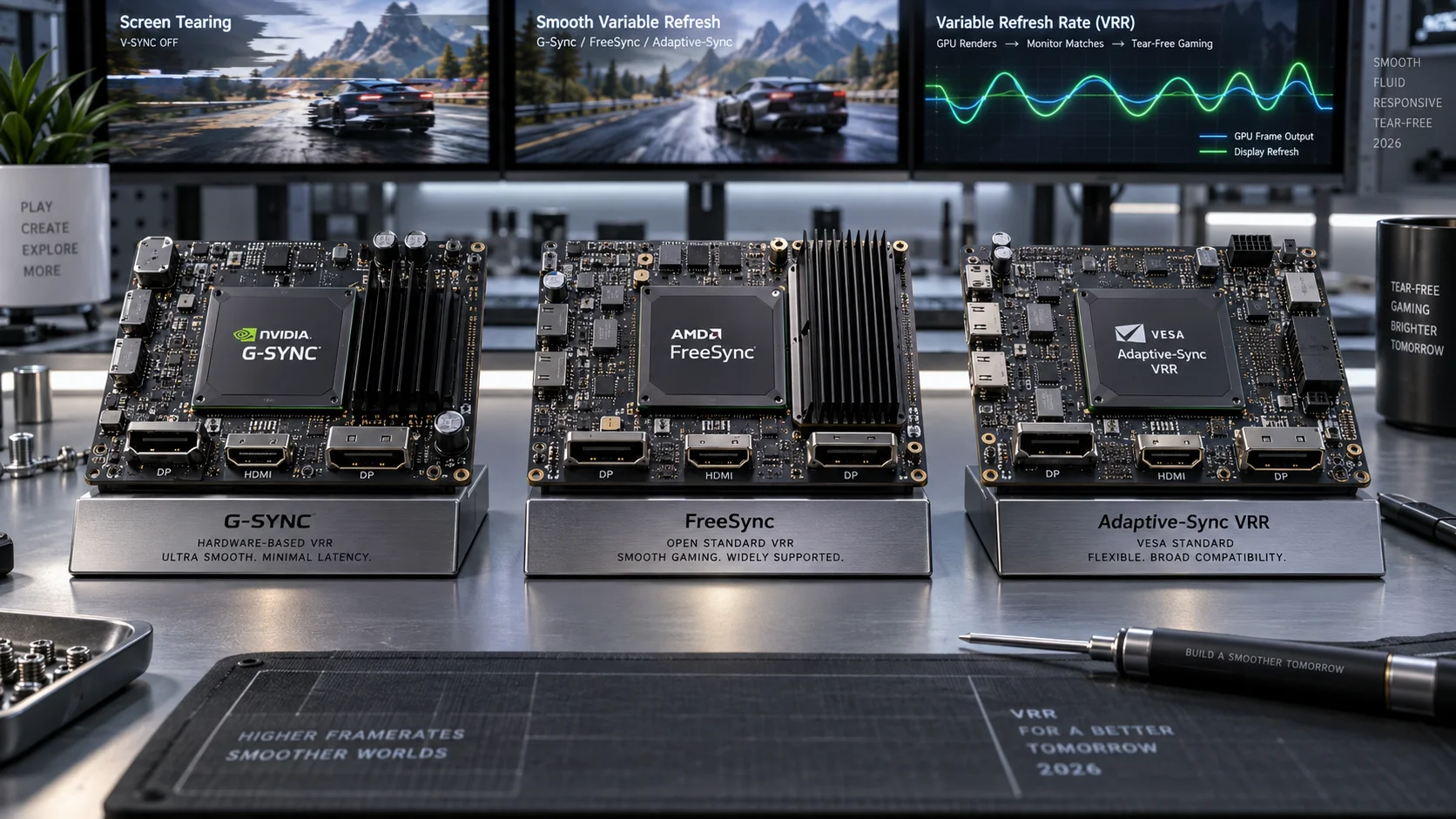
| Attribute | VESA Adaptive-Sync | AMD FreeSync | NVIDIA G-Sync |
|---|---|---|---|
| Origin / Owner | VESA (open standard) | AMD (royalty-free) | NVIDIA (proprietary) |
| Hardware Module Required | No | No | Yes (G-Sync Ultimate / G-Sync) / No (G-Sync Compatible) |
| Monitor License Cost | None | None | $100-$200 BOM premium (module) |
| GPU Compatibility | Any Adaptive-Sync-capable GPU | AMD Radeon (primary); NVIDIA GTX 10-series+ (G-Sync Compatible path) | NVIDIA GTX 650 Ti+ (module); GTX 10-series+ (Compatible) |
| Typical VRR Range | Varies by panel (often 48 to 144 Hz) | FreeSync: 40 to 144 Hz; Premium: 120+ Hz; Premium Pro: 120+ Hz + HDR | G-Sync: 1 to 240 Hz (module-defined); Compatible: panel-dependent |
| Low Framerate Compensation (LFC) | Not mandated by spec | Required on Premium/Premium Pro tiers | Built-in via module; G-Sync Compatible varies |
| HDR Support | Optional / panel-defined | Required on FreeSync Premium Pro | Required on G-Sync Ultimate (1000-nit+ FALD) |
| HDMI VRR | HDMI Forum VRR (HDMI 2.1) | Supported on Premium Pro (HDMI 2.1) | Supported on select G-Sync Compatible monitors (HDMI 2.1) |
| Artifact Risk | Low-moderate (panel-dependent) | Low on Premium/Premium Pro; variable on base tier | Lowest (module handles blanking internally) |
| Overdrive / Motion Blur | Panel OEM controls | Variable OD on Premium Pro | ULMB / ULMB 2 (module monitors) |
| Console Support | Xbox (HDMI VRR), PS5 (HDMI VRR) | Xbox Series X/S (FreeSync Premium) | No console support |
VESA Adaptive-Sync: The Open Foundation
Adaptive-Sync was ratified by VESA as an optional DisplayPort 1.2a feature in 2014 and is now a core component of VESA DisplayPort Adaptive-Sync and the DisplayHDR framework. It defines the signaling protocol that allows a GPU’s display engine to dynamically modulate the vertical blanking interval (VBI), effectively pausing the scanout until the next frame is ready, or accelerating through it when the GPU is ahead.
The standard itself imposes no minimum refresh floor, no LFC mandate, and no HDR requirement. These omissions matter: a raw Adaptive-Sync panel can exhibit blanking flicker at low framerates, aggressive overdrive ghosting at variable pixel transition speeds, and inconsistent behavior across GPU vendors. Every higher-tier VRR certification, FreeSync and G-Sync Compatible, is essentially an Adaptive-Sync implementation with additional compliance testing layered on top.
For builders pairing Intel Arc GPUs or integrated graphics with mid-range displays, raw Adaptive-Sync compatibility via DisplayPort is the baseline to verify. Intel Arc Alchemist and Battlemage both support DisplayPort 2.1 Adaptive-Sync natively, making wide-range VRR achievable without vendor-specific certification. Confirm DisplayPort link bandwidth is adequate , a 4K 165 Hz panel requires DP 2.1 UHBR10 or HDMI 2.1 FRL to carry uncompressed signal without DSC artifacts at full VRR range. For additional operational safety benchmarks, see our published testing notes on how to fix intel arrow lake z890 bios voltage.
AMD FreeSync: Three Tiers, One Price Point Advantage
AMD’s FreeSync program certifies displays against behavioral compliance across a defined VRR operating window. The three current tiers carry distinct minimum specifications:
- FreeSync (base): Minimum 40 Hz floor, no LFC requirement, no HDR mandate, no minimum peak brightness. Entry-level panels from $180 upward carry this badge. Artifact behavior is panel-dependent, test before purchase.
- FreeSync Premium: Minimum 120 Hz at native resolution, LFC mandatory (the driver doubles or triples frames when GPU output falls below the VRR floor, eliminating stutter during dips). No HDR requirement. The practical sweet spot for 1080p and 1440p competitive gaming.
- FreeSync Premium Pro: All Premium requirements plus validated HDR support, variable overdrive tuning, and HDMI Forum VRR certification for console compatibility. Targets 4K cinematic and high-refresh hybrid use cases.
LFC is the feature most buyers overlook. A 144 Hz FreeSync Premium monitor with a 40 Hz VRR floor activates LFC when GPU output drops to 39 fps , the driver pushes frames at 2u00d7 rate (78 fps effective) to stay within the panel’s adaptive range. Without LFC, dipping below the floor snaps the monitor back to fixed-rate behavior, reintroducing stutter. This alone makes FreeSync Premium the minimum viable tier for GPU-intensive titles. To compare alternative configurations, check our hands-on review of how to safely connect 12v 2×6 gpu power cable.
FreeSync operates over DisplayPort natively and over HDMI 2.1 on FreeSync Premium Pro monitors. NVIDIA GPUs running driver 417.71 or later can activate FreeSync on certified monitors via the G-Sync Compatible toggle in NVIDIA Control Panel, a meaningful cross-compatibility bridge for users who switch GPU vendors without replacing their display. Before enabling this, perform a GPU driver clean install to prevent legacy display driver conflicts that can silently disable VRR negotiation.
NVIDIA G-Sync: Hardware Precision at a Premium
G-Sync launched in 2013 with a dedicated FPGA/ASIC module replacing the panel’s native display controller. The module handles frame buffering, overdrive table management at variable refresh rates, blanking control, and backlight strobing, functions that a passive Adaptive-Sync scaler cannot perform. This vertical integration is why full G-Sync and G-Sync Ultimate monitors historically cost $150-$300 more than equivalent FreeSync panels.
G-Sync Module Monitors
Full G-Sync certification requires NVIDIA’s module. The module supports a VRR range from 1 Hz to the panel’s maximum rated refresh , practically 240 Hz or 360 Hz on current flagship IPS and OLED panels. ULMB (Ultra Low Motion Blur) and ULMB 2 backlight strobing for motion clarity are exclusive to module monitors and cannot be combined with VRR simultaneously. G-Sync Ultimate adds a minimum 1,000-nit peak luminance with full-array local dimming (FALD) and DCI-P3 coverage mandates. Users looking for related component recommendations can explore our motherboard post codes q leds diagnostics breakdown.
G-Sync Compatible
Introduced in 2019, G-Sync Compatible is NVIDIA’s certification for Adaptive-Sync monitors that pass a 300+ point compliance test covering flicker, blanking, overdrive behavior, and minimum VRR range. NVIDIA validates these displays and publishes a maintained compatibility list. G-Sync Compatible monitors do not include NVIDIA’s module, they run Adaptive-Sync signaling, but the driver enables G-Sync logic in the GPU’s display engine to manage low-framerate behavior and overdrive compensation at the driver level.
The practical performance gap between a high-end G-Sync Compatible display (e.g., LG 27GP950 OLED-based panels, ASUS ROG Swift OLED series) and a full G-Sync module monitor has narrowed significantly in the 2024, 2026 window. OLED panels natively exhibit near-zero overdrive requirements due to per-pixel emissive response times under 0.1 ms, reducing the module’s advantage in that specific artifact domain. Before finalizing equipment decisions, refer to our comprehensive how to update bios without cpu flashback comparison.
Cross-Compatibility: NVIDIA on FreeSync, AMD on G-Sync
NVIDIA GPUs (GTX 10-series and later) activate G-Sync Compatible mode on certified FreeSync monitors through NVIDIA Control Panel → Display → Set up G-Sync. Uncertified FreeSync displays can be manually enabled, results vary by panel scaler quality. AMD GPUs do not natively activate VRR on G-Sync module monitors, since the module requires NVIDIA’s proprietary signaling protocol. On G-Sync Compatible (Adaptive-Sync) monitors, AMD GPUs run FreeSync normally, the G-Sync Compatible label is monitor-side validation, not GPU-side restriction.
For builders running AMD Radeon RX 7000 or RX 9000 series GPUs, a FreeSync Premium Pro monitor delivers full-stack compatibility: DisplayPort Adaptive-Sync, HDMI Forum VRR for console use, and HDR validation, without paying the G-Sync module premium. Verify PCIe slot bandwidth is not a bottleneck for high-throughput GPU operation; see the guide on PCIe 5.0 compatibility for slot generation impact on GPU performance.
Diagnosing VRR Failures: Common Issues and Fixes
VRR Not Activating
- Confirm VRR is enabled in both the monitor’s OSD and the GPU driver control panel. Both endpoints must negotiate the feature, one-sided enablement silently disables it.
- Use DisplayPort rather than HDMI unless the monitor explicitly supports HDMI Forum VRR (HDMI 2.1). HDMI 2.0 does not carry Adaptive-Sync signaling.
- Verify GPU framerate is within the panel’s certified VRR range using an overlay tool (RTSS, MSI Afterburner, or GPU-native overlay). Frames outside the range, above maximum or below minimum without LFC, drop the monitor to fixed-rate mode.
- HDR and VRR conflicts: some monitors disable VRR when HDR is active unless explicitly rated for simultaneous operation (FreeSync Premium Pro, G-Sync Ultimate). Check OSD for independent HDR + VRR toggle.
Flickering and Blanking Artifacts
- Low-end FreeSync (base tier) panels on non-AMD GPUs produce blanking flicker below 48 Hz due to unsupported VRR floor extension. Cap framerate at 5 to 10 fps above the panel’s stated minimum floor.
- Enable LFC at the driver level or verify the monitor’s tier includes it. Monitor GPU core and memory clocks, excessive thermal throttling causes frame pacing irregularities that stress VRR range limits. Review CPU temperature limits to rule out platform-level thermal throttling contributing to frame time spikes.
Overdrive Ghosting at Variable Refresh Rates
- Fixed overdrive settings tuned for 144 Hz produce inverse ghosting (dark trails) when the panel refreshes at 60 Hz under VRR. Variable overdrive (AMD Enhanced Sync-adjacent, NVIDIA’s per-refresh overdrive on module monitors) compensates dynamically. Enable variable OD in OSD if available.
- System-level latency from RAM underperformance increases frame time variance, which amplifies overdrive mismatch. Optimize XMP/EXPO profiles, see RAM speed and timings for configuration guidance.
VRR in 2026: OLED, 4K 240 Hz, and HDMI 2.1 Convergence
The 2025 to 2026 monitor generation has largely resolved the hardware fragmentation that plagued early VRR adoption. Key developments:
- QD-OLED and WOLED panels at 240 Hz+ natively eliminate overdrive ghosting as a VRR concern, making G-Sync Compatible certification on these panels effectively equivalent to full module performance for most users.
- HDMI 2.1 FRL now carries HDMI Forum VRR at 4K 120 Hz and 1440p 144 Hz, enabling PlayStation 5 and Xbox Series X VRR over a single cable, a critical convergence for hybrid PC/console setups. FreeSync Premium Pro monitors supporting HDMI Forum VRR are the correct choice for this use case.
- DisplayPort 2.1 UHBR20 supports 4K 240 Hz uncompressed with full VRR range, verify GPU and monitor both support the same UHBR lane configuration before purchasing. Bandwidth mismatches force DSC compression, which can interact with VRR signaling on some scalers.
- Intel Arc Battlemage (Arc B580/B770) brings full DisplayPort 2.1 and HDMI 2.1 with Adaptive-Sync support into the mainstream GPU segment, expanding VRR accessibility without vendor-tier restrictions.
Thermal paste degradation on the GPU die can cause sustained thermal throttling that produces erratic frame pacing, a subtle VRR quality killer that manifests as periodic stutter even with VRR enabled. If a previously smooth VRR setup develops stutter on a multi-year-old GPU, review thermal paste application principles and repaste the GPU cooler. For system-wide stability, also audit CPU temperature limits to ensure the CPU is not generating irregular work submission patterns to the GPU command queue.
Which Standard Should You Choose?
The decision tree is straightforward given current hardware:
- NVIDIA GPU + NVIDIA-centric build: G-Sync Compatible monitor (FreeSync Premium or Premium Pro, NVIDIA-certified) delivers 95% of module performance at standard display pricing. Full G-Sync module monitors remain justified only for ULMB 2 users or users requiring the absolute minimum VRR floor on non-OLED IPS panels.
- AMD GPU (Radeon RX 7000 / RX 9000): FreeSync Premium Pro. Full Adaptive-Sync, HDMI Forum VRR for console, validated HDR, variable overdrive. No premium, no compromises.
- Intel Arc GPU: Any VESA Adaptive-Sync monitor over DisplayPort 2.1. Prioritize FreeSync Premium for LFC guarantee.
- Hybrid PC + console setup: FreeSync Premium Pro with HDMI 2.1. The only tier that covers Xbox VRR, PS5 VRR, and PC Adaptive-Sync on a single display.
- Budget build under $250 monitor spend: FreeSync Premium minimum, the base FreeSync tier’s artifact risk and absent LFC make it a false economy in any GPU-intensive scenario.
VRR technology has matured to the point where the standard itself rarely limits the experience, panel quality, overdrive implementation, and correct driver configuration determine real-world results. Validate GPU driver state before attributing VRR issues to the monitor; perform a GPU driver clean install as the first diagnostic step on any new monitor pairing.
Adaptive Sync Background Reading
Variable refresh features try to match the monitor’s refresh timing to the frames a graphics card produces, which can reduce tearing and stutter. Those who want a wider overview of how display timing is documented can start with American National Standards Institute (ANSI).









