Quick Answer: To maintain your robot vacuum, empty the dustbin after every run, wash or replace the filter every 2-4 weeks, and clean the roller brush and side brushes of tangled hair and debris monthly. For troubleshooting, address common issues like a stuck wheel by removing obstructions, unclogging the main brush by cutting away tangled hair, and resolving self-emptying base errors by cleaning the charging contacts and ensuring the dust bag is properly seated.
A robot vacuum is a significant investment in home automation, but its convenience hinges on regular maintenance. Neglecting simple cleaning tasks can lead to reduced suction, poor navigation, and premature failure. This comprehensive guide provides a step-by-step, professional approach to maintaining your device, cleaning critical components, and diagnosing the most common operational problems.
Robot Vacuum Maintenance & Troubleshooting Diagnostic Matrix
If your robot is displaying a “stuck” or “wheel error” message, or it is spinning in circles, a robot vacuum wheel stuck with debris is the likely culprit.
Diagnosing and Freeing the Wheels
Step 1: Inspect Visually. Turn the robot over. Look for any foreign objects, like string, a toy bead, or compressed hair, wedged around the wheel axle or in the wheel well. For complementary hardware performance, examine our breakdown on robot vacuum specifications.
Step 2: Manually Rotate. Try to rotate each wheel by hand. One or more should offer slight resistance (the motor gearing) but turn smoothly. If a wheel is completely locked or grinds, it is obstructed.
Step 3: Clean the Tread and Axle. Use a dry toothbrush or a similar soft-bristled tool to dislodge dirt from the rubber tread. For hair wrapped around the axle, you may need tweezers or small scissors.
Step 4: Check Suspension. Press down on each wheel. They should depress and spring back. If one is stuck down, clean the mechanism around it. Some models allow the wheel module to be unscrewed and removed for deeper cleaning—consult your manual.
Step 5: Test Drive. After cleaning, place the robot on the floor and initiate a short cleaning cycle. It should now drive straight and navigate without error.
Robot Vacuum Side Brush Replacement and Maintenance
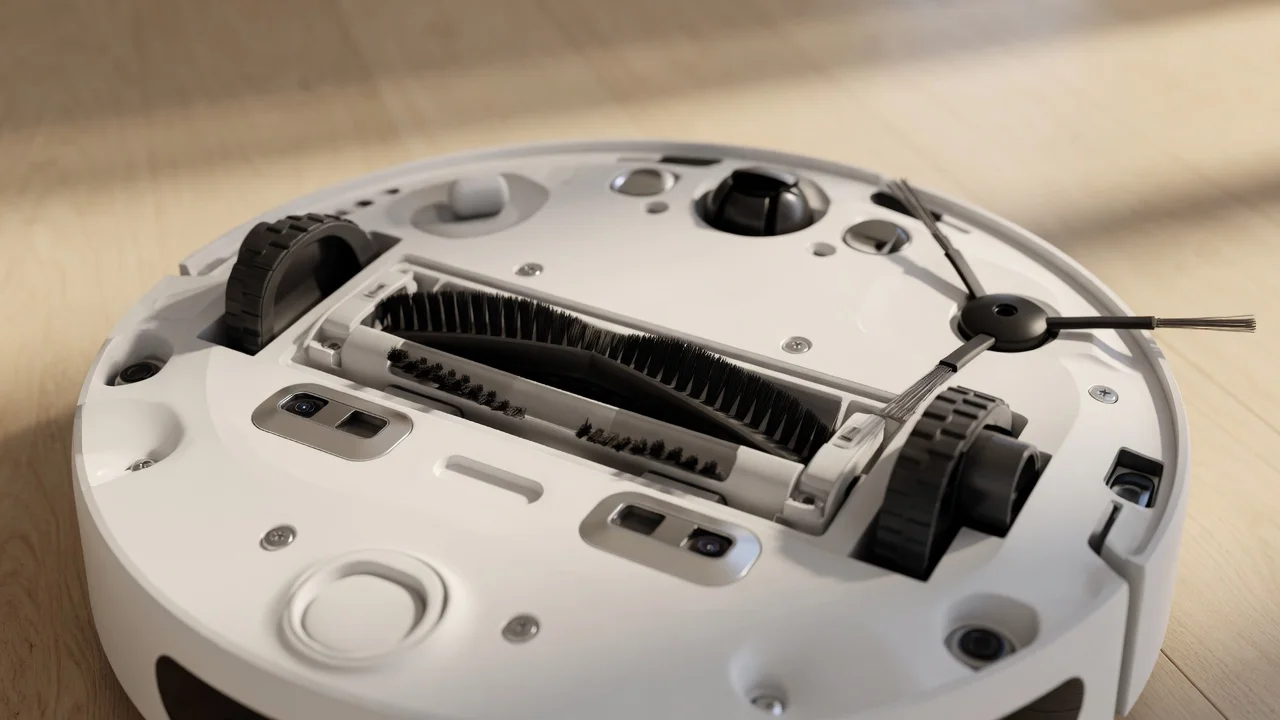
The robot vacuum side brush sweeps debris from corners and edges into the path of the main brush. Over time, the bristles wear down and lose their effectiveness.
Signs It’s Time to Replace the Side Brush
- Bristles are Bent or Flattened: They no longer spring back to sweep effectively.
- Bristles are Missing: Gaps in the brush reduce edge-cleaning performance.
- Plastic Hub is Cracked: This can prevent proper spinning.
- General Age: Even if they look okay, replacing them every 6-12 months is recommended for optimal performance.
How to Replace the Side Brush
Step 1: Remove the Old Brush. Most side brushes simply snap onto a post. Gently but firmly pull the brush straight up and off the post. Some models use a single screw—use the included screwdriver if needed.
Step 2: Clean the Post and Area. Wipe the mounting post and surrounding area to remove any dust or hair.
Step 3: Install the New Brush. Align the new brush with the post (it often has a specific shape to prevent wrong installation) and press down firmly until it snaps or screws into place.
Dustbin Plus Self-Emptying Troubleshooting
Systems like the Dustbin Plus self-emptying troubleshooting station are fantastic but introduce their own set of potential issues. Most problems relate to the transfer of debris or sensor communication.
Common Self-Empty Base Issues and Fixes
Issue: Base Will Not Empty the Robot’s Bin.
Cause: Poor alignment between the robot and the base’s emptying funnel, or the funnel is clogged.
Fix: Ensure the robot is docked squarely. Check the base’s emptying port for any blockages (like a large clump of pet hair) and clear it with a long, thin object like a chopstick. Wipe the sensor windows on both the robot and the base. To compare alternative configurations, check our hands-on review of can robot vacuums cross high thresholds.
Issue: The Base Empties Repeatedly or Makes Unusual Noises.
Cause: The base’s dust bag is full or not seated correctly, preventing proper airflow.
Fix: Open the base, remove the dust bag, and replace it with a new one. Ensure the bag’s cardboard collar is fully inserted into the docking slot, creating a tight seal.
Issue: Robot Fails to Dock or Leaves Base Immediately.
Cause: Dirty charging contacts or a signal obstruction.
Fix: Use a dry microfiber cloth, or one lightly dampened with isopropyl alcohol, to clean the metal charging contacts on both the underside of the robot and on the base station. Ensure the area around the base is clear of reflective surfaces (mirrors, glossy furniture) that can interfere with infrared docking signals. Users looking for related component recommendations can explore our robot vacuum not connecting to wifi breakdown.
Recommended Hardware & Essential Equipment
Having the right replacement parts on hand is key to uninterrupted performance. Below are verified, high-quality components for common maintenance tasks and self-emptying systems.
Pros
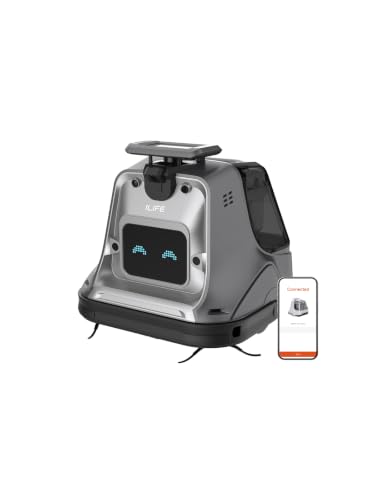
- Manufacturer-rated 20,000Pa suction with a 250W brushless motor
- Dual detachable batteries rated for up to 210 minutes of cleaning
- 3L dustbin with a modular design for simpler routine maintenance
- LiDAR, 3D ToF and stereo-camera navigation with app or touchscreen control
- Designed for large indoor areas such as hotels, offices and retail spaces
Cons
- Listed footprint of 14.84 x 14.69 x 14.21 inches is fairly large
- No customer reviews yet to confirm real-world performance

Pros
- 3.13-inch slim height per manufacturer specifications
- 35,000 Pa suction rating with upgraded DuoBrush
- Dual AI cameras for obstacle detection and adaptation
- 10-in-1 dock with 212°F hot-water mop washing per listing
- MopExtend and SideReach features for edges and corners
Cons
- Listed weight of 52 pounds makes it bulky to move
- Claimed suction gains are manufacturer figures, not tested results
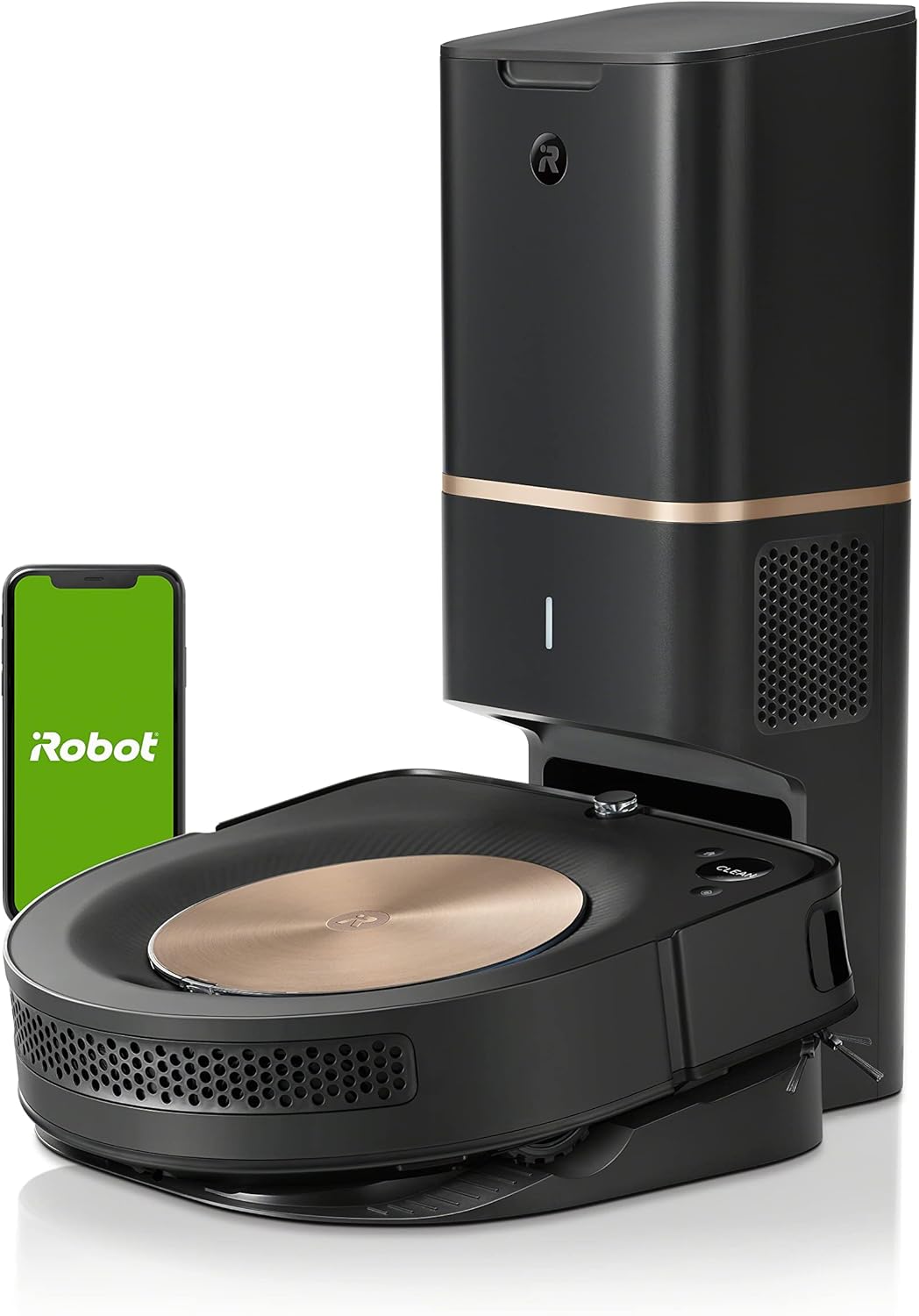
Pros
- Exceptional suction power for deep carpet cleaning.
- Advanced mapping technology prevents the robot from getting stuck or missing areas.
- Convenient self-emptying base reduces manual maintenance to a minimum.
- Effective at handling pet hair without brush roll tangles.
Cons
- High price point compared to newer and more compact models.
- The physical footprint of the Clean Base is relatively large and requires dedicated space.
- Some users may find the noise level during the automatic emptying cycle quite loud.
The Ultimate Hands-Free Cleaning Solution
The iRobot Roomba s9+ robot vacuum stands as the flagship solution for homeowners who demand a pristine living space without the daily chore of vacuuming. Designed for those with large homes or significant pet shedding, this device combines raw suction power with industry-leading mapping capabilities. It is a premium investment for anyone looking to reclaim their time through high-end automation.
Performance and Navigation
What sets the s9+ apart is its proprietary PerfectEdge Technology. Unlike traditional round vacuums, the D-shaped design allows it to navigate into corners and along edges with precision. With 40x more suction than base-level models, it excels at pulling deeply embedded dirt from rugs and carpets. The vSLAM navigation system is incredibly intelligent, capturing thousands of data points per second to ensure no corner is left uncleaned while avoiding obstacles effectively.
Smart Integration and Maintenance
The standout feature is undoubtedly the Clean Base Automatic Dirt Disposal, which allows the robot to empty its own bin for up to two months. Combined with the iRobot OS, which provides personalized cleaning schedules based on seasonal pollen or pet shedding cycles, the vacuum feels truly proactive. Users can easily partition their home into specific rooms or zones, allowing for targeted cleaning via simple voice commands or the intuitive mobile app.
Final Verdict
While the iRobot Roomba s9+ carries a higher price tag, it justifies the cost through its comprehensive feature set and autonomous reliability. It is a robust machine that prioritizes performance and deep cleaning. While it occupies a larger space than smaller robots and operates with significant noise during self-emptying, the trade-off is a consistently clean home with virtually zero manual effort required.

Pros
- Obstacle recognition covers 300+ common object types
- Dual Zero-Tangle System aims to limit hair wrap on brushes
- AI RGB recognition adjusts water flow by floor type
- Edge-Adaptive Roller Mop cleans within 10 mm of edges
- RockDock cycle includes auto detergent dispensing
Cons
- Supports 2.4GHz Wi-Fi only, not 5GHz networks
Frequently Asked Questions (FAQ)
1. How often should I run my robot vacuum?
For most homes, running the robot vacuum 3-4 times per week on a schedule is ideal. This prevents excessive dust and debris buildup, reduces wear on components like the roller brush and filter, and maintains consistently clean floors. Homes with pets may require daily runs.
2. Can I use compressed air to clean the filters and sensors?
While it can be tempting, it is generally not recommended. Compressed air can force fine dust particles deeper into the filter’s HEPA media or into delicate sensor housings, potentially causing more harm than good. It’s safer to use a soft brush, tap out debris, and wash washable filters as directed.
3. Why does my robot vacuum keep going in circles?
Maintenance Background Reading
Routine upkeep keeps robot vacuum sensors and brushes in good order, and a few minutes each week makes a difference. Owners who also service pool gear may welcome the robotic pool cleaner comparison guide, while general electrotechnical reading sits at International Electrotechnical Commission (IEC).