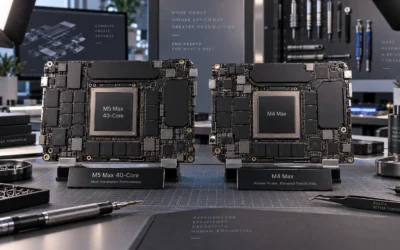
Quick Answer: Apple M5 vs M5 Pro, Which Should You Buy in 2026?
Buy the Apple M5 MacBook Pro if you want a powerful 14.2-inch professional laptop for everyday work, on-device AI, photo work, coding, and general creative tasks without spending more than necessary. Choose the M5 Pro model if you need its 18-core CPU, 20-core GPU, 48GB of unified memory, larger 16.2-inch display, and Wi-Fi 7. The M5 model costs $2,049, while the M5 Pro model costs $3,299, a $1,250 difference.

Pros
- Strong M5 performance for pro workloads and on-device AI tasks.
- Generous 32GB memory and 1TB SSD included in this configuration.
- Excellent port selection for creators, office users, and travel setups.
- High-quality display and audio package suited to work, calls, and content viewing.
Cons
- This is a premium MacBook Pro configuration, so it is not aimed at budget shoppers.
- The manufacturer listing does not list battery-hour figures, weight, or dimensions, which makes portability comparisons harder.
- Some feature bullets reference M5 Pro and M5 Max capabilities, so buyers should verify the exact M5 configuration for this SKU.
Overview: The Apple 2026 MacBook Pro is a 14.2-inch professional laptop in a Silver finish, built around Apple silicon and positioned for users who want a compact but high-end workstation. The overall package suggests a refined design with a focus on speed, display quality, and ecosystem integration.
Performance and features: With a 10-core CPU, 10-core GPU, 32GB of unified memory, and a 1TB SSD, this configuration is suited to demanding multitasking, creative apps, and AI-focused workloads. The Liquid Retina XDR display, 12MP Center Stage camera, studio-quality microphones, and six-speaker audio system make it a strong fit for content work, calls, and media use.
Drawbacks and considerations: The main tradeoff is positioning, as this is a premium machine and may be more computer than casual users need. The manufacturer listing also does not include battery-hour figures, weight, or dimensions, so shoppers comparing portability will need to check the full spec sheet. In addition, some feature language mentions M5 Pro and M5 Max, so it is worth confirming the exact configuration before purchase.
Verdict: For professionals, creators, and Apple users who want strong performance, a sharp display, and broad connectivity in a 14-inch form factor, this MacBook Pro is a compelling option. Buyers who only need basic everyday computing may find it excessive, but power users should appreciate the spec balance.

Pros
- High-core-count M5 Pro performance is well suited to serious multitasking and professional workflows.
- Large 48GB unified memory is a strong advantage for working with big files and multiple demanding apps.
- 1TB SSD provides fast local storage and generous capacity for work files and creative assets.
- Compact 14-inch chassis offers a more portable workstation compared with larger MacBook Pro models.
Cons
- The 14-inch screen may feel small for users who prefer a larger workspace for editing or side-by-side multitasking.
- The listing does not provide battery life, weight, or full port details, so some buyers may need additional verification.
- The standard display and integrated graphics may be less appealing for users seeking the most advanced panel or a discrete GPU setup.
Overview: The Apple 14-inch MacBook Pro CTO is a built-to-order professional laptop in Space Black, combining Apple’s premium MacBook Pro design with a compact 14-inch form factor, a backlit keyboard, and a fingerprint reader.
Performance: Its M5 Pro chip, 15-core CPU, 16-core GPU, 48GB unified memory, and 1TB SSD are aimed at demanding multitasking, coding, creative work, and large-file workflows, with fast storage access and smooth app switching.
Considerations: The listing does not provide battery life, weight, or full port details, and the 14-inch size may feel small for users who prefer a larger screen. The standard display and integrated graphics are capable, but buyers seeking specialized panel or GPU options should compare carefully.
Verdict: This configuration makes the most sense for professionals and power users who want a compact MacBook Pro with substantial memory and storage. It is best suited to productivity and creative workloads rather than casual everyday use.
Winner by Category
| Category | Winner | Evidence |
|---|---|---|
| Power / processing | Apple M5 Pro | The M5 Pro configuration has an 18-core CPU, compared with the M5 model’s 10-core CPU. The higher-tier configuration is the better fit for sustained professional workloads and heavier multitasking. |
| Graphics / creative performance | Apple M5 Pro | The M5 Pro model has a 20-core GPU, while the M5 model has a 10-core GPU. Research describes M5 Pro as having a more powerful GPU with a Neural Accelerator, although no direct M5-versus-M5 Pro benchmark is cited. |
| Navigation / ease of use | Apple M5 | The M5 configuration is a smaller 14.2-inch MacBook Pro with a lower purchase price. It offers a simpler choice for buyers who do not need the extra memory, display size, and connectivity listed on the M5 Pro model. |
| Handling / portability | Apple M5 | The listings identify the M5 machine as a 14.2-inch model and the M5 Pro machine as a 16.2-inch model. The smaller M5 configuration is the more convenient choice when a compact professional laptop is preferred. |
| Runtime / battery | Tie | Both product descriptions claim all-day battery life. No battery-capacity or standardized runtime figures are listed, so there is no measurable winner. |
| Noise | Tie | No measured fan-noise results are provided for either configuration. A noise winner cannot be established from the available research. |
| Price & value | Apple M5 | The M5 model costs $2,049, which is $1,250 less than the $3,299 M5 Pro model. The M5 Pro earns its premium through more CPU and GPU cores, twice the listed unified memory, a larger display, and Wi-Fi 7. |
Specifications Side-by-Side
These are the configurations compared in this guide, rather than every possible build-to-order version. The difference matters: the M5 and M5 Pro names refer to different MacBook Pro configurations here, including different screen sizes, memory capacities, and wireless specifications.
| Specification | Apple M5 MacBook Pro | Apple M5 Pro MacBook Pro |
|---|---|---|
| Product configuration | Apple 2025 MacBook Pro laptop | Apple 2026 MacBook Pro laptop |
| Chip | Apple M5 | Apple M5 Pro |
| CPU cores | 10-core CPU | 18-core CPU |
| GPU cores | 10-core GPU | 20-core GPU |
| Display | 14.2-inch Liquid Retina XDR display | 16.2-inch Liquid Retina XDR display |
| Peak display brightness | Up to 1600 nits | Liquid Retina XDR display; no peak-brightness figure is stated for this listing |
| Unified memory | 24GB | 48GB |
| Storage | 1TB SSD | 1TB SSD |
| Wireless networking | Not specified in the listing | Wi-Fi 7 |
| Color | Silver | Space Black |
| Amazon rating | 4.0/5 | 4.0/5 |
| Listed price | $2,049.00 | $3,299.00 |
| Price difference | $1,250 less | $1,250 more |
| Battery claim | All-day battery life | All-day battery life |
Performance
Core Performance
The clearest hardware advantage belongs to the M5 Pro. Its listed 18-core CPU has eight more cores than the M5 configuration’s 10-core CPU. That is a substantial difference in the design of the two machines, even though no controlled head-to-head benchmark is cited for these exact listings. Buyers running several demanding applications at once, compiling large projects, processing media, or working with large on-device AI tasks have more CPU headroom in the M5 Pro configuration.
The M5 remains a serious professional configuration rather than an entry-level notebook. Its 10-core CPU is paired with 24GB of unified memory and a 1TB SSD, giving it a balanced specification for office work, development, browsing, photo editing, and creative projects that do not require the maximum available system resources. Apple’s product description positions the M5 around next-generation speed, on-device AI, faster CPU performance, and faster unified memory. For additional operational safety benchmarks, see our published testing notes on how to clean gpu dust.
Memory capacity may be just as important as processor count for some buyers. The M5 Pro listing includes 48GB of unified memory, twice the 24GB listed for the M5. That extra capacity is relevant when a workflow keeps many applications, files, browser tabs, virtual environments, or creative assets open simultaneously. It does not automatically make every task twice as fast, but it gives the M5 Pro configuration more room for memory-heavy work.
Handling & Ergonomics
The two laptops serve different workspace preferences. The M5 has a 14.2-inch Liquid Retina XDR display, making it the more compact option in this comparison. The M5 Pro has a 16.2-inch Liquid Retina XDR display, which provides a larger working area for timelines, code, documents, and side-by-side panels. The available data does not include chassis weights or dimensions, so this comparison should not be read as a claim about exact carry weight. To compare alternative configurations, check our hands-on review of vertical gpu mount airflow.
Both displays are described as Liquid Retina XDR panels. The M5 listing specifically states up to 1600 nits peak brightness, while the M5 Pro listing confirms the Liquid Retina XDR display without giving a comparable brightness number. That means the M5 has the more clearly documented display specification, but not necessarily the better display overall.
Color is a preference rather than a performance factor: the M5 configuration is Silver and the M5 Pro configuration is Space Black. The larger M5 Pro screen can reduce the need to connect an external display during desk work, while the smaller M5 screen is easier to accommodate in tighter spaces. Neither product description supplies a touch-screen claim, a touchscreen control system, or a specific keyboard difference. Users looking for related component recommendations can explore our weak psu cause gpu stutter breakdown.
Runtime / Fuel & Maintenance
For runtime, the reliable conclusion is limited but useful: both listings claim all-day battery life. There are no standardized test results, watt-hour figures, charger details, or application-specific runtime measurements listed. Therefore, the M5 Pro should not be selected on the assumption that it lasts longer, and the M5 should not be selected on the assumption that it lasts longer either.
Both are solid-state-storage laptops, with a 1TB SSD listed for each configuration. There are no filters, belts, brushes, liquid tanks, or fuel-system consumables identified in the product data. Routine ownership is therefore primarily software and hardware care: keep the operating system and applications updated, protect the display and chassis, and maintain backups of important files. No service interval or repair cost is listed for either model. Before finalizing equipment decisions, refer to our comprehensive black screen gpu drivers comparison.
Best Use Cases
- Everyday professional computing: The M5 is the value-oriented choice for documents, communication, web work, coding, and general productivity where 24GB of unified memory is sufficient.
- On-device AI: Both descriptions emphasize AI capability. The M5 includes a Neural Accelerator in each GPU core according to the product information, while the M5 Pro description also highlights a more powerful GPU with a Neural Accelerator.
- Large creative projects: The M5 Pro is better aligned with demanding creative work because it combines an 18-core CPU, 20-core GPU, and 48GB of unified memory.
- Large-screen desk work: Choose the M5 Pro when the 16.2-inch display is a meaningful part of the workflow.
- Portable professional work: Choose the M5 when the 14.2-inch format is more practical and the lower price leaves room in the budget for accessories or services.
- High-bandwidth wireless environments: The M5 Pro listing specifically includes Wi-Fi 7. Wireless networking is not specified for the M5 listing.
Maintenance & Running Costs
Neither compared listing identifies replaceable consumables or a scheduled maintenance program. The relevant long-term cost is the initial purchase price plus any accessories, software, storage, backup, or service needs you choose to add. Because both configurations include a 1TB SSD, neither has a listed storage advantage in this comparison.
Unified memory is not presented as an upgradeable component, so configuration choice matters at purchase. The M5 includes 24GB and the M5 Pro includes 48GB. If your workload may grow into larger projects or more simultaneous applications, the M5 Pro’s higher listed memory capacity can reduce the risk of outgrowing the configuration. If your needs are stable and moderate, paying for capacity you will not use may reduce value.
Battery running cost cannot be ranked precisely because only the all-day battery-life claim is listed for both models. No energy-consumption measurements are published. Similarly, no measured fan noise, service pricing, warranty-cost comparison, or repairability information is available here. Those omissions are important: they prevent a numerical total-cost-of-ownership conclusion beyond the $1,250 purchase-price gap.
Features & Usability
Both MacBook Pro listings center on Apple silicon, Liquid Retina XDR displays, unified memory, SSD storage, on-device AI, and all-day battery life. The M5 product description calls out a more powerful GPU and Neural Accelerators built into each core. The M5 Pro description likewise emphasizes a more powerful GPU, faster unified memory, and up to 2x faster SSD storage. The latter statement is part of the product description’s claim; no benchmark or comparison setup is provided for it.
The M5 Pro has the more expansive specification sheet. It doubles the listed GPU-core count from 10 to 20, raises the CPU-core count from 10 to 18, doubles unified memory from 24GB to 48GB, increases screen size from 14.2 inches to 16.2 inches, and adds Wi-Fi 7 in the listing. These are practical differences, not merely naming differences.
The M5 counters with a more restrained configuration and a lower price. It still includes a 1TB SSD and a Liquid Retina XDR display, and the listing specifies up to 1600 nits peak brightness. Its smaller screen may also be preferable for users who move frequently between rooms, offices, classrooms, or travel locations, although exact portability measurements are not provided.
The available customer ratings do not separate the products: both listings show 4.0/5. A rating tie should not be interpreted as identical performance or identical ownership experience. It simply means neither configuration has a rating advantage.
Price & Value Analysis
The Apple M5 configuration is listed at $2,049. The Apple M5 Pro configuration is listed at $3,299. The M5 Pro therefore costs $1,250 more, with both listings providing 1TB of SSD storage and a 4.0/5 rating. The premium is directed toward the chip, memory, display size, and wireless specification rather than additional listed storage.
The M5 is the stronger value when your workload fits within 24GB of unified memory and a 10-core CPU with a 10-core GPU. It is also the sensible purchase when you want a professional MacBook Pro but do not have a clear use for 48GB of memory, an 18-core CPU, a 20-core GPU, or a 16.2-inch display. In that situation, the M5 Pro’s extra $1,250 buys capability that may remain unused.
The M5 Pro is worth considering when the specification itself solves a real problem. Its 48GB memory capacity is useful for memory-intensive multitasking, while its 18-core CPU and 20-core GPU are better suited to heavier professional and creative workloads. The 16.2-inch Liquid Retina XDR display and Wi-Fi 7 may also matter for a desk-centered workflow or a compatible high-speed wireless environment.
Do not treat the price difference as a guaranteed percentage performance increase. No direct benchmark comparison between these two exact M5 and M5 Pro configurations is cited. The listings do show that M5 Pro is positioned above M5 in Apple’s lineup and gives the M5 Pro more CPU and GPU cores, but the precise real-world gain depends on the application.
Which Should You Buy?
Choose Apple M5 if…
- You want the lower-cost option at $2,049.
- You prefer a 14.2-inch professional laptop to a 16.2-inch model.
- Your work is mainly productivity, development, browsing, communication, and moderate creative use.
- 24GB of unified memory is enough for your normal applications and projects.
- You want a 1TB SSD and a Liquid Retina XDR display without paying the additional $1,250 for the M5 Pro configuration.
- You value a simpler buying decision and do not have a specific workload that requires the M5 Pro’s extra cores or memory.
Choose Apple M5 Pro if…
- You need the higher listed CPU capacity of 18 cores and GPU capacity of 20 cores.
- Your workflow benefits from 48GB of unified memory.
- You want the larger 16.2-inch Liquid Retina XDR display for timelines, documents, code, or multitasking.
- Wi-Fi 7 is important for your network and compatible devices.
- You regularly run heavier professional, creative, or AI-oriented workloads and can justify the $3,299 price.
- You prefer Space Black to Silver and are comfortable with the larger configuration.
Consider a different model if…
- You need a direct, measured benchmark for a particular application before spending $3,299; no head-to-head M5-versus-M5 Pro results are cited for these listings.
- You require a Windows-only application, game, or hardware feature not addressed in the listings.
- You need exact battery-runtime, fan-noise, weight, dimensions, or service-cost measurements; those figures are not provided in this comparison.
- Your primary requirement is substantially more than 1TB of storage and you do not want to rely on external storage or another configuration.
- For more options at every price point, see our full guide to Best Graphics Cards.
Common Questions on Apple M5 Vs M5 Pro Gpu Answered
Is the M5 Pro twice as fast as the M5 because it has twice the GPU cores?
No conclusion that precise can be made from the available data. The M5 Pro listing has a 20-core GPU and the M5 listing has a 10-core GPU, but real application performance depends on the workload and software. No controlled benchmark is cited directly comparing these two exact configurations, so the core-count difference should be treated as an indicator of positioning and capacity rather than a guaranteed 2x performance result.
Which MacBook Pro has more memory, M5 or M5 Pro?
The M5 Pro configuration has more listed unified memory: 48GB versus 24GB for the M5 configuration. Both include a 1TB SSD in the product data. The M5 Pro’s additional memory is most relevant to users who keep many demanding applications or large project assets open at once.
Does the M5 Pro have a larger screen?
Yes. The M5 Pro listing has a 16.2-inch Liquid Retina XDR display, while the M5 listing has a 14.2-inch Liquid Retina XDR display. The M5 listing specifically states up to 1600 nits peak brightness. The M5 Pro listing confirms the display type but does not state a peak-brightness figure.
Do both models have all-day battery life?
Both product descriptions claim all-day battery life. However, no standardized runtime tests, battery capacity, or application-specific measurements are listed. It is therefore not possible to identify a runtime winner or predict an exact number of hours from this data.
Related Comparisons
- Best laptop comparisons
- MacBook buying guides and comparisons
- Computer accessories and productivity guides
Chip Choice and Unified Memory
Unified memory is shared between processor and graphics, so capacity and bandwidth shape real workloads. Industry background on electronic components can be read at American National Standards Institute (ANSI) as a separate, general resource.