Quick Answer
Vertical GPU mounting raises GPU temperatures by 3°C-15°C depending on case-to-card clearance. Cases providing u226540 mm between the GPU fans and the side panel preserve adequate airflow; anything below 25 mm causes measurable thermal throttling. PCIe 4.0 riser cables add negligible signal loss; PCIe 3.0 risers cap bandwidth on Gen 4/5 cards.
The Physics of Vertical GPU Mounting and Airflow Dynamics
How Downward-Blowing Fans Interact With Case Orientation
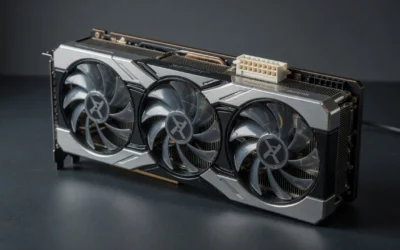
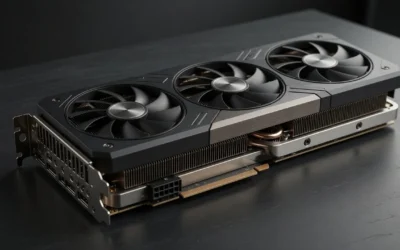
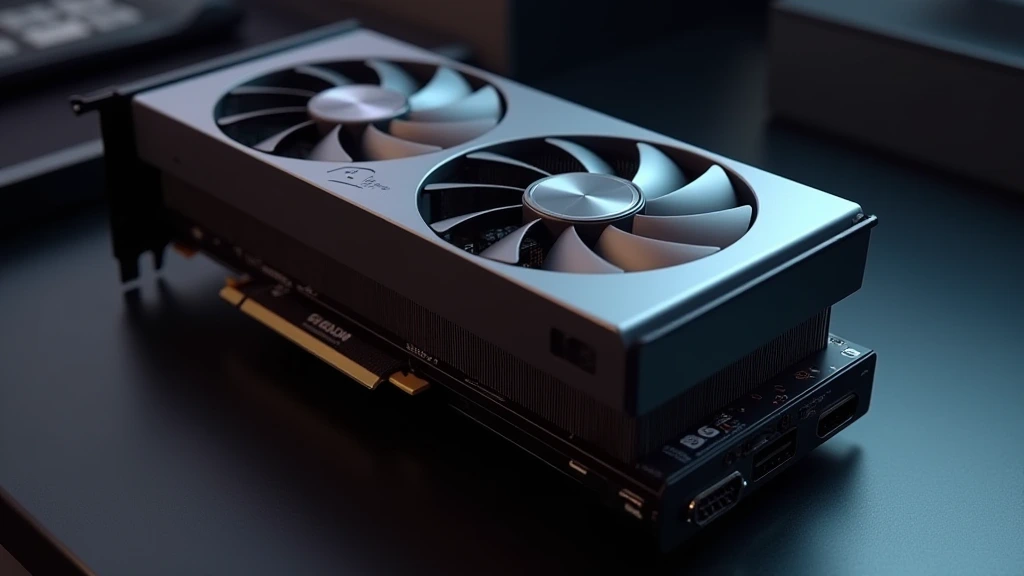
A standard triple-fan GPU cooler draws air from below and exhausts it through the heatsink fins toward the rear and top of the shroud. In a horizontal (motherboard-flat) orientation, those fans pull cool air from the case floor intake zone , an area actively fed by front-panel and bottom fans. Rotating the GPU 90° so the fans face the side panel disrupts this intake path entirely. The fans now pull from a confined pocket between the glass panel and the cooler face. That pocket’s volume, and the rate at which fresh air replenishes it, determines whether vertical mounting becomes a thermal liability. When planning workspace deployment, consider the engineering criteria outlined in our how to clean gpu dust guide.
The governing metric is the clearance gap: the measured distance in millimeters between the outermost fan blade plane and the inner surface of the side panel. Below 25 mm, the fans enter a recirculation state, exhausted warm air curls back into the intake because there is no room for a fresh-air column to establish itself. Between 25 mm and 40 mm, partial recirculation occurs. Above 40 mm, flow behaves close to open-bench conditions, and the thermal penalty drops to 3°C-5°C above a horizontal baseline, attributable mostly to the loss of direct floor-intake coupling rather than panel interference.
Axial vs. Radial Cooler Behavior Under Vertical Constraints
Most consumer GPUs ship with axial (propeller-style) fans that require unobstructed radial intake. Blower-style (radial/centrifugal) cards are mechanically immune to panel clearance because they intake air from the center hub and exhaust exclusively through the PCIe slot bracket , making blower cards the ideal candidate for tight vertical installations. If a workstation build using a blower-style professional card needs vertical orientation for cable management reasons, the thermal penalty is essentially zero regardless of side-panel proximity. Builders pairing a high-TDP axial-cooled card , an RTX 5090, an RX 9070 XT, any 400 W+ flagship , with a case offering only 20 mm of clearance should expect sustained GPU junction temperatures 12°C, 18°C above horizontal-mount baselines during extended rendering or gaming loads. For additional operational safety benchmarks, see our published testing notes on weak psu cause gpu stutter.
Clearance Gap Analysis: Case Compatibility Matrix
Not all cases marketed as “vertical GPU compatible” provide the same clearance. The table below maps common enclosure categories to their measured inner panel clearances, the expected thermal delta versus horizontal mount, and the practical verdict for high-TDP cards. For builders cross-shopping platform options that affect total system thermals, such as choosing between the AMD Ryzen 5 9600X vs Intel Core Ultra 5 245K, the CPU TDP contribution to ambient internal temperatures matters when modeling worst-case GPU thermal headroom.
| Case Category | Typical Side-Panel Clearance | GPU Thermal Delta vs. Horizontal | Max Recommended TDP | Verdict |
|---|---|---|---|---|
| Full-Tower (E-ATX optimized) | 55 mm – 80 mm | +3°C – +6°C | 450 W+ | u2714 Recommended |
| Mid-Tower (ATX standard) | 35 mm – 55 mm | +5°C – +9°C | 300 W | u2714 Acceptable with mesh panel |
| Mid-Tower (Compact / mATX) | 20 mm – 35 mm | +9°C – +15°C | 200 W | u26a0 Risky, monitor closely |
| ITX / SFF (dedicated vertical) | 10 mm – 20 mm | +12°C – +20°C | 150 W (blower only) | u2718 Avoid axial coolers |
| Open-Frame Chassis | Unrestricted | +0°C – +3°C | Unlimited | u2714 Optimal for vertical |
| Mid-Tower (Mesh side panel) | Any, mesh replaces glass | +2°C – +5°C | 350 W | u2714 Best practical compromise |
PCIe Riser Cable: Signal Integrity, Bandwidth, and Generation Lock-In
PCIe Gen 3 vs. Gen 4 vs. Gen 5 Riser Cables
The riser cable is the single most technically unforgiving component in a vertical GPU mount setup. A 200 mm flexible PCIe riser introduces trace impedance variation, crosstalk, and potential signal integrity degradation that a rigid motherboard slot never experiences. The consequence is not data corruption, PCIe’s built-in error correction handles that, but mandatory link-speed downtraining. A PCIe 5.0 GPU connected via a Gen 3 riser will downtrain to Gen 3 x16 (64 GB/s u2192 16 GB/s), which is catastrophic for memory-bandwidth-sensitive workloads.
Gen 4 certified risers (look for the “PCIe 4.0” stamp on the cable housing, not just the bracket) support 32 GB/s x16 and are the current practical standard for cards like the RTX 4070 Ti Super through RTX 5080. Gen 5 risers exist but cost significantly more and require extreme shielding to prevent EMI interference from adjacent power cables. When selecting hardware, consult NVIDIA GeForce Hardware Documentation for officially validated riser cable specifications tied to specific GPU SKUs, especially relevant for Ada Lovelace and Blackwell architecture cards operating at elevated PCIe lane speeds.
Cable Length, Shielding, and Bend Radius
Riser cables above 250 mm see measurably higher bit-error rates at Gen 4 speeds without additional shielding. The standard recommendation is 200 mm u00b1 20 mm for Gen 4, with a minimum bend radius of 25 mm to avoid dielectric deformation. Sharper bends compress the ground planes inside the flex cable, raising characteristic impedance at high-frequency transitions and introducing reflections. Builders who route the riser in a tight 90° kink directly at the bracket exit , a common aesthetic choice , risk intermittent GPU detection failures or PCIe error events logged in Windows Device Manager. To compare alternative configurations, check our hands-on review of black screen gpu drivers.
GPU Sag, Structural Load, and Long-Term Hardware Integrity
Why Modern Cards Sag and What Vertical Mounting Does About It
A reference RTX 4090 Founders Edition weighs approximately 2.17 kg. The PCIe x16 slot was engineered, per the PCI-SIG mechanical specification, to support cards up to approximately 1.0 kg in standard horizontal orientation. Modern AIB triple-fan coolers with large aluminum heatsinks and copper heatpipes routinely exceed this. Horizontal mounting induces a cantilever bending moment at the rear bracket, progressively deforming the PCB substrate near the slot connector and stressing solder joints on the power delivery circuitry. Over 18 to 36 months of thermal cycling, this manifests as intermittent power delivery instability.
Vertical mounting transfers the card’s weight to the riser bracket mounting points rather than the PCIe slot, eliminating the cantilever moment. This is the structural argument for vertical GPU mounting that is entirely separate from aesthetics, it directly extends the mechanical lifespan of a $1,200+ GPU. Builders selecting high-end motherboards for these flagship cards, the comparison between the ASUS ROG Maximus Z890 Hero vs MSI MEG Z890 ACE covers PCIe slot reinforcement differences worth evaluating, should factor slot retention strength into the thermal and mounting decision.
Bracket Materials and Vibration Damping
Steel brackets are heavier but vibration-resistant. Aluminum brackets are lighter and adequate for cards under 1.5 kg; above that threshold, the bracket flex under fan vibration can cause micro-movement at the riser connector. Premium kits include rubber gaskets at the bracket-card interface; these gaskets dampen the 1,200 to 2,400 RPM fan vibration frequencies that otherwise resonantly couple into the case chassis and create audible buzz.
Thermal Mitigation Strategies for Vertical GPU Configurations
Side-Panel Swap: Tempered Glass to Mesh
The single highest-impact thermal intervention for a vertically mounted GPU is replacing a solid tempered glass side panel with a mesh equivalent. Mesh panels allow the GPU fans to draw fresh air from outside the case volume entirely, collapsing the recirculation problem. Several case manufacturers, Fractal Design, Lian Li, Phanteks, sell mesh side panels as accessories for existing enclosures. For builders running mid-range cards like the Radeon RX 9060 XT 8GB vs 16GB comparison variants, the mesh swap recovers 7°C-10°C of thermal headroom and justifies vertical mounting even in tighter mid-towers.
Positive Case Pressure and Directed Airflow Channels
Configuring the case fan array for mild positive pressure (intake CFM exceeding exhaust CFM by 10%-15%) reduces the stagnant pocket that forms between a vertical GPU and the side panel. The positive pressure differential pushes air through any available gap, including the mesh panel perforations or the slim clearance at the panel’s perimeter seal, and continuously replenishes the intake zone. Fan curves should target 1,000 to 1,400 RPM at load for a balance between airflow and noise; aggressive curves above 1,800 RPM generate turbulence rather than useful laminar flow in confined spaces.
Undervolting as a Thermal Complement
GPU undervolting via AMD Software’s Radeon Tuning or NVIDIA’s integrated voltage/frequency curve editor reduces peak TDP by 15%-25% with minimal performance loss (typically 1%-3% in rasterization workloads). A vertically mounted RTX 5080 drawing 280 W after undervolting instead of 320 W stock generates proportionally less heat in a clearance-constrained environment. Paired with a mesh side panel, undervolting returns vertical GPU mount temperatures to within 4°C-6°C of horizontal open-bench baselines, an acceptable margin for a configuration that eliminates GPU sag and delivers superior visual presentation. For builders selecting the CPU platform that will host these configurations, the desktop CPU benchmarks & reviews section provides context on total system TDP and how CPU heat contribution influences GPU ambient temperatures in confined vertical builds.
Diagnosing Thermal Throttling in Vertical GPU Configurations
Identifying Recirculation vs. Insufficient Case Airflow
Thermal throttling from recirculation presents differently from general case airflow deficiency. Recirculation causes GPU temperature to plateau at an elevated setpoint within 3 to 5 minutes of load, the pocket saturates quickly and stabilizes at a high equilibrium. General case airflow deficiency causes a slower, progressive temperature rise that may not plateau until 15 to 20 minutes into sustained load. Monitoring GPU hot-spot temperature (available via HWiNFO64’s per-sensor readout) rather than average die temperature catches throttling 8°C-12°C earlier in the thermal curve. Hot-spot temperatures above 100°C on NVIDIA Ada/Blackwell or AMD RDNA 3/4 silicon trigger frequency reduction regardless of average die temperature. Full technical specifications for compatible graphics card tests & GPU guides are catalogued in the hardware review database for cross-referencing thermal thresholds by GPU SKU.
Signal Integrity Fault Identification
Riser cable signal integrity failures manifest as: TDR (Timeout Detection and Recovery) events in Windows Event Viewer under source “display,” intermittent black-screen flashes lasting 1 to 3 seconds, WHEA hardware error log entries citing PCIe correctable errors, and games crashing with error codes referencing device lost or hung GPU. These symptoms are distinct from thermal throttling crashes (which produce consistent framerate drops before failure) and must be diagnosed separately. Running GPU-Z’s PCIe link speed monitor during load confirms if the link has downgraded, a Gen 4 card reporting x16 @ Gen 3 after riser installation identifies the cable as the fault source.
Final Diagnostic Verdict & Maintenance Checklist
Vertical GPU mounting is thermally safe when case clearance exceeds 40 mm, the side panel is mesh or perforated, the riser cable is generation-matched to the GPU’s PCIe specification, and the card’s weight is within the bracket’s rated load. Below 25 mm clearance with a solid glass panel on a card above 250 W TDP, vertical mounting is thermally untenable without aggressive undervolting and may accelerate hardware degradation from sustained elevated junction temperatures.
- Measure clearance before purchasing a riser kit, use a ruler from the inner panel surface to the slot position on the motherboard; deduct 15 mm for bracket and card shroud thickness to get actual fan-to-panel gap.
- Match riser cable generation to GPU PCIe generation, Gen 3 risers on Gen 4/5 GPUs downtrain bandwidth by 50%-75%.
- Replace tempered glass side panels with mesh if clearance is between 25 mm and 40 mm, this single change recovers 7°C-10°C.
- Apply GPU undervolt before finalizing the build, reduce peak TDP 15%-25% using voltage/frequency curve editing; validate stability with 30-minute stress tests.
- Set fan curves for 1,000 to 1,400 RPM at sustained load, higher RPM in confined spaces increases turbulence without proportional thermal benefit.
- Monitor GPU hot-spot temperature, not average die temperature, use HWiNFO64; alert threshold is 95°C hot-spot, critical threshold is 100°C.
- Inspect riser cable bend radius every 12 months, flex cables fatigue at tight bends; replace at first sign of jacket cracking or intermittent PCIe link events.
- Check bracket screws for vibration-induced loosening every 6 months, GPU fan vibration at 1,200+ RPM backs out M3 screws without thread-locking compound.
- Verify PCIe link speed after each reassembly, use GPU-Z’s Bus Interface field to confirm x16 @ Gen 4 (or appropriate generation) is maintained at load.
- Log a 30-minute thermal baseline immediately after installation, document peak GPU temperature, hot-spot, and VRAM temperature to establish a reference for future maintenance comparisons.
Vertical GPU mounting delivers a genuine structural benefit, eliminating PCB cantilever stress, and an aesthetic one. The thermal cost is real but manageable with the right case geometry, panel type, riser specification, and power management configuration. Builders who treat it as a plug-and-play swap inside a glass-panel mid-tower with a 280 W card will encounter throttling within minutes. Builders who engineer around the airflow constraints will run a structurally superior, thermally stable system indefinitely.

Pros
- Supports PCIe 5.0 x16 for modern high-performance graphics cards.
- Adjustable mount range offers more flexibility than fixed-position vertical brackets.
- Steel frame provides a sturdy base for heavy GPUs.
- ARGB sync compatibility makes it easy to match common motherboard lighting ecosystems.
Cons
- Requires a case with at least 7 open PCIe expansion slots and an open-slot layout.
- May conflict with large tower air coolers or thick radiators, so clearance must be measured first.
- The 15 cm riser cable length may not suit every case layout.
Overview: The Formulamod V3 is a vertical GPU bracket kit designed for ATX and MATX builds that support an open 7-slot PCIe layout. Its heavy-duty steel frame gives it a solid, purpose-built feel, while the adjustable mount makes it easier to position a graphics card for the look and spacing you want.
Performance & Key Features: The included PCIe 5.0 x16 riser cable is the main feature here, making the kit suitable for modern high-bandwidth graphics cards. The 13 cm to 17 cm adjustment range can help with airflow and internal fit, and the 5V 3-pin ARGB strip supports sync with common motherboard lighting platforms.
Drawbacks & Considerations: This is not a universal vertical mount. Your case must have at least 7 available PCIe slots and an open-slot design, and the GPU can interfere with large air coolers or thick radiators. For the most stable result, the riser cable should be connected directly to the motherboard's primary x16 slot.
Verdict: The Formulamod V3 is a strong option for builders who want a clean vertical GPU showcase with modern PCIe 5.0 support and lighting sync. It is best suited to users who already know their case clearance and slot layout will work with a vertical installation.

Pros
- Steel construction provides solid physical support for larger graphics cards.
- PCIe 4.0 support keeps the riser cable aligned with modern GPU bandwidth needs.
- Purpose-built compatibility with NZXT H7 Series cases reduces fitting uncertainty.
- Designed with cooling clearance in mind for air and AIO setups.
Cons
- Compatibility is focused on NZXT H7 Series cases, so it is not a universal vertical mount.
- The 175 mm riser cable length may not suit every custom case layout.
- The manufacturer listing does not list exact dimensions or supported GPU size limits.
Overview: The NZXT AB-RH175-B1 is a vertical GPU mounting kit that pairs a thick steel bracket with a 175 mm PCIe 4.0 x16 riser cable. It is designed for NZXT H7 Series cases and is meant to replace standard horizontal GPU mounting.
Performance: In compatible builds, the steel bracket provides rigid support for heavier graphics cards while the PCIe 4.0 riser cable supports high-speed data transfer between the GPU and motherboard. NZXT also states that the layout leaves room for air and AIO cooling systems.
Considerations:
- Best suited to NZXT H7 Series cases, so compatibility is limited.
- The 175 mm riser cable length may not suit every case layout.
- Exact dimensions and supported GPU sizes are not listed in the manufacturer listing.
Verdict: This kit is a strong fit for NZXT H7 owners who want a cleaner vertical GPU presentation with a secure steel mount and PCIe 4.0 support. Buyers looking for a universal vertical bracket should confirm fit before purchase.
Mounting and Airflow Background
Mounting a card vertically changes the airflow path and puts weight on the slot in a different way. Mechanical and thermal basics for computer equipment are at American National Standards Institute (ANSI).