Quick Answer
Daisy-chaining both 6+2 connectors of one cable into a GPU is safe up to roughly 300W sustained draw with 16AWG wire and HCS terminals, but transient spikes on 300W+ cards trip OCP and cause crashes. GPUs with three 8-pin connectors or 350W+ TBP need separate cables, one connector per cable minimum.
How Daisy-Chain PCIe Cables Are Actually Wired
One Cable, Two Connectors, Three Terminals
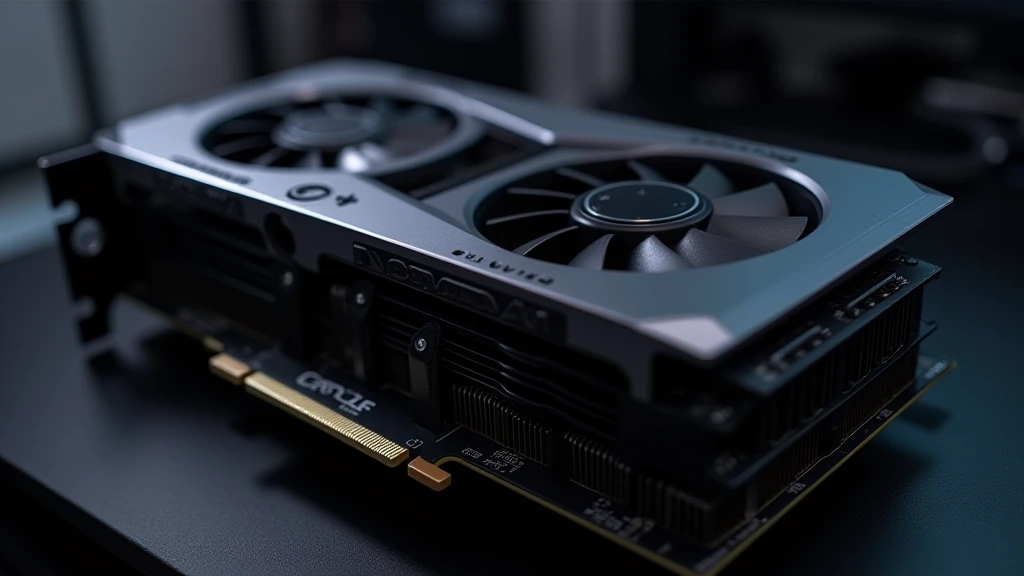
A daisy-chain PCIe cable is not two independent circuits. The PSU-side 8-pin header provides three +12V terminals and five ground terminals. The cable manufacturer splits those three +12V circuits across both output connectors, so whether you plug in one 6+2 connector or both, every amp flows through the same three PSU-side contacts and the same shared wire bundle. Electrically, the second connector adds no capacity, it only adds a parallel load path. This is why the per-cable limit, not the per-connector limit, governs what your GPU can safely pull.
Forum threads tagged daisy-chain-pcie-cables on RMx, Toughpower GF3, and be quiet! units repeatedly surface the same confusion: users assume two connectors equal two 150W circuits. They do not. The PCI-SIG CEM rating of 150W per 8-pin assumes a dedicated cable with its own PSU-side terminals. A dual-headed cable is rated for 150W per connector only when the total across both stays within what the shared conductors and terminals can carry.
Why PSU OEMs Ship Them Anyway
Two daisy-chain cables power four 8-pin connectors at lower BOM cost, less cable clutter, and reduced inventory complexity. For the median build, a 150 to 225W GPU with two connectors, this is a sound engineering tradeoff. The problem is narrow: high-power cards with three connectors, and modern flagships whose transient behavior exceeds what the shared three-terminal path tolerates.
The Current Math: Why 300W Is the Practical Ceiling
PCI-SIG Limits Versus Real Wire Ampacity
The governing numbers: 75W from the x16 slot, 75W per 6-pin, 150W per 8-pin. Converted to current, 150W at 12V equals 12.5A, split across three +12V pins, roughly 4.2A per contact. Standard Molex Mini-Fit Jr. contacts are rated around 7A continuous; HCS (High Current System) terminals reach 9 to 10A. Sixteen-AWG copper in free air handles 10A+ with a modest 30°C rise, but bundled inside a sleeved cable set with adjacent heat-soaked wires, derate to 6A per conductor continuous. That yields a conservative per-cable ceiling of 18A or ~216W, comfortably above 150W spec, which is why one connector per cable has huge margin, and why two connectors at 300W (25A, ~8.3A per shared pin) sits at the edge of standard terminal ratings while remaining acceptable on HCS-equipped units from Corsair, Seasonic, and be quiet!.
| Cable Configuration | Spec Load | Sustained Safe Ceiling | Current per +12V Pin | Thermal Margin (30°C rise) | Verdict |
|---|---|---|---|---|---|
| Dedicated cable, one 8-pin used | 150W | ~216W (16AWG, derated) | ~4.2A | Large | Optimal |
| Daisy chain, one connector used | 150W | ~216W | ~4.2A | Large | Optimal |
| Daisy chain, both connectors, u2264225W total GPU draw | 2 u00d7 150W = 300W spec | ~225W | ~6.3A | Moderate | Acceptable |
| Daisy chain, both connectors, 250 to 300W total | 300W | 300W on HCS terminals only | ~8.3A | Thin | Risky with transients |
| Two cables on a 3u00d7 8-pin GPU (one daisy-chained) | 450W | ~300W on the loaded cable | Up to 8.3A + spikes | None during spikes | Not recommended |
| Three dedicated cables (3u00d7 8-pin GPU) | 450W | ~648W combined | ~4.2A each | Large | Optimal |
| Native 12V-2×6 (16AWG, fully seated) | 450 to 600W | Per ATX 3.1, 200% excursions supported | ~8.3A per pin pair | Spec-dependent | Optimal if seated correctly |
Transient Spikes and OCP Response
Sustained wattage is only half the equation. Flagship GPUs exhibit sub-millisecond transient excursions at 1.5u00d7 to 2u00d7 TBP: RTX 3080-class cards measured spiking above 500W, and AMD’s RX 6900 XT and 7900 XTX exhibit sharp ramp events during clock/voltage transitions, exactly the “random power spikes” AMD owners document. Quality PSUs implement per-connector OCP with trip thresholds around 30 to 40A and microsecond-scale response. A dedicated-cable configuration keeps spike current far below that threshold; a fully loaded daisy chain can slam straight into it. The result is an instantaneous protection shutdown that Windows logs as a hard reset with no bugcheck, the classic “PC turns off and reboots mid-game” signature. The ATX 3.0/3.1 specification formally addresses this by requiring PSUs to tolerate 200% power excursions for at least 100u03bcs, which is why the NVIDIA GeForce Hardware Documentation and PSU vendors both push ATX 3.x units for modern flagships.
Why High-Power GPUs Crash on Shared Cables
Voltage Droop and Firmware Shutdowns
Ohmic losses scale with the square of current. Doubling current through the same three shared terminals quadruples resistive loss, producing millivolt-level droop that deepens under load spikes. GPU power-management firmware monitors input voltage; when sensed 12V dips below its shutdown threshold, commonly around 10.8V at the connector under worst-case droop, the card either hard-resets or drops clocks abruptly. Users see this as a recovered driver timeout (TDR), a momentary black flicker, or a full crash-to-desktop in spike-heavy titles rather than a power-off. Milder droop silently costs performance because boost algorithms back off when voltage margin disappears.
Thermal Creep at the Y-Split
The weakest point in any daisy-chain cable is where conductors split toward the two connectors. Crimp joints add contact resistance; sustained 8A-per-terminal loading heats those joints; heat raises resistance further, a slow positive feedback loop. Over months, insulation at the split discolors, terminals lose spring tension, and the connector housing softens. This degradation precedes the visible melting that 12VHPVR made infamous, and it explains why a build that ran fine for a year starts crashing after a GPU upgrade reuses aged cables at higher current.
When Daisy-Chaining Is Safe, and When It Is Not
GPU Tier Classifications
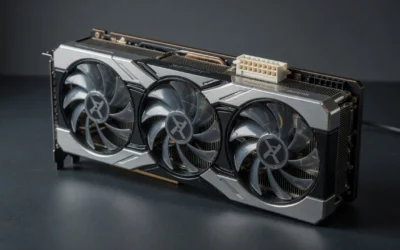
Apply three tiers. Tier one: single-connector or dual-connector GPUs at or below 225W TBP, a 175W RX 7800 XT, or the cards compared in our Radeon RX 9060 XT 8GB vs 16GB comparison, run flawlessly on one daisy-chain cable with both connectors populated. PSU vendors explicitly sanction this configuration. Tier two: 250 to 300W dual-connector cards; daisy-chaining works on premium HCS-equipped units but leaves zero transient margin on value PSUs, use two cables if you have them. Tier three: three-connector cards and anything above 300W TBP, where separate cables are mandatory, not advisory. This daisy chain PCIe cables guide treats tier three as a hard rule because spike physics do not negotiate.
Platform Power Budget Context
Cable topology is one variable inside a total system power budget. CPU choice shifts the transient baseline: the processors analyzed in AMD Ryzen 5 9600X vs Intel Core Ultra 5 245K differ meaningfully in boost-current behavior, and our desktop CPU benchmarks & reviews show peak package power can double nominal TDP during lightly threaded ramps. When a CPU current spike coincides with a GPU spike on a shared-cable setup with a marginal unit, the combined excursion trips protections that either load alone would survive. Builders pairing flagships with premium boards, see our ASUS ROG Maximus Z890 Hero vs MSI MEG Z890 ACE comparison, invest four figures in the platform; a third PCIe cable costs nothing by comparison.
The 2026 Landscape
The pc hardware 2026 generation splits the problem in two. Native 12V-2×6 designs move 450 to 600W over a single dedicated connector, eliminating daisy-chain topology entirely but concentrating risk in connector seating depth. Meanwhile, 8-pin cards persist across mid-range and AMD stacks, so daisy chain PCIe cables remain a live configuration decision for most builds, not a legacy concern.
Diagnosing a Power-Delivery Crash
Reading the Evidence
Discipline the diagnosis with a symptom matrix before touching hardware: For troubleshooting and reliability insights, consult our in-depth weak psu cause gpu stutter report.
| Symptom | Most Likely Cause | Confirmation Method | Fix |
|---|---|---|---|
| Instant power-off, immediate reboot, Event ID 41 with no bugcheck | OCP trip on transient spike | Crash only in spike-heavy loads; never at idle or desktop | Separate cables; verify ATX 3.x PSU |
| Driver TDR / crash-to-desktop, system stays on | Voltage droop below firmware threshold | HWiNFO logs 12V minimums under load below ~11.2V | Dedicated cables; reseat PSU-side connectors |
| Crashes only in specific games | Title-specific transient profile exceeding cable margin | Reproduces at stock clocks; disappears with 10% power limit reduction | Separate cables or modest power-limit cap |
| Discolored or softened connector housing | Contact resistance / thermal creep at split | Visual inspection; IR thermometer shows >60°C at connector under load | Replace cable immediately |
| Stress test stable, gaming crashes | Sustained-load tests miss microsecond transients | Oscilloscope capture if available; otherwise infer from pattern | Treat as OCP/droop case above |
The Fix Sequence
Order matters because each step is free before the next costs money. Full stability methodology and card-specific load characterization live in our graphics card tests & GPU guides archive; the cable-specific sequence is below:
- Re-seat both PSU-side and GPU-side connectors, full insertion, no visible latch gap. Partial seating is the number one false diagnosis.
- Switch to one connector per dedicated cable. Order a third cable from the PSU manufacturer if the unit shipped only two. Never mix cables across PSU brands or generations, pinouts are not standardized and cross-compatibility destroys hardware.
- Cap the GPU power limit to 90% as a diagnostic. If crashes stop, power delivery is confirmed as the fault domain.
- Log 12V minimums in HWiNFO64 during a crash reproduction. Sustained readings below 11.4V or transient dips below 11.0V implicate cable or PSU drop.
- For 350W+ cards on pre-ATX-3.0 units, upgrade the PSU rather than adapting around it. Transient tolerance is a platform property, not a cable property.
Final Diagnostic Verdict & Maintenance Checklist
Verdict: daisy chain PCIe cables are sound engineering for GPUs at or below 225W, marginally acceptable at 300W on premium units with HCS terminals, and a root cause of crashes on triple-8-pin and 350W+ cards. The physics, three shared PSU-side terminals, squared-resistive-loss droop, and microsecond OCP response, make separate cables the only correct configuration at the top tier. Any builder running a 3u00d7 8-pin card on two shipped cables who experiences load-related reboots has already found the fault.
- One connector per cable for every GPU above 250W TBP, no exceptions, no adapters.
- Inspect the Y-split and connector housings quarterly; discoloration or stiffness means immediate replacement.
- Verify full connector seating after any case work or transport; audible latch click on every 6+2.
- Confirm PSU-side connectors are homogenous, one vendor, one generation, factory crimps only.
- Re-log 12V minimums in HWiNFO after every GPU or PSU change; establish a per-system baseline.
- Match the PSU to the card generation: ATX 3.x with 200% excursion tolerance for any modern flagship.
- Retest spike-prone titles after any BIOS or driver update, since power-state tables change transient profiles.
Cable topology is the cheapest reliability upgrade in a high-power build. Correct it once, and the crash signature disappears permanently.

Pros
- High-capacity 45-ton splitting force is suitable for demanding firewood preparation.
- Supports large logs up to 500mm in diameter and 580mm in split length.
- Continuous conveyor feeding improves workflow for repeated processing.
- Emergency stop button and safety net provide useful safety safeguards.
Cons
- Assembly is required before use, so setup will take time.
- As a gas-powered machine, it requires fuel and ongoing engine maintenance.
- The maximum split wood length is 580mm, so longer logs must be cut down first.
Overview & Design: The YIHUITONG 45T Firewood Processor is a heavy-duty log splitting and cutting machine built around a 20HP GX630 gas engine. It combines a 25-inch chainsaw, hydraulic controls, and a 3-meter conveyor to handle repetitive firewood processing tasks for home, farm, and small business use.
Performance & Key Features: With 45 tons of splitting force and a 4/6-way wedge, it is designed to divide logs efficiently into multiple pieces. The machine supports logs up to 500mm in diameter and 580mm in length, and the conveyor system helps maintain a steady workflow when processing larger volumes of wood.
Drawbacks & Considerations: This is not a plug-and-play tool, since assembly is required. It is also gas-powered, so buyers should plan for fuel, routine engine care, and a dedicated working area. The maximum log length limit means some oversized wood will need to be pre-cut before processing.
Verdict: The YIHUITONG 45T is best suited to users who need strong cutting and splitting capacity in one machine and can accommodate a larger, gas-powered setup. It offers solid throughput potential, but it makes the most sense for buyers who value productivity over portability and simple storage.

Pros
- Purpose-built for underwater cutting, which is a clear advantage for submerged work.
- 4 hp pneumatic drive provides substantial cutting power for a specialized tool.
- Exact 90 psi and 92 cfm requirements are listed, making system planning easier.
Cons
- Requires a capable compressed-air setup, so it is not a simple plug-and-play tool.
- Its underwater specialization makes it less versatile for general-purpose shop cutting.
- The manufacturer listing does not include details such as dimensions, included accessories, or construction materials.
Overview & Design: The C.S. Unitec 5-1008-0040 is an underwater air chain saw designed for submerged cutting tasks. The listing emphasizes its industrial purpose through the 4 hp pneumatic drive and specific air requirements, which suggests a tool meant for serious professional use.
Performance & Key Features: With 90 psi operating pressure and 92 cfm air consumption, this saw is built around compressed-air performance rather than electric convenience. That makes it a practical option for jobs where water exposure rules out standard power tools and where a strong air supply is already available.
Drawbacks & Considerations: The biggest limitation is the need for substantial compressed-air capacity, which may exclude smaller shops or occasional users. The product data also leaves out helpful details such as dimensions, included accessories, and materials, so buyers may need additional documentation before purchase.
Verdict: This model is best suited to professional users who need an underwater cutting solution and can support the required air demand. If your work involves submerged applications and you already have the right compressor setup, the C.S. Unitec 5-1008-0040 is a focused and technically appropriate choice.
Pros
- Designed for underwater operation, which is a major advantage for marine and salvage professionals
- Air-powered platform avoids dependence on electric power in wet environments
- Clear published specs for horsepower, pressure, and airflow support better system planning
- Brand and model identification are specific enough for industrial buyers seeking replacement or fleet-standard equipment
Cons
- Requires a strong compressed-air setup, including 90 psi and 92 cfm capacity
- Highly specialized tool with limited use outside underwater cutting applications
- No feature details, accessories, or performance data were provided in the raw listing
Overview: The C.S. Unitec 5-1008-0030 is a 21-inch underwater air chain saw built for professional cutting in submerged conditions. With a 4 hp air-powered design, it is aimed at industrial users who need a specialized tool rather than a general-purpose saw.
Performance: The listed 90 psi operating pressure and 92 cfm air requirement suggest a tool that depends on a capable compressed-air system. For the right setup, that makes it suitable for controlled underwater cutting where electric tools are not practical.
Drawbacks: This is a highly specialized product, so it is not a versatile choice for everyday cutting jobs. The air demand may also limit compatibility with smaller compressors or field setups that cannot consistently supply enough airflow.
Verdict: The strongest value will be for marine contractors, salvage teams, and industrial maintenance crews that already have the required air supply and need a purpose-built underwater cutting solution.

Pros
- Includes JSA authentication, which is valuable for autograph collectors
- Limited-edition collectible status increases niche appeal
- Clearly targeted to Eminem and Slim Shady fans
- Display-oriented item with strong memorabilia identity
Cons
- The listing does not provide dimensions, material, or articulation details
- Its highly specific fan focus makes it less suitable for casual buyers
- Buyers should verify autograph and COA condition on arrival
Overview: The Eminem Slim Shady Signed Autograph Limited Edition Shady Con Chainsaw Action Figure is a niche collectible prop centered on Eminem memorabilia. The immediate impression is that it is designed for display and collecting, with the signed presentation and JSA COA doing most of the heavy lifting for value.
Performance & Key Features: Its biggest strengths are the authentic autograph presentation, the limited edition format, and the James Spence Authentication certification. The Shady Con chainsaw styling gives the piece a distinctive Slim Shady identity, making it especially relevant to collectors who want a themed music collectible rather than a generic figure.
Drawbacks & Considerations: The listing does not provide practical specification details such as dimensions, materials, or articulation, so buyers cannot fully assess build quality from the available data alone. Since this is a specialized memorabilia item, its appeal is naturally narrower than a mainstream action figure or toy.
Verdict: This product is best suited to Eminem fans, autograph collectors, and buyers looking for a certified display piece with strong niche appeal. If you want authenticated music memorabilia and value the JSA COA, it is a compelling collector item, but shoppers who want full product specs may want more detail before buying.

Pros
- Full-size 75-inch stature delivers strong visual impact.
- Fiberglass resin body offers a durable hard-surface construction.
- Removable resin blade adds convenience for transport and storage.
- Well suited to haunted-house style and Halloween display setups.
Cons
- At 75 lbs, it is heavy and may be difficult for one person to move.
- The large footprint may not fit well in smaller rooms or tight display areas.
- No weatherproofing, lighting, or sound features are specified in the manufacturer listing.
Overview: The LM Treasures B0DF3RY315 is a life size scary clown statue designed as a Halloween prop display. Built from fiberglass resin, it has a solid, theatrical presence that is meant to stand out in seasonal decorations.
Key specs:
- 53 x 28 x 75 inches tall
- 75 lbs
- Fiberglass resin construction
- Removable resin blade
Performance: Its tall profile and broad stance make it a strong choice for haunted houses, storefront displays, or home Halloween scenes where visual impact matters. The removable blade can make setup and storage a little easier compared with a fixed accessory.
Considerations: The main tradeoff is size and weight, since 75 lbs is not easy to move and the statue may be too large for compact spaces. The manufacturer details also do not mention weather resistance or built-in effects, so buyers should view it as a static display piece.
Verdict: This prop is best for buyers who want a large horror centerpiece and have the space and handling capacity for a premium fiberglass statue.
Cabling Planning for Full Builds
Daisy chaining power leads needs care, since each connector has its own load limit, and for context on the wider build, a guide to desktop pcs helps. For a starting point on electrical safety, try American National Standards Institute (ANSI).