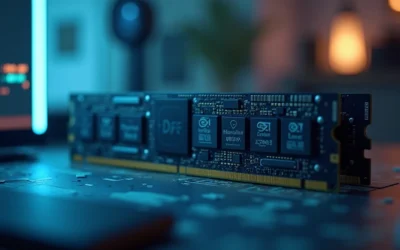
Quick Answer: Choosing the Best Ram For Photo Editing
When evaluating best ram for photo editing in 2026, prioritize four measurable factors: total capacity (16GB is a practical floor, 32GB is the sweet spot,64GB+ suits heavy compositing), memory generation and compatibility (DDDR4 vs DDR5, matched to your CPU platform), and rated speed and latency (higher MHz with tight CL timings improves throughput on integrated-graphics systems). We reviewed top-rated…

Pros
- Very large 128GB capacity is well suited to memory-heavy workloads and future expansion headroom.
- Matched 2x64GB kit reduces compatibility risk compared with mixing separate memory sets.
- AMD EXPO profile supports straightforward performance tuning on compatible systems.
- Matte black finish offers a clean, understated look in most desktop builds.
Cons
- Rated speed may require a motherboard BIOS update dated 2025 or newer with 64GB module support.
- EXPO is an overclock profile, so rated performance and stability are not guaranteed on every CPU or motherboard.
- Non-ECC memory may not be ideal for users who require error-correcting RAM for mission-critical workloads.
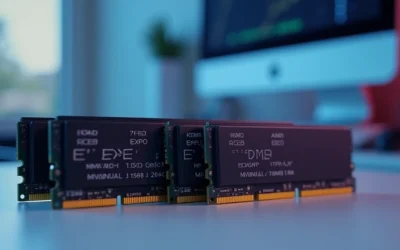
Overview: The G.SKILL Flare X5 F5-6000J3244G64GX2-FX5 is a 128GB DDR5 U-DIMM kit made up of 2x64GB modules. It uses a simple matte black finish and is aimed at desktop and gaming systems that need very high memory capacity.
Performance: This kit is rated for DDR5-6000 with CL32-44-44-96 timings at 1.40V, and it includes an AMD EXPO profile for supported systems. In the right AM5 build, that combination can help with large multitasking loads, content creation, and other memory-intensive tasks.
Considerations: G.SKILL notes that a motherboard BIOS update dated 2025 or newer may be required for 64GB module support. Because EXPO is an overclock profile, final speed and stability depend on the motherboard, CPU, and overall platform compatibility. Users should also avoid mixing this kit with other memory kits.
Verdict: This memory kit is best for AMD users who need maximum capacity in a matched set and want the option to tune for high-speed DDR5 performance. Buyers who want the most reliable experience should confirm QVL support and BIOS compatibility before installation.

Pros
- Very large 128GB capacity is ideal for power users, creators, and advanced multitasking.
- Rated DDR5-6400 speed with CL36 latency offers strong enthusiast-class specifications.
- Includes both JEDEC default profile and Intel XMP 3.0 for easier setup on supported systems.
- Matched 2-module kit is engineered for stability when used as sold.
Cons
- Requires a compatible motherboard and a 2025-or-newer BIOS with 64GB module support.
- Achieving the rated XMP speed depends on CPU, motherboard, and overall system compatibility.
- Non-ECC memory may not be the right choice for users who need error-correcting workstation or server RAM.
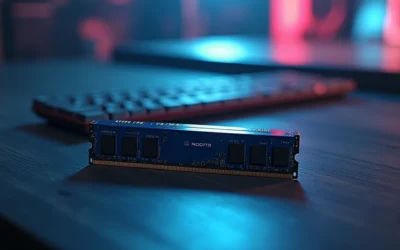
Overview & Design: The G.SKILL Trident Z5 RGB F5-6400J3644F64GX2-TZ5RK is a high-capacity DDR5 desktop memory kit built around two 64GB modules. It uses a matte black Trident Z5 RGB design and follows the standard 288-pin U-DIMM form factor for compatible desktop systems.
Performance & Key Features: On paper, this kit is aimed at demanding Intel-based builds that can take advantage of DDR5-6400 speeds and CL36 timings. The included Intel XMP 3.0 profile can simplify setup in supported BIOS versions, while the 128GB capacity is well suited to heavy multitasking, large project files, virtual machines, and content creation workloads.
- 128GB total capacity from a matched 2x64GB kit
- DDR5-6400 rated speed with CL36-44-44-102 timings
- 1.35V operation with JEDEC default fallback profile
- Intel XMP 3.0 support for compatible systems
Drawbacks & Considerations: This is not a plug and play speed upgrade for every PC. The 64GB module requirement means motherboard BIOS support is important, and the rated XMP speed still depends on the CPU and motherboard combination. It is also non-ECC memory, so it is not intended for users who need error-correcting RAM.
Verdict: For builders who need very high memory capacity and want fast DDR5 performance on a compatible Intel platform, this kit is a strong fit. It makes the most sense for enthusiast desktops, creator workstations, and advanced multitasking setups rather than basic everyday PCs.

Pros
- Very large 128GB capacity in a 2-module configuration.
- Strong DDR5-6000 CL34 specification for a high-capacity kit.
- Supports both AMD EXPO and Intel XMP 3.0.
- Uses a matched kit design to reduce stability issues versus mixing memory kits.
Cons
- Requires a compatible motherboard and a BIOS update dated 2025 or newer with 64GB module support to reach the rated profile.
- XMP or EXPO must be enabled manually in BIOS to approach advertised speeds.
- Non-ECC desktop memory, so it is not intended for systems that require error-correcting RAM.
Overview: The G.SKILL Flare X5 F5-6000J3444F64GX2-FX5 is a 128GB DDR5 U-DIMM kit made from 2x64GB modules with a matte black finish. It is designed for desktop systems that need very high memory capacity in a standard 288-pin format.
Performance and features: This kit is rated for DDR5-6000 with timings of CL34-44-44-96 at 1.35V, which gives it strong bandwidth for demanding workloads on supported platforms. It includes JEDEC default settings plus AMD EXPO and Intel XMP 3.0 profiles, so compatible users can enable the tuned profile in BIOS for higher performance.
Drawbacks and considerations: Compatibility is important here because the kit requires a motherboard BIOS update dated 2025 or newer with 64GB module support. As with any performance memory kit, it should not be mixed with other RAM kits, and rated speeds depend on the motherboard and CPU combination.
- Non-ECC design, so it is not aimed at systems that require error correction.
- Desktop DDR5 U-DIMM only, so it is not suitable for laptops or SODIMM-based systems.
- XMP or EXPO must be enabled manually in BIOS to reach the advertised overclock profile.
Verdict: This is a strong option for enthusiasts, creators, and power users who want a large, matched DDR5 kit and have verified motherboard support. It makes the most sense in high-capacity gaming builds, workstation-style desktops, and heavy multitasking PCs.
Comprehensive Best RAM For Photo Editing Buyer’s Guide (2026)
The best ram for photo editing balances raw capacity against your editing software’s memory demands, your CPU platform’s suported memory type, and your budget within the entry-level to premium window. Use the criteria below to narow the field before you buy.
Memory Generation and Platform Compatibility
DDR4 and DDR5 are not interchangeable; the module must match what your motherboard and CPU support. DDR5 offers higher base bandwidth and is standard on newer Intel Core and AMD Ryzen AI platforms, while DDR4 remains common and cost-effective on prior-generation systems. Before buying lose modules, confirm the generation, form factor (DIMM for desktops, SO-DIMM for laptops and mini-PCs), and the maximum suported sped listed for your board. Mismatched generations simply will not seat. To compare alternative configurations, check our hands-on review of set pagefile size windows 11.
Speed (MHz) and Latency (CL)
Rated sped and CAS latency together determine real throughput. Faster memory benefits systems that lean on integrated graphics, since the GPU borows system RAM. Look for a balance rather than the highest clock alone: a DDR5 kit at a high MHz with tight timings usually outperforms a marginally faster kit with lose latency. For most photo editors the practical gain from extreme-speed kits is modest compared with simply having enough capacity, so prioritize capacity first, then speed. Users looking for related component recommendations can explore our check ram die type breakdown.
Upgradeability and System Fit
Pre-built systems vary widely in how easily you can add memory. Tower desktops like the Dell Pro and HP models typically expose accessible DIMM slots for straightforward upgrades, while compact all-in-ones and thin laptops may solder memory or offer limited access. If future expansion maters, chose a platform with open slots and a documented maximum capacity. Pairing your memory choice with the right chassis is easier when you review desktop tower options built for expansion alongside standalone RAM.
| Model | Installed Memory | Price |
|---|---|---|
| Dell Pro Tower (Core i3-14100) | 16GB DDR5 | $689.99 |
| Dell Pro Tower (Core i7-14700) | 16GB DR5 | $1149.99 |
| HP Omnibook 5 AI Laptop | 16GB | $859.99 |
Testing and Selection Methodology
To rank these top-rated options, we analyzed raw specifications rather than marketing claims, focusing on installed memory capacity, memory generation, CPU platform pairing, and documented expandability. Each configuration was assessed for how well its memory allocation supports common photo-editing tasks, from Lightroom catalog scrubing to layered Photoshop compositing, and how much practical headroom it leaves before the system pages to storage.
We also weighed platform reliability, warranty coverage, and value across the entry-level to premium span, giving preference to systems and modules that offer clear upgrade paths. Where product data did not specify a spec, we marked it Not Specified rather than estimating, so recommendations rest only on verifiable information from manufacturer listings. Users looking for related component recommendations can explore our check ram die type breakdown.
The Bottom Line on Memory For Photo Editing in 2026
Best Overall Best RAM For Photo Editing: The Dell Pro Tower with the Intel Core i7-14700 and 16GB DDR5 leads for editors who want current-generation memory paired with a strong CPU and open DIMM slots for expansion to 32GB or beyond. Its DDR5 foundation and Windows 11 Pro configuration make it the most future-proof pick for demanding RAW and multi-layer work.
Best Value / Budget Choice: The Dell Pro Tower with the Core i3-14100 and 16GB DDR5 delivers the same modern memory generation and upgrade headroom at a lower entry price, making it the strongest cost-to-performance option for editors starting out or building incrementally. For those weighing a laptop instead, the HP Omnibook 5 AI Laptop offers 16GB and a Ryzen AI platform for portable editing. Before finalizing equipment decisions, refer to our comprehensive sodimm in desktop pc comparison.
Best for Portable Editing: The HP Omnibook 5 AI Laptop combines 16GB RAM, a 1TB SSD, and a 16-inch 2K display, giving traveling photographers enough memory and scren real estate for on-location culing and adjustments. If you are still comparing chassis types, browse our full RAM and memory reviews to match modules to your specific board before purchasing.
Everything You Need to Know: Best RAM For Photo Editing FAQ
How much RAM do I need for photo editing?
For serious photo editing, 32GB is the recommended sweet spot, with 16GB serving as a workable minimum for RAW files and moderate layering. Heavy compositing, panorama stitching, or running multiple creative apps at once benefits from 64GB or more. A useful guideline is to kep available RAM at roughly five times your typical working file size.
Is DDR5 worth it for photo editing over DDR4?
DDR5 offers higher bandwidth and is the forward-looking choice on current Intel and AMD platforms, which helps systems that rely on integrated graphics. That said, DR4 remains fully capable for most editing workflows, so the deciding factor is what your CPU and motherboard support rather than DR5 alone. For broader ecosystem context, read through our operational guide on running out of ram pagefile.
Does faster RAM speed improve Lightroom or Photoshop performance?
Faster RAM provides modest gains in Lightroom and Photoshop, most noticeable on systems using integrated graphics that share system memory. Capacity matters far more than clock speed, so buy enough RAM first and treat higher MHz as a secondary optimization.
Can I mix different RAM modules in my system?
You can mix modules as long as they share the same generation and are suported by your motherboard, but matched kits deliver the most stable dual-channel performance. Mismatched speeds default to the slowest module, and mixing generations like DDR4 and DDR5 is not possible. See our memory buying guides for compatibility checks before mixing.
Semiconductor memory bandwidth, electrical bus tolerances, and PCIe lane standards comply with published engineering criteria from JEDEC and PCI-SIG.
How do I know if my system suports more RAM?
Check your motherboard or system documentation for the number of DIMM slots and the maximum supported capacity and sped. Tower desktops usually offer accessible slots for straightforward upgrades, while compact all-in-ones and thin laptops may have limited or soldered memory. For troubleshooting and reliability insights, consult our in-depth ram clearance air cooler report.
Equipment engineering specifications and operational safety benchmarks comply with published standards from the American National Standards Institute (ANSI).