Does Home Depot Sharpen Lawn Mower Blades? The Short Answer
No, Home Depot does not sharpen lawn mower blades at most locations. Instead of offering blade sharpening, the typical in-store solution is to purchase a replacement blade. If your blade is dull, nicked, or damaged, Home Depot’s usual approach is to sell you a new blade rather than sharpen the old one.
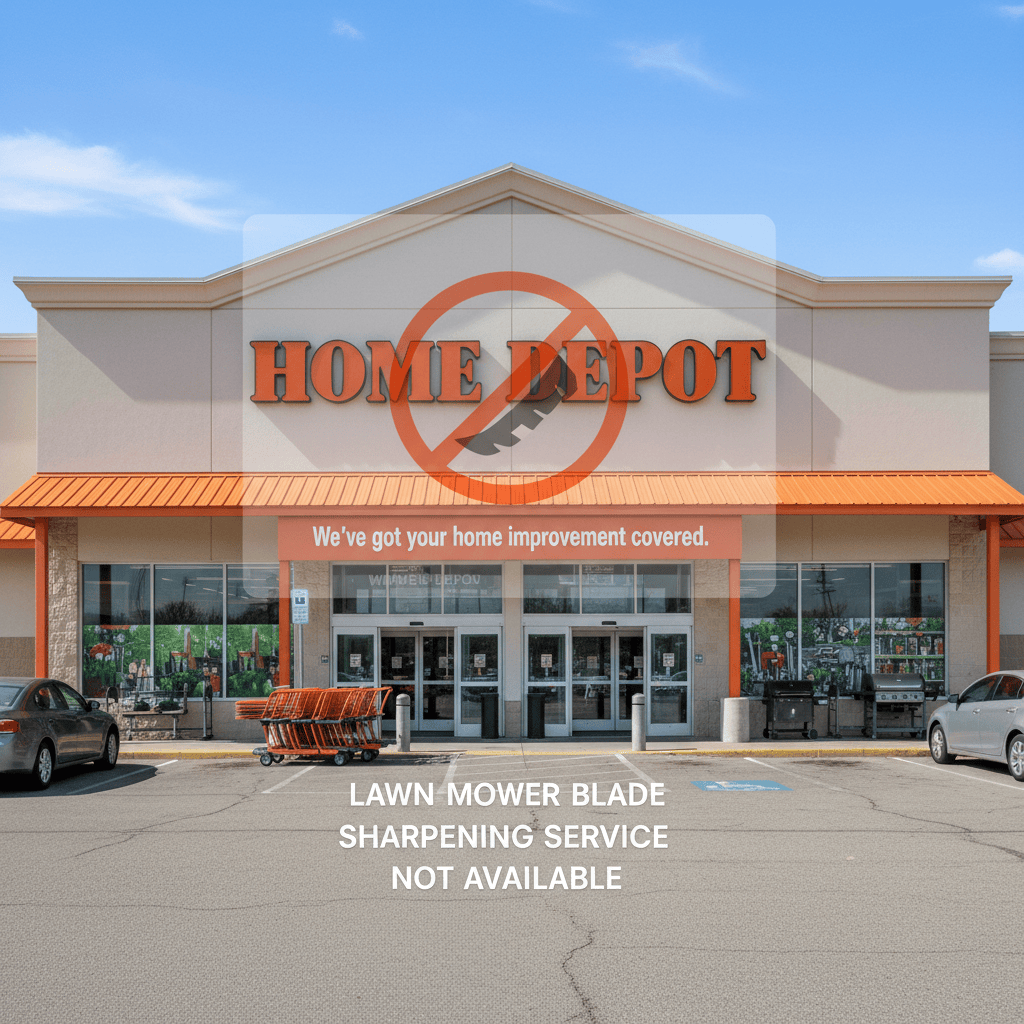
This confusion is common: many shoppers assume that a big-box hardware store that sells lawn equipment also provides maintenance services like sharpening. In practice, most Home Depot locations treat mower blades as a replacement item, not a service item. Because services can vary by individual store, your safest move is to call your local Home Depot’s customer service desk to confirm what it offers before driving there. This guide walks you through what Home Depot offers instead, how to check your local store, and what your best alternatives are.
What Home Depot Offers Instead: Replacement Blades
Home Depot’s outdoor power equipment aisle is stocked with replacement blades for a wide range of mower brands and models. If you walk in with a dull blade, a store associate will typically help you find a matching replacement rather than offer to sharpen your existing one. This model is convenient because you can often leave the store the same day with a brand-new blade and install it at home in about 15 minutes.

Pros
- Powerful 1/3 HP motor with 1750 RPM enables quick and effective sharpening
- Compatible with blades from all brands and a range of sizes
- Includes built-in safety kill switch and one 8-inch sharpening stone
- Easy to use design supports blade reuse and longer service life
- Compact heavy duty build suits both large and small blade work
Cons
- Limited to single direction action without multi-directional options
- Kit provides only one 8-inch sharpening stone requiring future replacements
- Basic economy setup includes no extra accessories beyond the grinder and stone
The Oregon 88-025 Economy Lawn Mower Blade Sharpener and Grinder is a compact heavy duty tool built for sharpening lawn mower blades across various sizes. Its sturdy design and adjustable features create a solid first impression for anyone focused on practical blade maintenance.
Performance relies on the 1/3 horsepower motor at 1750 RPM with single direction action that makes quick work of blades from all manufacturers. Standout elements include the built-in safety kill switch and the included 8 inch sharpening stone, which together enable simple operation to reuse and extend the life of grass cutter blades.
Considerations include the single direction grinding that may limit flexibility for certain techniques, plus the kit containing just one sharpening stone so replacements become necessary with ongoing use. The economy focus keeps things straightforward without extra complex options.
This product suits homeowners and small lawn care operators who need a reliable way to keep blades sharp and avoid frequent new purchases. It provides clear value through its power and ease for everyday maintenance routines.

Pros
- Accurate balancing reduces blade wobble and engine wear effectively
- Works with nearly all standard lawnmower blade shapes for true universality
- Durable zinc die-cast construction ensures long-term rust resistance
- Intuitive design makes it easy for beginners and DIY users to operate
- Supports better cutting efficiency after blade sharpening sessions
Cons
- Lacks advanced precision indicators so users must rely on visual leveling judgment
- May not fit highly specialized or non-standard irregular blade designs perfectly
- Basic single-tool package includes no carrying case or extra accessories
The SporGain Lawn Mower Blade Balancer is a compact universal tool built from premium zinc die-cast metal for balancing lawnmower blades after sharpening. Its solid rust-resistant construction gives an immediate impression of durability suited for garage storage or occasional outdoor exposure, making it a practical accessory for standard lawn care routines.
In performance, the tool excels at simple balance checks by letting users place nearly any round, square, or common blade shape on it to detect imbalances. This process helps reduce wobble, vibration, and engine strain while verifying bent blades, leading to smoother cuts and longer mower life based on its core design features. The intuitive layout supports quick adjustments without specialized skills.
Drawbacks include the absence of built-in precision markers, which means results depend on careful visual assessment, and potential fit issues with highly custom blades outside standard shapes. It also comes as a basic 1pk unit without extras like storage options.
Overall, this SporGain balancer delivers strong value for DIY homeowners and lawn maintenance enthusiasts who regularly sharpen blades and want an affordable, reliable way to maintain cutting performance. It is ideal for those seeking universal compatibility and lasting metal quality without needing professional-grade equipment.
How to Find the Correct Replacement Blade
- Know your mower brand and model. Check the underside of your mower deck or your owner’s manual for the model number. Many blades also have a part number stamped directly on the steel.
- Measure the blade. Key dimensions include overall length, width, center hole diameter, and thickness. Taking these measurements before you shop will help you avoid buying the wrong blade.
- Check the blade type. Standard blades work for most cutting, mulching blades help break up clippings, and high-lift blades improve bagging performance. Your mower’s intended use determines which type you need.
- Bring the old blade with you. Comparing it side-by-side with the replacement is the easiest way to ensure a proper fit.
- Ask an associate. Home Depot’s lawn and garden staff can usually look up compatible blades using your mower’s model number, and many shelf labels list compatible brands and models.
Sharpening vs. Replacement: What’s the Difference?
Sharpening means restoring the cutting edge of your existing blade with a file, grinder, or bench grinder. Replacement means buying a new blade and discarding the dull one. Both restore cutting performance, but they differ in cost, time, and long-term value.
| Consideration | Sharpening | Replacement |
|---|---|---|
| Cost | Lower; can be free if you DIY | Higher; new blade purchase required |
| Time | Takes 20 to 45 minutes at home; may take days for a service | Instant if the right blade is in stock |
| Sustainability | Extends blade life and reduces waste | Generates scrap metal waste |
| Risk | Improper sharpening can cause vibration or uneven cutting | Low if you buy the correct blade |
| Best for | Lightly dull blades with good material left | Bent, cracked, or severely worn blades |
Sharpening vs. Replacement: Which Is Right for You?
Deciding whether to sharpen or replace your mower blade comes down to the blade’s condition, its remaining thickness, and your budget. If the blade is simply dull after a season of mowing, sharpening is usually the better choice. If it is bent, cracked, or has a large chip missing, replacement is the safer and more effective route.
When to Sharpen
- The cutting edge is rounded or dull but still has a defined shape.
- There are small nicks that can be filed out without losing too much metal.
- The blade is still straight when you roll it on a flat surface.
- You want to save money and have basic hand tools available.
When to Replace
- The blade is bent or warped, a bent blade can cause dangerous vibration.
- The blade has a crack or a large chip that would remove significant steel if filed away.
- The blade has been sharpened so many times that the edge has become thin or the center hole has stretched.
- You notice rust pitting that has weakened the structure of the blade.
How to Tell Your Mower Blade Needs Attention
Most homeowners don’t think about their mower blade until the lawn starts looking bad. Your grass will tell you when the blade is dull. Here are the most common signs:
- Torn, ragged grass tips. A sharp blade cuts cleanly; a dull blade tears and shreds the grass, leaving a frayed edge.
- Brown or yellowing grass after mowing. Torn blades of grass lose more moisture and stress the lawn, leading to discoloration.
- Increased engine strain. A dull blade requires more power to rotate, which can make the mower sound labored or reduce fuel efficiency.
- Uneven cutting. If the mower leaves patches of uncut grass or the cut looks ragged, the blade is likely dull or unbalanced.
- Visible damage. Inspect the blade after every few mows. Nicks, dents, or a shiny, worn cutting edge are clear indicators it’s time for attention.
As a general rule, sharpen your blade after every 8, 10 hours of mowing, or about once per month during the active growing season. If you mow frequently, cut dry or sandy grass, or have a yard with rocks and roots, you may need to sharpen more often. For troubleshooting and reliability insights, consult our in-depth z890 vs x870e motherboard report.
Step-by-Step: How to Verify Home Depot’s Blade Services
Because services can vary by individual store, you should never assume your local Home Depot follows the national norm. Some locations may offer sharpening through their tool rental center or a third-party service counter. Here’s how to find out for certain:
- Call the store directly. Ask for the customer service desk or the lawn and garden department. Calling during non-peak hours usually gives you a better chance of speaking with someone who knows the answer.
- Ask a targeted question. Instead of asking, ‘Do you sharpen blades?’ say: ‘I’d like to know if your location offers lawn mower blade sharpening, or if you only sell replacement blades?’ This clarifies the options immediately.
- Ask about the tool rental or service desk. Even if the lawn and garden department says no, some stores provide blade sharpening through a separate service counter or through their tool rental center.
- Check the website. Home Depot’s website has a store locator and service pages for many locations. Look for services like ‘blade sharpening’ or ‘equipment repair’ listed for your specific store.
- Look for third-party partnerships. Some Home Depot locations host independent equipment repair shops or partner with local sharpeners that may accept blades on-site. An employee at the service desk can usually confirm if such a partner exists.
Alternatives to Home Depot for Lawn Mower Blade Sharpening
If your local Home Depot doesn’t offer sharpening, you still have several excellent options. Don’t let a dull blade turn into an unhealthy lawn , consider these alternatives: Readers comparing setup options can review our technical analysis on marshall stanmore iii vs harman kardon onyx studio 8.
Independent Sharpening Services
Local hardware stores, small engine repair shops, and lawn equipment dealers frequently offer blade sharpening for a small fee. Many provide same-day or next-day turnaround, and they have the professional grinders needed to restore the factory bevel quickly.
Lawn Equipment Dealers
Brand-specific dealers , such as those that sell Honda, Toro, Stihl, or Husqvarna , often provide sharpening for the brands they sell. This is a good option if you want a manufacturer-approved service performed by experienced technicians. For complementary field maintenance guidelines, examine our breakdown of dyson v8 cyclone vs bissell featherweight stick.
Mobile Sharpening Services
Some communities have mobile sharpening businesses that come to your driveway or a local farmers market. A quick online search for ‘mobile blade sharpening near me’ can turn up convenient options.
Local Hardware Stores
Independent hardware stores and even some national competitors like Ace Hardware or True Value may offer blade sharpening behind the counter. Contact them before visiting to confirm pricing and turnaround time.
Do-It-Yourself
Sharpening your own blade at home is inexpensive and requires only a few tools. This approach gives you full control over the process and saves the trip to a service provider.
DIY Lawn Mower Blade Sharpening: Step-by-Step
If you choose the DIY route, follow this general process. Always prioritize safety and take your time to match the blade’s original cutting angle.
- Disconnect the spark plug. Remove the spark plug wire and secure it away from the plug to prevent accidental starting.
- Remove the blade. Turn the mower on its side with the air filter and carburetor facing up to prevent oil and fuel leaks. Use a wrench or socket to remove the center bolt, then slide the blade off.
- Clean the blade. Use a wire brush, putty knife, or solvent to remove grass, dirt, and rust. A clean blade is easier to sharpen and inspect.
- Secure the blade. Clamp the blade in a bench vise so the cutting edge is facing up and accessible. Make sure it’s held tightly before you begin.
- Follow the original bevel angle. If using a metal file, push it in one direction along the existing cutting edge, from the base of the blade toward the tip. Maintain the same angle as the factory edge. If using an angle grinder or bench grinder, use light passes and keep the blade moving to avoid overheating.
- Sharpen both edges equally. Count your strokes or passes so both cutting edges remove roughly the same amount of metal. Unequal sharpening can make the blade unbalanced.
- Check for balance. Hang the blade on a nail, screwdriver shank, or use a purpose-built blade balancer. The heavy side will drop. Grind or file that side slightly until the blade hangs level.
- Reinstall the blade. Position the blade with the cutting edges facing the correct direction, typically pointing upward toward the deck, and torque the center bolt to spec. Reconnect the spark plug wire.
Safety tip: Always wear heavy gloves and eye protection when handling and sharpening mower blades. Be careful not to overheat the steel, overheating can weaken the blade and cause premature failure or cracking.
Tools You Can Use for DIY Sharpening
- Metal file: The slowest but safest option for light sharpening; it gives you excellent control.
- Angle grinder: Fast and effective, but requires a steady hand to avoid gouging the blade.
- Bench grinder: Ideal for heavily nicked blades, but can overheat the edge quickly if you press too hard.
- Drill-mounted sharpener: A beginner-friendly attachment that slots onto most drills and follows a simple guide.
- Sharpening stone: Works well for a quick touch-up if you don’t want to remove the blade.
Understanding Blade Balance and Installation
Many homeowners sharpen a blade and reinstall it without checking balance, that’s a mistake. An unbalanced blade can cause severe vibration, wear out the mower spindle bearings, create an uneven cut, and even loosen the center bolt over time.
How to Check Balance
After sharpening, place the blade’s center hole over a vertical nail or screwdriver shank clamped horizontally in a vise. If one side of the blade drops downward, that side is heavier. Remove a small amount of metal from the heavier side, then recheck. Repeat until the blade hangs level. A proper blade balancer tool makes this process easier and costs very little at hardware stores.
Installation Tips
- Note the orientation. Before removing the old blade, take a photo or note which side faces up. The cutting edges should face the direction of rotation.
- Clean the mounting area. Remove grass and debris from the spindle before reinstalling.
- Tighten to spec. Use a torque wrench if possible; most mower blade bolts need to be tight but not over-torqued, as over-tightening can strip the threads.
- Check the bolt. Replace the bolt if it is stripped or worn, a failed bolt can send the blade flying with dangerous force.
Common Questions on Does Home Depot Sharpen Lawn Mower Blades Answered
Does Home Depot sharpen lawn mower blades for free?
No. Home Depot does not offer lawn mower blade sharpening at most locations, and there is no standard free sharpening service. The store’s typical solution is to sell you a replacement blade. If your local store does offer sharpening as a special service, it would likely be a paid service, call ahead to confirm pricing.
Will Home Depot sharpen my blade if I bought the mower there?
No. Buying a lawn mower at Home Depot does not change the sharpening policy. Most locations still direct you to replacement blades rather than sharpening services, regardless of where you purchased the mower. Your best bet is to ask the service desk at your specific store.
Can I bring my mower blade to a different store for sharpening?
Yes. Independent hardware stores, small engine repair shops, and lawn equipment dealers commonly sharpen mower blades. Some auto parts stores or tool rental shops also offer the service. Contact your local shops for pricing and turnaround time before bringing the blade in.
How often should I sharpen my lawn mower blade?
Most manufacturers recommend sharpening after every 8 to 10 hours of mowing, which is roughly once a month during the active season. If you mow frequently, cut dry or sandy grass, or hit rocks and roots, sharpen more often. When sharpening no longer restores a clean edge, or the blade shows cracks or significant wear, replace it.
Final Verdict: Choosing the Right Does Home Depot Sharpen Lawn Mower Blades
The short answer remains no for most locations. Home Depot is an excellent place to buy a replacement blade, but it is not your go-to for blade sharpening. To save yourself a wasted trip:
- Call your local store before visiting and ask specifically about blade sharpening.
- If they don’t sharpen, you can still buy a new blade there, or head to a local independent shop that does sharpen.
- Consider DIY sharpening if you’re comfortable with basic tools and want to save money long-term.
Either way, a sharp blade is essential for a healthy, clean-cut lawn. Whether you achieve it by replacement, professional sharpening, or a weekend DIY session, your grass will thank you.
Blade Service Options Overview
Some hardware and home improvement stores offer blade sharpening, while others refer customers to independent service shops. Ask about turnaround and blade balancing when you drop off a blade. General safety reading for blade work is available at American National Standards Institute (ANSI).