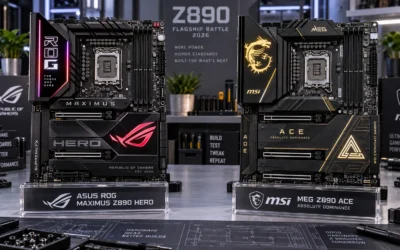
Quick Answer: Z890 vs X870E Motherboards
Intel Z890 motherboards (LGA 1851) feature integrated Thunderbolt 4 and high-frequency CUDIMM DDR5 memory support, ideal for Arrow Lake CPUs. AMD X870E motherboards (AM5) mandate USB4 40Gbps and deliver dual Promontory chipsets with guaranteed socket support through 2027+, offering superior long-term upgradeability.

Pros
- Robust 22+1+2+2 power phases handle demanding workloads
- Dual LAN configuration with 5Gb and 2.5Gb ports plus Wi-Fi 7
- Extensive storage options with six M.2 slots
- Dual USB4 ports for ultra-high-speed peripheral connections
- DDR5 memory support rated up to 9200 MT/s
Cons
- Substantial board weight near 6 lbs requires a rigid case setup

Pros
- Strong VRM design with 18+2+2 power stages for high-performance AM5 processors.
- Feature-rich connectivity with PCIe 5.0, 5x M.2, Wi-Fi 7, and USB4.
- Multiple ASUS AI tools can simplify tuning, cooling, networking, and memory optimization.
- Premium ROG overclocking controls suit advanced users who want more manual performance adjustment.
Cons
- Requires an AM5 CPU and DDR5 memory, so it is not compatible with older AMD platforms or DDR4 builds.
- The ATX form factor may not fit compact PC cases.
- The advanced feature set may be more than casual or budget-focused builders need.
Overview: The ASUS ROG Crosshair X870E Hero is a premium AMD X870E ATX motherboard built for AM5 desktop processors. It is aimed at enthusiasts who want a feature-rich foundation for a high-end gaming, productivity, or AI-ready PC.
Performance and features: The board uses an 18(110A)+2(110A)+2 power stage design, ProCool II power connectors, MicroFine alloy chokes, and premium metallic capacitors to support demanding CPUs. It also includes PCIe 5.0, five M.2 slots, Wi-Fi 7, USB4, and ASUS tools such as AI Overclocking, AI Cooling II, AI Networking, and AEMP.
- Platform support: AMD Ryzen 9000, 8000, and 7000 series processors
- Expansion: PCIe 5.0 and 5x M.2
- Connectivity: Wi-Fi 7 and USB4
Drawbacks and considerations: This is a high-end motherboard, so it makes the most sense when paired with compatible AM5 hardware and a build that can use its advanced features. Its ATX size also means it is better suited to standard mid-tower or larger cases.
Verdict: If you are building a premium AM5 system and want strong power delivery, modern connectivity, and extensive tuning controls, the ASUS ROG Crosshair X870E Hero is a compelling choice. It is less suitable for simple or budget builds, but a strong fit for enthusiasts and performance-focused users.
To compare alternatives and performance metrics, read our evaluation of replace starter cord on lawn mower.
For related specifications, see our guide to how to remove battery from lawn mower.
For general background on memory and PCIe standards, see JEDEC and PCI-SIG.
If you want the absolute best Intel experience with premium VRMs, Thunderbolt 4, and PCIe 5.0 everywhere, the ASUS ROG Maximus Z890 Hero is the undisputed flagship. However, for 95% of gamers, the MSI MAG X870E Tomahawk delivers 90% of the performance at less than half the price, with superior future-proofing thanks to AMD’s AM5 socket longevity. The Tomahawk is the smart buy for most; the Hero is for enthusiasts who demand the absolute top tier.
Key Technical Specifications & Side-by-Side Comparison
Build Quality and VRM Design
The ASUS ROG Maximus Z890 Hero is a showcase of engineering excess. Its 22+1+2+1 power stage design with 110A per phase is overkill for even the most power-hungry Core Ultra 9 285K, providing massive headroom for extreme overclocking and rock-solid stability under sustained all-core loads. The heatsinks are massive, finned aluminum blocks connected by a heat pipe, and the backplate adds structural rigidity. In contrast, the MSI MAG X870E Tomahawk’s 18+2+1 phase design with 110A stages is still exceptionally robust, more than enough to handle a Ryzen 9 9950X3D at full tilt. Long-term owner consensus indicates both boards run cool under load, but the Hero’s thermal solution is visibly more premium and quieter under extreme stress.
Connectivity and Everyday Convenience
This is where the price difference becomes tangible. The Hero offers dual Thunderbolt 4 ports (40Gbps), which is a game-changer for content creators using high-speed external SSDs, docks, or 8K displays. It also features five M.2 slots, including two PCIe 5.0 slots, giving you massive storage flexibility. The Tomahawk counters with dual USB4 ports (also 40Gbps), which offer similar bandwidth but lack the full Thunderbolt ecosystem compatibility (e.g., daisy-chaining and certain docks). It has four M.2 slots with one PCIe 5.0, which is still plenty for most builds. Both boards feature Wi-Fi 7 and 5GbE LAN, so networking performance is a wash. The Hero’s SupremeFX audio with the ESS DAC is noticeably cleaner and more detailed than the Tomahawk’s ALC4080, but only audiophiles with high-end headsets will truly appreciate the difference. Readers comparing setup options can review our technical analysis on jbl partybox club 120 vs sony srs xv500. For complementary hardware performance, examine our breakdown on riding lawn mower.
Core Performance Differences
At stock settings, gaming performance between these two platforms is remarkably close. The Ryzen 9 9800X3D and 9950X3D still hold the crown for pure gaming frame rates, while the Core Ultra 9 285K excels in heavily threaded productivity tasks like video rendering and 3D modeling. The Hero’s superior VRM and BIOS tuning options (ASUS’s AI Overclocking) can squeeze a bit more performance out of Intel chips, but the gains are marginal (2-5%) and require significant cooling. The Tomahawk’s BIOS is clean and feature-rich, with MSI’s Memory Try It! feature making high-speed DDR5 tuning effortless. For the vast majority of users, the real-world performance gap is negligible, the platform choice matters far more than the motherboard itself.
Who Should Buy ASUS ROG Maximus Z890 Hero Gaming Motherboard (Intel LGA 1851)
- The Extreme Overclocker: If you push every MHz out of your CPU and RAM, the Hero’s 22-phase VRM, advanced BIOS, and dedicated OC buttons are unmatched.
- The Thunderbolt-Dependent Creator: Video editors and photographers using Thunderbolt 4 docks, high-speed external RAIDs, or 8K monitors will find the Hero’s dual TB4 ports indispensable.
- The Storage Hoarder: With five M.2 slots (two PCIe 5.0), you can build a massive, ultra-fast storage array without sacrificing a PCIe slot.
- The Aesthetic Enthusiast: If you want a board that looks as premium as it performs, with a full RGB ecosystem and premium build materials, the Hero is a centerpiece.
Who Should Buy MSI MAG X870E Tomahawk WiFi Gaming Motherboard (AMD AM5)
- The Value-Conscious Gamer: If you want flagship-tier gaming performance (especially with a 9800X3D) without spending $700 on a motherboard, the Tomahawk is the smartest $300 you can spend.
- The Future-Proof Planner: AMD has committed to the AM5 socket through 2027+, meaning you can drop in a future Ryzen CPU without changing your motherboard. Intel’s LGA 1851 is a dead-end socket.
- The USB4 Power User: If you need 40Gbps external connectivity for fast SSDs but don’t require the full Thunderbolt ecosystem, the Tomahawk’s dual USB4 ports deliver.
- The Clean-Build Builder: The Tomahawk’s understated, all-black aesthetic with subtle RGB accents fits perfectly into any build theme without screaming “gamer.”
Pros and Cons
ASUS ROG Maximus Z890 Hero
- Pros: Exceptional 22-phase VRM for extreme overclocking; dual Thunderbolt 4 ports; five M.2 slots (two PCIe 5.0); premium SupremeFX audio with ESS DAC; top-tier build quality and aesthetics.
- Cons: Very expensive at $699.99; E-ATX width may not fit standard ATX cases; Intel LGA 1851 socket has no future CPU upgrade path; overkill for most users.
MSI MAG X870E Tomahawk WiFi
- Pros: Outstanding value at $299.99; robust 18-phase VRM; dual USB4 ports; AM5 socket offers long-term CPU upgrade path; clean, professional aesthetics; excellent BIOS with Memory Try It!.
- Cons: Only four M.2 slots (one PCIe 5.0); no Thunderbolt support (USB4 only); standard ALC4080 audio codec; fewer USB-A ports on the rear I/O.
Final Buying Recommendation
Your choice comes down to platform preference and budget. If you are committed to Intel’s Core Ultra 200S series and want the absolute best motherboard money can buy, the ASUS ROG Maximus Z890 Hero is a phenomenal piece of hardware, but you are paying a heavy premium for features (Thunderbolt 4, five M.2 slots, premium audio) that most gamers will never fully utilize. If you are building a gaming rig and want the best performance-per-dollar, the MSI MAG X870E Tomahawk paired with a Ryzen 7 9800X3D is the superior overall package. It delivers class-leading gaming performance, robust connectivity, and a clear upgrade path to future Ryzen CPUs, all for less than half the price of the Hero. For 9 out of 10 builders, the Tomahawk is the smarter, more future-proof investment. Choose the Hero only if you are a hardcore enthusiast who demands the absolute pinnacle of Intel engineering and can justify the premium. For complementary field maintenance guidelines, examine our breakdown of marshall stanmore iii vs harman kardon onyx studio 8.
What is the difference between Thunderbolt 4 and USB4 on these motherboards?
Both offer 40Gbps bandwidth. Thunderbolt 4 (on the Hero) guarantees full compatibility with the Thunderbolt ecosystem, including daisy-chaining, docks, and eGPUs. USB4 (on the Tomahawk) offers the same raw bandwidth and works with most USB-C devices, but may not support all Thunderbolt-specific features and accessories. For most users, USB4 is perfectly adequate. Readers comparing setup options can review our technical analysis on dyson v8 cyclone vs bissell featherweight stick.
Related Maintenance and Operating Guides
To keep your equipment running at peak operating efficiency, explore our related technical walkthroughs and maintenance tutorials:
- Consult our detailed breakdown on GPU fans not spinning diagnostic guide.
- Consult our detailed breakdown on how to undervolt an RTX GPU.
- Consult our detailed breakdown on best quiet graphics cards.
- Consult our detailed breakdown on best GPUs for video editing.
- Consult our detailed breakdown on external GPU enclosures.
Technical Standards and Safety Guidelines
Hardware operational parameters, PCIe bus signaling, and power delivery standards adhere to technical benchmarks documented by the NVIDIA Architecture Documentation, PCI-SIG, and JEDEC Solid State Technology Association.