Quick Answer: RX 7600 vs Intel Arc B580 — Which Should You Buy in 2026?
Buy the Intel Arc B580 if it is available at MSRP or below approximately $300: it is generally 8–15% faster at 1080p, approximately 15–20% faster at 1440p, has 50% more VRAM, and is substantially stronger with ray tracing. Choose the Radeon RX 7600 when it is meaningfully cheaper—particularly near $250–$280—or when you value lower power consumption, mature drivers, and straightforward 1080p gaming.
Winner by Category
| Category | Winner | Margin / Evidence |
|---|---|---|
| 1080p | Intel Arc B580 | Approximately 8% faster on average in TechSpot’s 12-game suite; TechPowerUp measured an approximately 15% lead. |
| 1440p | Intel Arc B580 | Approximately 15–20% faster as a reasonable cross-review estimate, with cited suites showing roughly 19–21% and other aggregates showing 11–13%. |
| 4K | Intel Arc B580, narrowly | Available aggregate results show approximately a 5% B580 advantage, although game selection can reverse the result. |
| Ray tracing | Intel Arc B580 | Approximately 55% faster at 1080p RT and approximately 67% faster at 1440p RT in TechSpot’s summarized tests. |
| Upscaling | Depends on the game | RX 7600 has FSR 2/3 and Radeon Super Resolution; B580 has XeSS/XeSS 2. Neither supports DLSS. |
| VRAM | Intel Arc B580 | 12 GB GDDR6 versus 8 GB GDDR6: 50% more capacity, plus a 192-bit bus versus 128-bit. |
| Power | Radeon RX 7600 | 165 W TBP versus 190 W for the B580, a 25 W difference in favor of AMD. |
| Value | Intel Arc B580, at the right price | Its performance and 12 GB VRAM are stronger at approximately $250–$300; an RX 7600 near $250–$280 becomes preferable if the B580 costs $350–$370. |

Pros
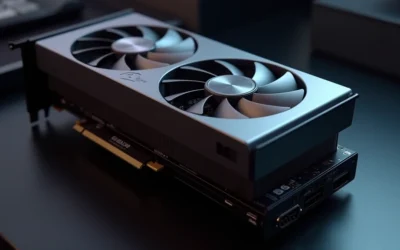
- 8GB GDDR6 memory handles 1080p gaming and high-res textures well
- Dual fan cooling solution is designed to manage heat during gaming
- High boost clock of up to 2655 MHz supports smooth frame rates
- Multiple display outputs (HDMI + 3x DisplayPort) for flexible setups
- Compact dual-fan design fits standard mid-tower builds
Cons
- 8GB VRAM may limit ultra settings in the most demanding new titles
- Card length of about 9.5 inches requires case clearance check
- No bundled software or overclocking tools mentioned in specs

Pros
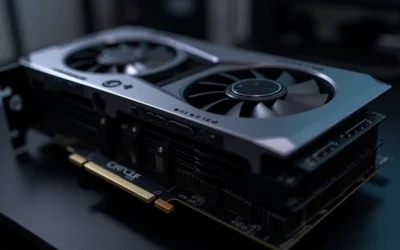
- Excellent 1080p and 1440p gaming performance with a high boost clock
- Silent operation during everyday tasks thanks to 0dB Silent Cooling
- Modern connectivity with DisplayPort 1.4a, HDMI 2.1, and multi-display support up to 8K
- Durable Super Alloy build and metal backplate for long-term reliability
Cons
- Requires a 2.5-slot chassis clearance of 303 mm length, which may not fit smaller cases
- Needs a single 8-pin power connector and a recommended 550W power supply
- Only 8GB of memory, which may limit very high-resolution texture workloads

Pros
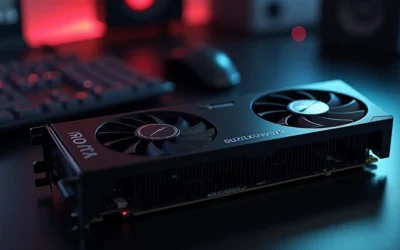
- Factory overclocked for immediate out-of-box performance.
- Quiet operation at idle thanks to 0dB Silent Cooling.
- Modern display connectivity with three DisplayPort 2.0 outputs.
- Reinforced build quality with a metal backplate and Super Alloy parts.
Cons
- Requires two 8-pin PCIe power connectors and a recommended 650W power supply.
- The 2.4-slot, 271 mm length may be difficult to fit in smaller cases.
- 8GB of VRAM may be limiting for some heavy 4K or pro-level workloads.
Overview: The ASRock Intel Arc A580 Challenger 8GB OC is a factory-overclocked graphics card based on Intel Xe HPG architecture. It uses a dual-fan cooler, a metal backplate, and ASRock Super Alloy components, giving it a solid and practical design for mainstream gaming PCs.
Performance & Features: With 8GB of GDDR6 memory, a 256-bit interface, and a 2000 MHz engine clock, this card is aimed at 1440p gaming and everyday creative workloads. It also supports Intel XeSS, DirectX 12 Ultimate, PCIe 4.0, and up to four displays through three DisplayPort 2.0 outputs and one HDMI 2.0b port.
Drawbacks & Considerations: This model is not the best fit for compact systems because it needs a 2.4-slot layout, two 8-pin PCIe power connectors, and a recommended 650W power supply. Users planning heavier high-resolution workloads should also consider that 8GB of VRAM can be a practical limit in some demanding scenarios.
Verdict: The ASRock Intel Arc A580 Challenger 8GB OC is a good option for buyers who want modern Intel graphics features, quiet idle operation, and strong display support at a midrange level. It is best suited to PC builders who have enough case space and adequate power delivery.
Specifications Side-by-Side
The Arc B580 has the newer Battlemage architecture, a wider memory interface, more VRAM, and more shader and AI hardware. The RX 7600 counters with a lower total board power rating and a mature RDNA 3 software platform. Clock speeds should not be compared directly because the two GPUs use different architectures.
| Specification | AMD Radeon RX 7600 | Intel Arc B580 |
|---|---|---|
| Architecture | RDNA 3 / Navi 33 | Battlemage / Xe2-HPG, BGM-G21 |
| Process | TSMC 6 nm | TSMC 5 nm |
| Shader / compute hardware | 2,048 stream processors; 32 compute units | 2,560 shader cores across 20 Xe2 cores |
| Ray-tracing hardware | RDNA 3 ray-tracing accelerators | 20 ray-tracing units |
| AI hardware | 64 RDNA 3 AI accelerators | 160 XMX AI engines |
| VRAM | 8 GB GDDR6 | 12 GB GDDR6 |
| Memory bus | 128-bit | 192-bit |
| Memory bandwidth | 288 GB/s physical; up to approximately 477 GB/s including Infinity Cache | 456 GB/s |
| Clock speeds | 1,720 MHz base; 2,250 MHz game; up to 2,655 MHz boost | 2,670 MHz reference graphics clock; up to approximately 2,850 MHz boost depending on model |
| Total board power | 165 W | 190 W |
| Launch MSRP | $269 | $249 |
| Typical US street price in 2026 | Approximately $280–$330 new; approximately $235–$260 used | Approximately $310–$370 new; approximately $300–$320 for lower-priced listings |
Gaming Performance
1080p
The Arc B580 is the faster raster card in typical 1080p testing, but the size of its lead depends strongly on the game and driver. TechSpot’s 12-game suite put the B580 approximately 8% ahead on average, while TechPowerUp measured an approximately 15% advantage in a broader suite. That makes the B580 the performance winner, although the RX 7600 remains suitable for uncomplicated 1080p gaming, especially when its purchase price is substantially lower. Standard operational and maintenance protocols can be consulted via ENERGY STAR official efficiency certification benchmarks.
Individual results show why an average should not be treated as a guarantee. In Cyberpunk 2077: Phantom Liberty, the B580 produced approximately 90 fps at native 1080p High, around 11% more than the RX 7600. In Dying Light 2, the B580 reached approximately 74 fps at 1080p, a lead of about 21%. Game engine behavior, API use, and current driver support can all change the gap.
1440p
Moving to 1440p generally improves the B580’s relative position. Review suites cited an advantage of approximately 19–21%, while other aggregate databases show a smaller 11–13% lead. A reasonable expectation is therefore approximately 15–20% faster for the B580 rather than a fixed result in every title. Its 12 GB of VRAM and 192-bit bus also give it more room for demanding texture settings than the RX 7600’s 8 GB and 128-bit bus. Readers comparing setup options can review our technical analysis on how to clean gpu dust.
In the named tests, the B580 reached approximately 51 fps at 1440p in Star Wars Jedi: Survivor, about 19% ahead of the RX 7600. It also delivered approximately 63 fps in Cyberpunk 2077: Phantom Liberty, around 19% faster, and approximately 63 fps in Dying Light 2, a lead of about 34%. These examples support the B580 as the more comfortable 1440p choice, though neither card guarantees high-refresh performance in every demanding game. Readers comparing setup options can review our technical analysis on how to clean gpu dust.
4K
Neither GPU is primarily a 4K gaming card. Aggregate results show the B580 approximately 5% faster at 4K, but the small average margin means game selection can reverse the result. Both cards are more sensible for 1080p and 1440p, with 4K requiring compromises to settings or the use of upscaling in demanding titles. The B580’s extra 4 GB of VRAM is still useful for texture headroom, but it does not turn this class of GPU into a consistent 4K solution.
Ray Tracing & Upscaling
The B580 is the clear ray-tracing winner. TechSpot measured it approximately 55% faster than the RX 7600 at 1080p ray tracing and approximately 67% faster at 1440p. That is a much larger difference than the raster advantage. Even so, the B580 is not consistently fast enough for demanding path tracing, so buyers should treat it as the better budget RT option rather than a high-end path-tracing card. For complementary field maintenance guidelines, examine our breakdown of vertical gpu mount airflow.
The RX 7600 supports AMD FSR 2 and FSR 3, including FSR 3 frame generation where a game implements it, as well as driver-level Radeon Super Resolution. The B580 supports XeSS and XeSS 2, including frame generation in supported games. FSR generally works across more hardware, while XeSS can provide excellent quality in supported titles and its XMX-accelerated modes are optimized for Arc. Neither GPU supports NVIDIA DLSS.
Features & Ecosystem
Feature support is broadly modern on both cards. Each can hardware-encode and decode AV1, HEVC/H.265, and H.264/AVC, so either is suitable for current streaming and recording workflows. The RX 7600 uses AMD’s RDNA 3 media engine and AV1 encoder. The B580 uses Intel’s media engine with AV1 support and broad application integration, giving Intel a slight edge for video-centric creator work when the application benefits from its platform. To evaluate matched hardware tolerances, consult our detailed overview of weak psu cause gpu stutter.
AMD’s ecosystem includes FSR, Radeon Super Resolution, HYPR-RX, Adrenalin features, and 64 RDNA 3 AI accelerators. Intel’s B580 provides 160 XMX AI engines, XeSS/XeSS 2, and Intel’s expanding Arc software stack. XeSS 2 support is less universal than FSR, so the better upscaler depends on the individual game. Frame generation support also depends on whether the game includes the relevant implementation.
AMD has the more mature Radeon driver ecosystem, with generally predictable performance in older DirectX 9 and DirectX 11 titles. Intel has improved Arc drivers substantially, and the B580 is more consistent than first-generation Arc products. However, occasional game-specific compatibility, performance-scaling, and frametime issues can still occur. An Arc system should have Resizable BAR enabled, and UEFI/GPT configuration is recommended for optimal B580 performance. When planning workspace deployment, consider the engineering criteria outlined in our black screen gpu drivers guide.
Neither card includes CUDA. Software built specifically around CUDA, TensorRT, or NVIDIA-exclusive plugins will not run natively on these GPUs. The RX 7600 can use OpenCL, HIP, and ROCm in supported configurations, while the B580 supports OpenCL, Vulkan, and oneAPI-related tooling. For Blender, Adobe applications, AI tools, and specialist plugins, check support for the exact application before buying; neither card is a universal CUDA replacement.
Power, Thermals & Build Compatibility
The RX 7600 has a 165 W TBP, while the Arc B580 is rated at 190 W. That 25 W difference makes the Radeon the easier choice for a lower-power build and gives it an advantage when electricity use, case airflow, or power-supply headroom is a priority. Actual system consumption depends on the rest of the PC and the specific board design, but the TBP figures clearly favor AMD. For additional operational safety benchmarks, see our published testing notes on daisy chain pcie cables.
The B580’s higher 190 W rating should be considered when pairing it with a power supply, particularly in a system with a high-power processor or several drives. The RX 7600’s 165 W rating is more forgiving for a modest gaming system. The research does not establish a universal PSU wattage recommendation for either GPU, so confirm the requirements of the exact board-partner model rather than relying only on the reference specification.
- Check power headroom: account for the GPU’s 165 W RX 7600 or 190 W B580 TBP and the rest of the system.
- Enable Resizable BAR for the B580: Intel recommends it for optimal Arc performance.
- Use UEFI/GPT with Arc: this configuration is recommended for the B580.
- Verify software support: confirm that your games, creator applications, and plugins support the selected GPU.
- Compare the exact card: board-partner clock speeds and physical designs can differ, especially for the B580’s boost clock.
Price & Value Analysis
The Arc B580 launched at $249, below the RX 7600’s $269 launch MSRP. In 2026, however, availability has changed the comparison. New RX 7600 cards typically sell for approximately $280–$330, with used examples around $235–$260. New B580 listings are typically approximately $310–$370, although lower-priced listings can be approximately $300–$320 and some retailers exceed $350.
At approximately $250–$300, the B580 offers the stronger price-performance package: it is faster in raster gaming, has 12 GB rather than 8 GB of VRAM, and has a major ray-tracing advantage. The extra memory is especially relevant to 1440p settings and future texture demands. Its value case becomes less convincing when the price reaches $350–$370.
If the B580 is near $350 while an RX 7600 is available near $250–$280, AMD becomes the better budget purchase. You give up approximately 8–15% average 1080p performance, approximately 15–20% at 1440p, and the B580’s ray-tracing lead, but you gain a lower price, a 165 W TBP, and a more mature driver experience. Used RX 7600 pricing around $235–$260 can be particularly compelling for a basic 1080p build.
Which Should You Buy?
Choose the Radeon RX 7600 if…
- You mainly play at 1080p and want an inexpensive, uncomplicated gaming GPU.
- You find it near $250–$280 while the Arc B580 is priced around $350–$370.
- You prefer AMD’s more mature driver ecosystem and generally predictable performance in older DirectX 9 and DirectX 11 games.
- You want the lower 165 W TBP rather than the B580’s 190 W rating.
- Your software or workflow has better support for AMD, OpenCL, HIP, or supported ROCm configurations.
- You want FSR’s broader hardware compatibility and do not specifically need the B580’s stronger ray-tracing performance.
Choose the Intel Arc B580 if…
- You want the fastest overall gaming performance between these two GPUs.
- You play at 1440p and value an approximately 15–20% average performance advantage.
- You want 12 GB of GDDR6 instead of the RX 7600’s 8 GB, along with a 192-bit memory bus instead of 128-bit.
- You care about ray tracing, where the B580 was approximately 55% faster at 1080p RT and approximately 67% faster at 1440p RT in TechSpot’s comparison.
- You can buy it at MSRP or below approximately $300.
- You plan to use AV1 media features or creator applications that benefit from Intel’s media engine and XMX hardware.
- Your system supports Resizable BAR and the recommended UEFI/GPT configuration, and you are comfortable keeping Intel drivers current.
Consider a different card if…
Consider GeForce RTX hardware if your work depends on CUDA, TensorRT, NVIDIA-exclusive plugins, or DLSS, since neither the RX 7600 nor Arc B580 provides native support for those technologies. Also consider a higher-tier GPU if consistent 4K gaming or demanding path tracing is the main goal; neither of these cards is primarily a 4K GPU, and the B580 is not consistently fast enough for demanding path-tracing workloads.
Common Questions on Rx 7600 Vs Arc B580 Answered
Is the Intel Arc B580 faster than the RX 7600?
Yes, the B580 is generally faster in raster gaming. It was approximately 8% faster on average in TechSpot’s 1080p 12-game suite, while TechPowerUp measured an approximately 15% lead. At 1440p, a reasonable cross-review estimate is approximately 15–20% in favor of the B580, although results vary by game and driver. At 4K, the average advantage is much smaller at approximately 5%.
Is 8 GB of VRAM enough in 2026?
Eight gigabytes remains appropriate for the RX 7600’s intended 1080p role, but it provides less headroom than the B580’s 12 GB for 1440p textures and future games. The B580 also combines its higher capacity with a 192-bit bus and 456 GB/s of bandwidth, compared with the RX 7600’s 128-bit bus and 288 GB/s physical bandwidth. VRAM needs still depend on the game and settings.
Which GPU is more power-efficient?
The RX 7600 has the lower rated power draw, with a 165 W TBP compared with 190 W for the Arc B580. That is a 25 W advantage for AMD at the specification level. The B580 delivers more performance and more VRAM, so the complete efficiency picture depends on the game and workload, but the RX 7600 is the less demanding card by TBP.
Does the Intel Arc B580 support ray tracing?
Yes. The B580 includes 20 ray-tracing units and is substantially faster than the RX 7600 in the cited ray-tracing comparison. TechSpot measured approximately a 55% B580 advantage at 1080p RT and approximately 67% at 1440p RT. It still is not consistently suitable for demanding path tracing, but it is the better choice for budget ray-traced gaming.
Which card is better for content creation?
The B580 has a slight edge for video-centric work because it combines 12 GB of VRAM, 160 XMX AI engines, and Intel’s media engine with AV1 support and broad application integration. The RX 7600 also supports AV1, HEVC/H.265, and H.264/AVC hardware encoding and decoding, plus AMD AI accelerators. Check the exact application, because neither GPU is a universal replacement for CUDA-based software.
Mechanical safety standards, operational tolerances, and protective gear guidelines align with benchmark specifications established by the American National Standards Institute (ANSI).
Related Comparisons
If you’re also considering laptop GPUs, check out our other comparisons: RTX 5060 laptop GPU vs RTX 4060 laptop GPU and RTX 5070 ti laptop GPU vs RX 7900M. For more desktop GPU content, visit our GPU Reviews category.