

Quick Answer
CPU stands for Central Processing Unit. It is the primary computational component that executes machine instructions, performs arithmetic and logic operations, manages data flow, and controls all system operations. A CPU contains cores (independent processing units), registers (ultra-fast memory), and cache hierarchies that determine processing speed and efficiency. Modern CPUs integrate billions of transistors operating at gigahertz frequencies.

Pros
- 24 cores (8 P-cores, 16 E-cores) and 32 threads for intense multitasking
- Advertised maximum clock speed reaching up to 6.0 GHz
- Broad compatibility with both DDR4 and DDR5 memory platforms
- Features integrated Intel UHD Graphics 770
Cons
- Requires a potential BIOS update for Intel 600-series motherboards

Pros
- 14-core hybrid architecture with 6 P-cores and 8 E-cores
- Unlocked clock speeds up to a rated 5.2 GHz
- Equipped with 26MB cache for responsive processing
- Supports modern PCIe 5.0 and 4.0 standards
- Compatible with Intel 800 series motherboards
Cons
- Requires a dedicated discrete graphics card
- Does not include a cooling solution

Pros
- High 5.4 GHz max boost is well suited to gaming workloads.
- Unlocked multiplier gives experienced users tuning headroom.
- AM5 and DDR5 support align with current-generation desktop platforms.
- 6-core, 12-thread layout is practical for gaming and general use.
Cons
- Cooler is not included, so buyers must plan for separate cooling.
- Requires an AM5 motherboard and DDR5 memory, which limits drop-in upgrades for older systems.
- 6 cores may be less ideal for heavy content creation or workstation tasks than higher-core CPUs.
Overview: The AMD Ryzen 5 9600X is a 6-core, 12-thread unlocked desktop processor built on the Zen 5 architecture. It is aimed at users who want a fast, modern CPU for an AM5-based gaming PC or a responsive everyday desktop build.
Performance and features: With a 5.4 GHz max boost, 38 MB cache, and DDR5-5600 support, this processor is positioned for strong gaming responsiveness and smooth multitasking. Select AM5 motherboards can also provide PCIe 5.0 support, which adds future-ready flexibility for compatible components.
Drawbacks and considerations: The main limitation is that a cooler is not included, so total build cost can rise once cooling is added. It also depends on the AM5 platform and DDR5 memory, which makes it less convenient for older AMD or Intel system upgrades.
Verdict: This CPU makes the most sense for gamers and PC builders who want a fast, unlocked Ryzen chip for a current-generation AM5 system. If you want a straightforward upgrade path and value high boost clocks over bundled extras, the Ryzen 5 9600X is a strong fit.
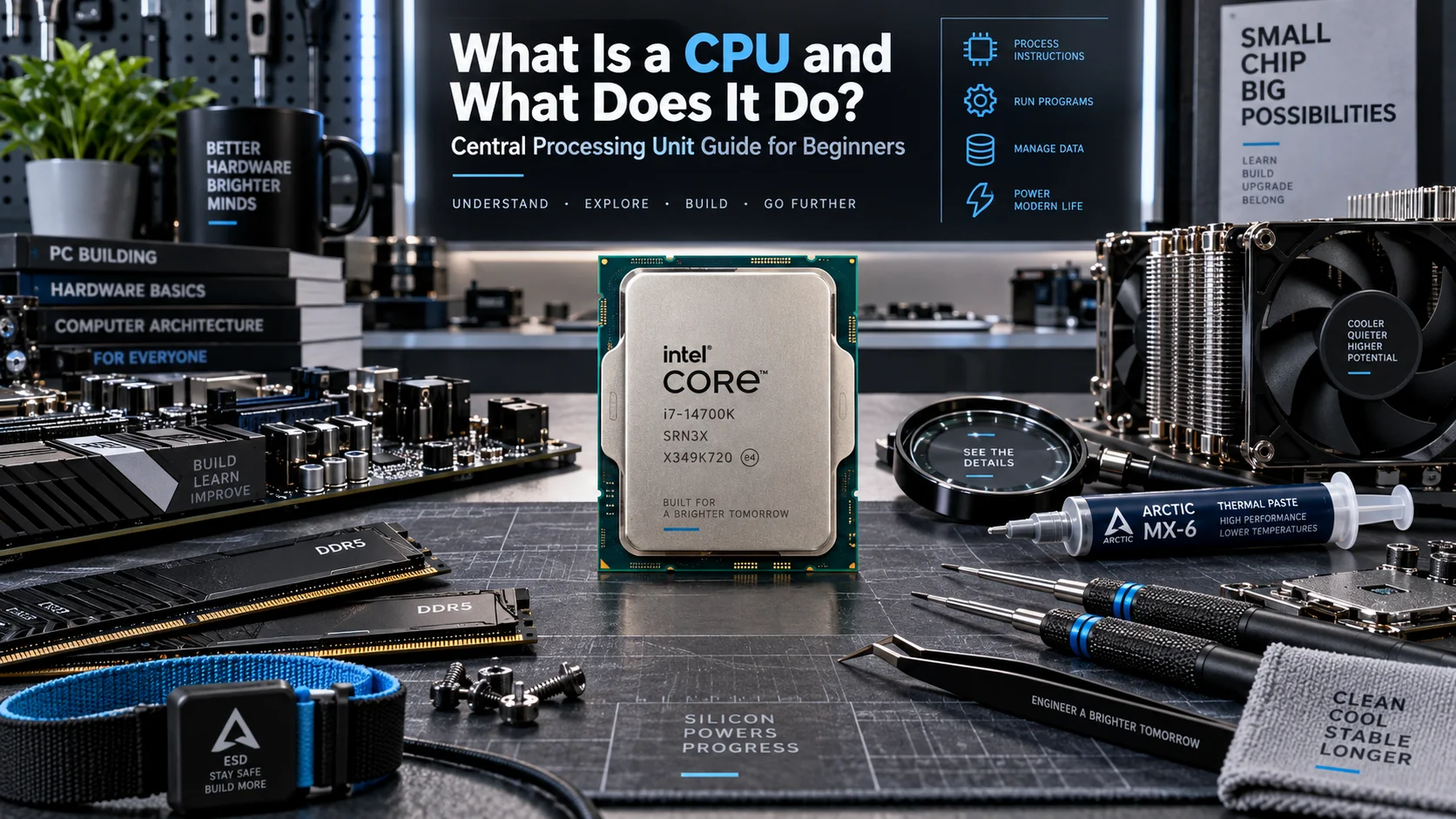
What Does CPU Stand For: Core Definition and Function
CPU Acronym Breakdown
CPU is the acronym for Central Processing Unit. The term “central” denotes its position as the primary computational hub in computer architecture, distinguishing it from peripheral processors like GPUs (graphics processing units). The CPU serves as the master controller that orchestrates all system operations, from basic arithmetic to complex algorithmic execution. Understanding this terminology is critical because the CPU’s role fundamentally differs from specialized processors, it must handle diverse instruction types with broad compatibility.
Historical Evolution and Modern Architecture
CPUs evolved from single-transistor logic circuits to today’s multi-core processors containing billions of transistors. Early CPUs operated at megahertz frequencies; modern processors exceed 5 GHz per core. This progression reflects fundamental advances in semiconductor manufacturing, instruction set design, and thermal management. The transition from single-core to multi-core architectures (beginning with dual-core processors around 2005) fundamentally changed how software utilizes CPU resources, enabling parallel processing and improved performance-per-watt metrics.
What Is a CPU: Complete Technical Breakdown
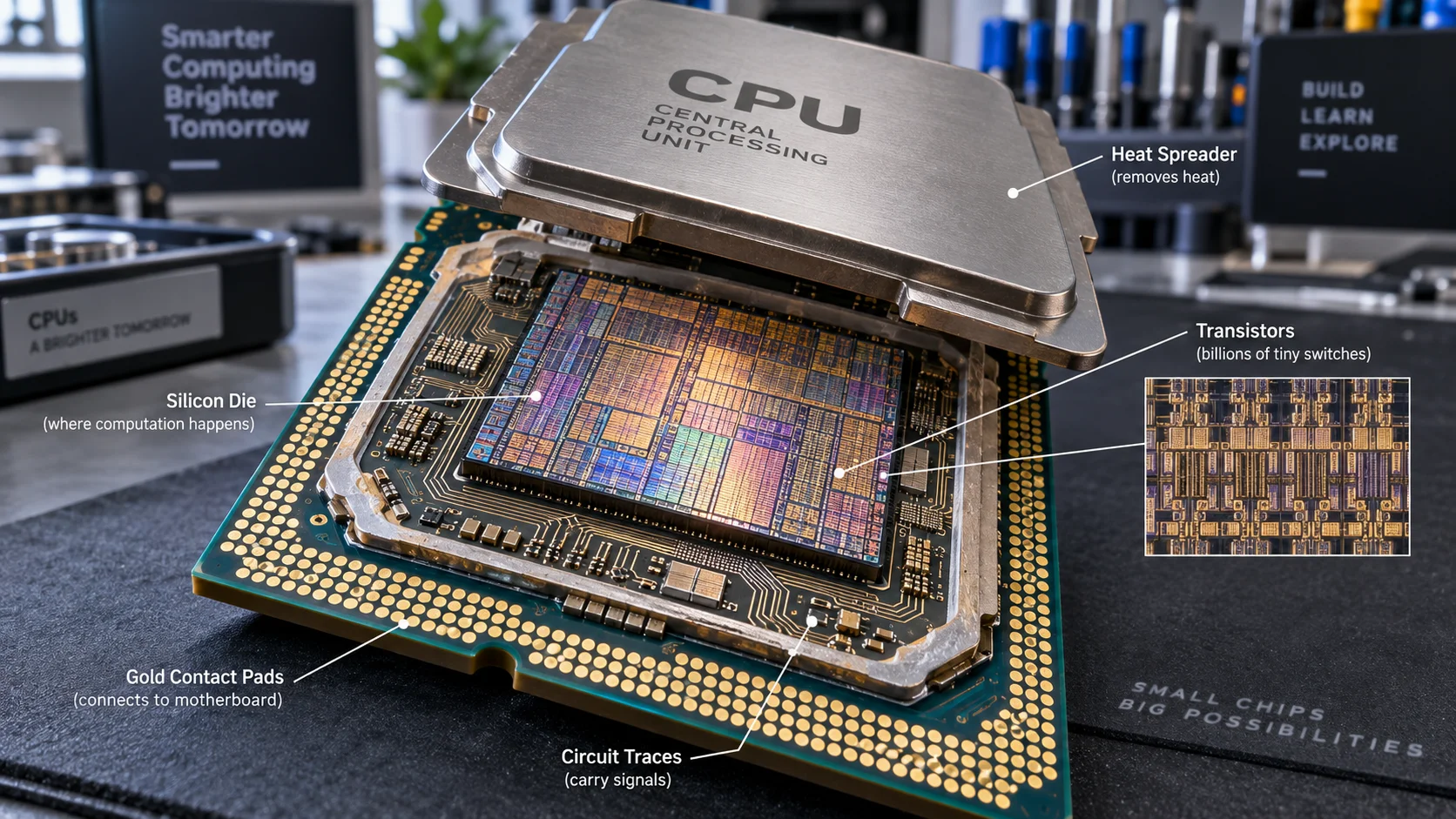
Primary CPU Components and Their Functions
A CPU comprises several interconnected subsystems working in synchronized harmony. The control unit decodes instructions from memory and directs data flow throughout the processor. The arithmetic logic unit (ALU) executes mathematical operations, bitwise manipulations, and logical comparisons. The registers represent the fastest memory tier on the CPU, providing nanosecond-level access to operands and intermediate results. The bus interface manages communication between the CPU and external components including memory, storage, and peripherals.
Each component operates synchronously with a clock signal, measured in gigahertz (billions of cycles per second). Modern CPUs employ sophisticated pipelining techniques, executing multiple instruction stages simultaneously across different hardware units. This architectural innovation allows processors to execute one instruction per clock cycle (or better with out-of-order execution) despite individual operations requiring multiple cycles to complete. To compare alternative configurations, check our hands-on review of how to choose cpu cooler.
Instruction Execution and Fetch-Decode-Execute Cycle
CPU operation follows a fundamental three-stage cycle: fetch (retrieving the next instruction from memory), decode (interpreting the instruction’s operation and operands), and execute (performing the requested operation). Modern CPUs execute billions of cycles per second, with each cycle potentially advancing multiple instructions through different pipeline stages simultaneously.
The control unit manages this cycle by maintaining a program counter (registers that track the next instruction’s memory address), fetching instructions through the memory hierarchy, and directing data between registers, cache, and main memory. Branch prediction mechanisms anticipate conditional jumps, speculatively executing instructions along the predicted path to minimize stalls when actual branch outcomes differ from predictions. Users looking for related component recommendations can explore our thermal paste shelf life breakdown.
Understanding CPU Registers and Cache Architecture
What Is a CPU Register: Speed and Functionality
A CPU register is the smallest, fastest memory unit within the processor itself, typically holding 32 or 64 bits of data accessible in a single clock cycle. Registers function as ultra-fast working memory where the CPU temporarily stores operands, intermediate calculations, and addresses. Modern CPUs contain dozens of general-purpose registers and specialized registers serving specific functions (instruction pointers, stack pointers, status registers containing flag bits indicating zero, carry, overflow, and other conditions).
Register speed is measured in picoseconds (trillionths of a second), orders of magnitude faster than main system RAM. This speed differential makes register optimization critical for performance, compilers allocate frequently-accessed variables to registers when possible. Register pressure (situations where more data requires storage than registers available) forces the CPU to spill data to cache or memory, incurring significant latency penalties. Before finalizing equipment decisions, refer to our comprehensive what is cpu ipc comparison.
Cache Hierarchy: L1, L2, and L3 Organization
Cache represents a multi-tiered memory hierarchy bridging ultra-fast registers and slower main memory. L1 cache (typically 32-64 KB per core) provides near-register speeds with single-digit nanosecond latency. L2 cache (typically 256-512 KB per core) offers larger capacity with slightly higher latency. L3 cache (typically 8-32 MB shared among multiple cores) serves as a larger reservoir for frequently-accessed data, preventing repeated main memory accesses that incur 40-100+ nanosecond latencies.
Cache utilizes spatial and temporal locality principles, code typically accesses nearby memory addresses repeatedly within short time windows. Cache line prefetching (automatically loading adjacent data when accessing one memory location) exploits spatial locality. Temporal locality is leveraged by keeping recently-accessed data resident in faster cache tiers. Cache miss penalties (when requested data isn’t in cache) cascade through all tiers until main memory retrieval occurs, potentially costing 50-100 CPU cycles depending on system configuration. For broader ecosystem context, read through our operational guide on bad psu damage cpu.
What Is CPU Core: Multi-Core Architecture Fundamentals
Single Core versus Multi-Core Processing
A CPU core represents an independent processing unit containing its own ALU, control unit, registers, and L1/L2 cache. Single-core processors execute one instruction stream sequentially. Multi-core processors contain multiple cores operating independently and simultaneously, enabling true parallel processing. The distinction between “cores” and “threads” is critical: each physical core can execute one instruction stream (one thread) per clock cycle in basic configurations, though simultaneous multithreading (Intel’s Hyper-Threading or AMD’s SMT) allows each core to execute two instruction streams concurrently by duplicating certain hardware resources.
When evaluating processors like the AMD Ryzen 5 9600X vs Intel Core Ultra 5 245K, core count represents a primary performance differentiator for multi-threaded workloads including video encoding, 3D rendering, scientific computing, and database operations. Consumer workloads (web browsing, office applications, casual gaming) typically utilize 2-4 cores actively, while professional content creation demands 8+ cores.
Performance Cores versus Efficiency Cores
Modern heterogeneous architectures, pioneered by ARM and adopted by Intel and AMD, utilize different core types optimized for specific workloads. Performance (P) cores maximize single-threaded speed and throughput at higher power consumption. Efficiency (E) cores prioritize power efficiency, reducing power consumption per operation for background tasks and light workloads. This hybrid approach, implemented in Intel’s 12th-generation and newer processors, reduces overall power consumption while maintaining peak performance.
The OS scheduler automatically assigns high-priority tasks to P cores and background tasks to E cores, dynamically optimizing power-performance balance. When evaluating motherboards like the ASUS ROG Maximus Z890 Hero vs MSI MEG Z890 ACE, understanding platform support for these heterogeneous architectures becomes essential for optimizing system performance.
CPU Performance Metrics and Diagnostic Specifications
Critical Performance Indicators
CPU performance is evaluated across multiple dimensions, not simply by clock speed alone. Instructions per cycle (IPC) measures how many instructions the CPU executes per clock cycle, modern processors achieve 3-5 IPC through superscalar execution and out-of-order scheduling. Clock speed (frequency), measured in gigahertz, indicates cycle rate; higher frequencies enable more operations per second but increase power consumption and heat generation. Thermal design power (TDP) specifies maximum heat generation in watts, directly influencing cooling requirements and system reliability.
Cache efficiency, memory bandwidth utilization, and branch prediction accuracy significantly impact real-world performance. A CPU with exceptional peak specifications may underperform if cache hierarchies cause frequent misses or branch predictor accuracy drops below 90%. Desktop CPU benchmarks and reviews on ConsumersSmart.net provide detailed analysis of these metrics across various workloads, enabling informed processor selection.
CPU Specifications Comparison Table
| Metric | Definition | Typical Range | Performance Impact |
|---|---|---|---|
| Core Count | Number of independent processing units | 4 to 32 cores (consumer); up to 192 (server) | Critical for multi-threaded workloads; marginal impact on single-threaded performance |
| Clock Speed | Processor frequency in gigahertz | 3.5 to 5.8 GHz base; up to 6.2+ GHz boost | Linear scaling for single-threaded tasks; diminishing returns beyond 5 GHz |
| L3 Cache | Shared cache size across cores | 8 to 36 MB (consumer); up to 768 MB (server) | Reduces memory latency; 10 to 20% performance impact for bandwidth-intensive workloads |
| TDP | Thermal design power (maximum heat output) | 45 to 250W (consumer); up to 500W+ (server) | Determines cooling solution requirements; correlates with power efficiency |
| IPC | Instructions per cycle (execution efficiency) | 3.0 to 5.5 IPC (modern architecture) | Directly multiplies clock speed; improved IPC yields substantial performance gains |
| Operating Temperature | Safe continuous operation range | 60 to 95°C under load; throttling at 100°C | Thermal throttling reduces performance if temperature exceeds threshold; risk of permanent damage above 110°C |
CPU Thermal Management and Reliability Diagnostics
Temperature Monitoring and Threshold Assessment
Modern CPUs integrate temperature sensors allowing real-time thermal monitoring. Safe operating temperatures typically range from 60 to 85°C under sustained load; temperatures exceeding 95°C trigger thermal throttling, reducing clock speed to control heat generation. Sustained operation above 100°C risks permanent transistor degradation and reduced CPU lifespan. Typical CPU maximum junction temperatures (Tj max) range from 100 to 110°C depending on architecture, with Intel and AMD specifications documented in official datasheets.
Thermal management requires adequate cooling solutions, stock coolers suffice for standard workloads, while sustained heavy workloads (rendering, streaming, competitive gaming) demand aftermarket solutions with 280 to 360mm liquid cooling or premium air cooling. Case airflow optimization, proper paste application, and mounting torque verification prevent thermal issues. Monitoring software like HWiNFO or AIDA64 provides continuous temperature telemetry across all cores.
CPU Degradation and Lifespan Factors
Modern CPUs operate reliably for 10+ years under normal conditions, though several factors accelerate degradation. Electromigration (gradual metal migration within transistor structures under sustained high voltage and temperature) progressively reduces circuit reliability. Voltage overclocking, elevated ambient temperatures, and inadequate cooling exponentially reduce lifespan. Clock stretching failures occur when signal propagation delays accumulate at extreme frequencies, causing computational errors. Consumer-grade CPUs typically show negligible performance degradation over 5-8 years of normal operation; server-grade processors with sophisticated error correction mechanisms operate even longer.
Real-World CPU Applications and Workload Optimization
Workload Characterization and Core Utilization Patterns
Different applications utilize CPU resources distinctly. Single-threaded workloads (certain games, legacy software, web browsing) emphasize clock speed and single-core IPC. Multi-threaded workloads (video encoding, 3D rendering, scientific simulations, database operations) scale performance nearly linearly with core count. Parallel workloads benefit from simultaneous multithreading, provided the CPU’s memory bandwidth supports concurrent thread operation without contention.
When selecting integrated graphics versus discrete GPU solutions, understanding CPU capabilities becomes essential. Systems like the Radeon RX 9060 XT 8GB vs 16GB comparison require sufficient CPU performance to feed GPU with sufficient data, avoiding CPU bottlenecks. Conversely, CPU-intensive tasks (scientific computing, database optimization) rarely benefit from GPU acceleration.
Instruction Set Architecture (ISA) and Software Compatibility
CPUs implement instruction set architectures (x86-64 for Intel/AMD consumer processors; ARM for mobile/embedded) defining the operations they execute. Software compiled for one ISA cannot execute on incompatible architectures without emulation (which introduces significant performance penalties). Within the same ISA, newer processor generations typically support additional instruction extensions (AVX-512, VNNI, AES-NI), accelerating specific workloads. Intel Architecture Technical Documentation provides comprehensive specification of supported instruction sets and architectural features.
Legacy software compatibility remains important, older code compiled for baseline instruction sets executes on modern processors but cannot utilize newer extensions. Modern software compiled for newer CPUs may refuse to execute on older systems lacking required instructions. Build configuration determines which instruction extensions compilers utilize, aggressive optimization flags may restrict compatibility.
Final Diagnostic Verdict and Maintenance Checklist
CPU Health Assessment Protocol
Visual Inspection: Verify cooler mounting integrity, check for dust accumulation on heatsink fins, ensure thermal paste hasn’t leaked or dried excessively. Temperature Monitoring: Establish baseline temperatures, idle temperatures should be 5 to 15°C above ambient; load temperatures should remain below 85°C. Temperatures exceeding 95°C indicate cooling insufficiency requiring investigation. Stress Testing: Run sustained workload tests (Prime95, AIDA64) for 30+ minutes monitoring for thermal throttling or errors. Performance Benchmarking: Compare single-threaded and multi-threaded performance against known baselines, significant degradation may indicate thermal throttling or degraded capabilities.
CPU Optimization and Maintenance Checklist
- Temperature Management: Verify cooler mounting torque within manufacturer specifications; replace thermal paste every 2 to 3 years for sustained performance; maintain case airflow at 3 to 4 air changes per minute
- BIOS Configuration: Enable intelligent fan curves responding to CPU temperature; disable power-hungry features (sleep states, boost modes) unnecessary for your workload; set voltage to stock specifications (avoid overclocking if system stability is priority)
- Software Optimization: Update chipset drivers and BIOS regularly for microcode updates improving security and stability; enable virtualization extensions in BIOS if using virtual machines; disable unnecessary background processes reducing CPU load during critical tasks
- Monitoring Setup: Install HWiNFO64 or similar monitoring utilities; establish temperature baselines for idle and load conditions; set up alerts for temperatures exceeding safe thresholds
- Workload Balance: Distribute compute-intensive tasks across available cores; avoid sustained maximum-load scenarios unless cooling infrastructure supports sustained thermal output; consider scheduling heavy workloads during cooler ambient temperature periods
- Preventive Maintenance: Clean dust filters and heatsink fins every 6 months; recheck thermal paste contact every 24 months; inspect solder connections on motherboard for corrosion or cold joints in high-humidity environments
When to Replace Your CPU
Replace your CPU if sustained performance degradation exceeds 15 to 20% compared to reference benchmarks, indicating potential electromigration or transistor degradation. Persistent thermal throttling despite adequate cooling suggests degraded thermal interface material or internal circuit degradation. Frequent crashes under moderate load after ruling out software causes may indicate silicon defects. If system no longer meets application performance requirements for your primary use cases, CPU replacement becomes economically justified. Consult CPU benchmarks and reviews for guidance selecting replacement processors matching your performance targets and budget constraints.
Standards Context for Processors
A processor is the central chip that carries out the instructions your software depends on. Product sheets from different makers can use different wording, so a general reference such as American National Standards Institute (ANSI) helps when comparing them.









