

Quick Answer
Mixing RAM sticks from different kits, brands or production batches can make a PC unstable. The memory controller has to run every stick at the settings of the weakest one, so XMP or EXPO profiles may fail to load. The safest choice is a matched kit bought as one set.
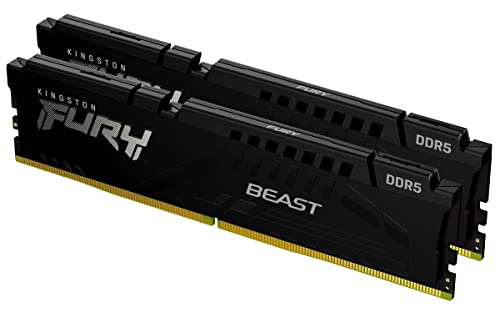
Pros
- 64GB total capacity as a 2x32GB kit
- Rated 5600MT/s speed with CL36 timing
- Supports both AMD EXPO and Intel XMP 3.0 profiles
- Low-profile heat spreader design per the listing
- Black finish with a compact 0.26-inch profile
Cons
- Overclocking stability benefits are manufacturer-stated only
- Listing gives limited detail beyond speed, capacity, and profiles

Pros
- High 64GB capacity with tight CL30 latency
- Fast 6400MHz rated operating frequency
- Intel XMP 3.0 ready for one-click overclocking
- On-die ECC and dedicated PMIC cooling
Cons
- Optimized specifically for Intel 600/700 series chipsets
- Stable 6400MHz speed relies heavily on CPU IMC quality

Pros
- Large 2x32GB configuration is well suited to heavy multitasking and memory-hungry applications.
- Broad compatibility with Intel Core Ultra Series 2, 13th and 14th Gen desktop CPUs, and AMD Ryzen 9000 series and above.
- Dual XMP 3.0 and EXPO support makes configuration easier across different motherboard ecosystems.
- White heat spreader design is attractive for builders who want a coordinated, premium-looking system.
Cons
- Motherboard compatibility still needs to be verified before purchase, especially for overclocking support.
- CL40 latency is solid, but buyers chasing the lowest possible timings may find tighter kits elsewhere.
- This is a desktop memory kit, so it is not suitable for laptop upgrades.
Overview: The Crucial Pro DDR5 CP2K32G60C40U5W is a 64GB desktop memory kit built from two 32GB modules. Its white aluminum heat spreader gives it a clean, modern look while also serving as a practical thermal solution for desktop builds.
Performance: Rated at 6000MHz with CL40 timing, this kit is aimed at stable overclocking and strong everyday responsiveness. It also supports both Intel XMP 3.0 and AMD EXPO, which makes setup more flexible for compatible Intel and AMD systems.
Considerations: Buyers should verify motherboard compatibility before purchase, since support can vary by platform. While CL40 is a capable spec, users who prioritize the absolute lowest latency may want to compare other DDR5 options.
Verdict: This Crucial memory kit is a strong fit for desktop users who want high capacity, broad platform support, and a clean white design. It is best suited to gamers, multitaskers, and creators who value reliable DDR5 performance over extreme tuning.
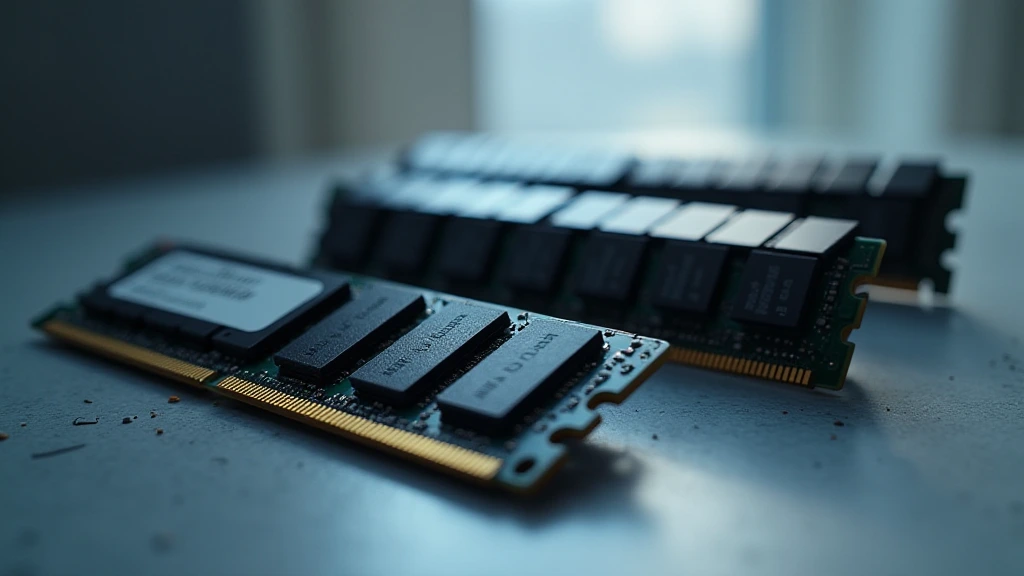
Mixing RAM kits instability is not a myth propagated by marketing departments, it is a measurable, reproducible failure mode rooted in semiconductor physics, memory controller architecture, and the brutal economics of silicon binning. Every DRAM die that ships in a consumer module was harvested from a wafer, electrically characterized, and sorted into performance tiers. When two kits that originated from different wafer lots, different die revisions, or different contract fabs land in the same four-slot motherboard, the integrated memory controller (IMC) on your CPU must reconcile electrically incompatible training targets simultaneously. That reconciliation almost always ends in a compromise that satisfies neither kit, and frequently satisfies neither stability nor performance. Understanding exactly why this happens, and what you can do about it, requires a ground-up look at how DRAM is manufactured, validated, and expected to operate in 2025 to 2026 platforms.
Silicon Binning: Why Two Sticks That Look Identical Are Not
What Binning Actually Means on the Wafer Level
A DRAM wafer contains thousands of individual die. After fabrication, automated test equipment (ATE) stresses each die across voltage, temperature, and frequency to characterize its maximum reliable operating envelope. Dies that pass the tightest timing window at the highest validated frequency are binned as premium , destined for DDR5-6400 or DDR5-7200 XMP kits. Dies that pass a looser window end up on DDR5-4800 or DDR5-5600 sticks. Dies that fail entirely are scrapped or laser-repaired for lower-tier applications. The critical insight is that even two dies sorted into the same bin tier can sit at opposite ends of that bin’s tolerance window. One die might sustain CL30 at 1.40 V with headroom; the adjacent die might require 1.45 V just to POST reliably at that frequency. Both ship labeled identically on retail packaging. To compare alternative configurations, check our hands-on review of set pagefile size windows 11.
Batch and Date Code Divergence
DRAM manufacturers, Samsung, SK Hynix, and Micron, retool fab processes continuously. Samsung’s B-die, the gold standard for extreme overclocking, was replaced in consumer volume by A-die. SK Hynix M-die displaced the beloved C-die and later introduced the high-density H-die for DDR5. When you buy two kits six months apart, even from the same brand and same model number, the probability that they share the same die revision approaches zero. The second kit may carry a completely different silicon substrate, different row hammer mitigation implementation, and different on-die ECC behavior. The JEDEC Memory Standards Specification defines electrical interface compliance, but it explicitly does not govern the internal die architecture, meaning two JEDEC-compliant sticks can still be electrically hostile neighbors in a dual-channel or quad-channel array.
The IMC Training Problem: Why XMP Collapses With Mixed Kits
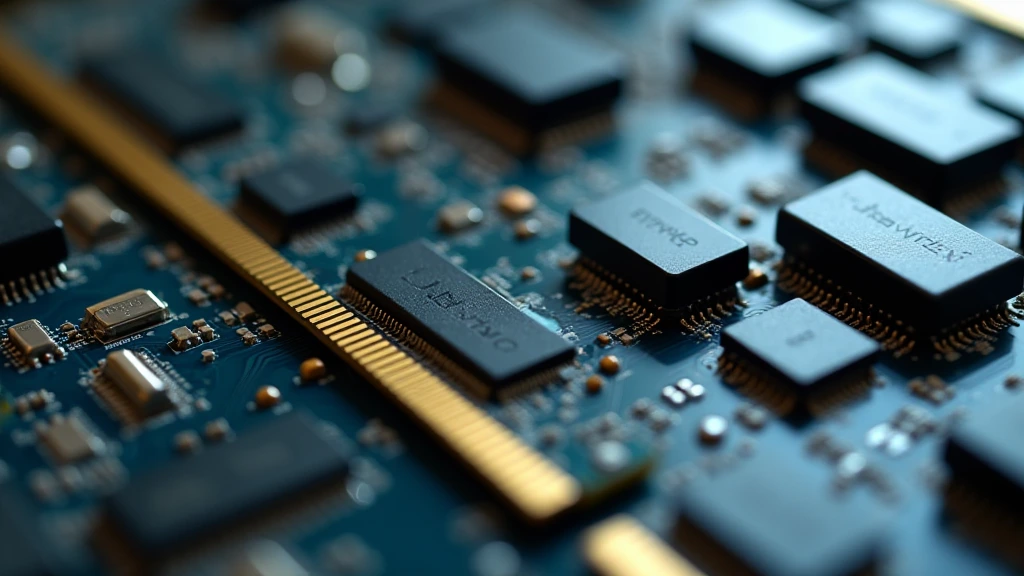
How Memory Training Works at Boot
At every cold boot, the CPU’s integrated memory controller executes a multi-phase training sequence. It sweeps read and write DQ (data queue) delay lines, calibrates ZQ impedance, resolves command/address delay, measures round-trip latency per rank, and locks onto a stable eye center for every signal lane. This training is per-DIMM, the IMC characterizes each physical module independently. The problem is that the final operating point must be a single shared frequency, a single shared command rate (1T or 2T), and a single set of primary timings applied to all populated slots. The IMC has no mechanism to run DIMM slot 1 at CL28 while running DIMM slot 3 at CL32. Everything collapses to the most conservative denominator the controller can find that passes all four rank training checks simultaneously.
XMP Profile Conflicts and Voltage Wars
XMP 3.0 (Intel) and EXPO (AMD) profiles store up to five distinct timing presets in the module’s SPD EEPROM. When two kits with different XMP profiles occupy the same board, the UEFI can only activate one profile globally. Kit A’s profile may call for VDIMM 1.40 V, tRFC 295 ns, and tRAS 36. Kit B’s profile, written by a different validation engineer at a different factory, may require VDIMM 1.45 V, tRFC 312 ns, and tRAS 40 to pass its own internal qualification suite. Enable Kit A’s XMP and Kit B runs undervoltaged with a tRFC value too tight for its slower cells. Enable Kit B’s XMP and Kit A runs at an elevated voltage that degrades its cells over time. Neither scenario is safe, and neither is performance-optimal. This is the core mechanism behind mixing RAM kits instability on modern DDR5 platforms, a problem that becomes increasingly acute as memory speeds push past DDR5-6000, the current sweet spot for Intel Arrow Lake and AMD Ryzen 9000 series builds covered in our desktop CPU benchmarks & reviews.
Rank Interleaving and the Dual-Rank Penalty
Mixing a single-rank kit with a dual-rank kit compounds the problem. The IMC must switch rank interleaving modes mid-population, which forces additional tRRD_L (row-to-row delay, same bank group) and tFAW (four-activate window) headroom to prevent rank-to-rank bus contention. Samsung’s 16 Gb B-die ships in single-rank x8 configuration; SK Hynix’s 24 Gb M-die ships dual-rank x8 in a single DIMM. Placing one of each on the same channel creates a rank asymmetry that many IMCs resolve by dropping to 2T command rate, costing 3, 8% real-world memory throughput and substantially increasing the probability of training failure at XMP speeds. Users looking for related component recommendations can explore our check ram die type breakdown.
Symptom Matrix: Diagnosing Mixed-Kit Failures
| Symptom | Likely Root Cause | Diagnostic Tool | Severity |
|---|---|---|---|
| BSOD WHEA_UNCORRECTABLE_ERROR | tRFC mismatch causing uncorrectable ECC event | HWiNFO64 machine-check log, Windows Event Viewer | Critical |
| POST failure / DRAM LED lit | IMC training timeout, mixed die can’t agree on ZQ cal | UEFI memory training log (MEMTest in BIOS) | Critical |
| Random application crashes (no BSOD) | Silent bit-flip from marginal read eye, no ECC coverage | MemTest86 v10+ (minimum 2 full passes) | High |
| XMP profile fails, system boots at JEDEC speed | UEFI selects safe fallback after repeated training failures | CPU-Z SPD tab, UEFI POST screen frequency readout | Medium |
| Lower-than-expected bandwidth in benchmarks | 2T command rate forced by rank asymmetry | AIDA64 Memory Benchmark, Task Manager latency readout | Medium |
| Intermittent display output loss | GPU driver crash triggered by corrupted frame buffer data | GPU driver event log, DDU clean reinstall test | High |
| System instability only under memory-intensive workloads | Marginal tRFC or tREFI value failing under thermal stress | Prime95 Large FFT + HWiNFO64 thermal overlay | High |
Platform-Specific Risks: Intel Arrow Lake vs. AMD Ryzen 9000
Intel Arrow Lake and the Disaggregated Memory Controller
Intel’s Arrow Lake (Core Ultra 200S) separates the memory controller from the compute tile using EMIB interconnect. This disaggregated architecture adds fixed latency to every memory transaction and makes the IMC more sensitive to training margin than Raptor Lake’s monolithic design. Boards like those compared in the ASUS ROG Maximus Z890 Hero vs MSI MEG Z890 ACE review implement extensive per-slot signal compensation, but no board-level trace compensation can correct for a fundamental mismatch in die characteristics. Arrow Lake’s IMC supports DDR5-6400 natively per Intel’s XMP 3.0 spec, but field data consistently shows that mixed kits rarely sustain above DDR5-5600, and frequently fail at DDR5-6000 outright when the two die revisions diverge on tRFC2.
AMD Ryzen 9000 and the EXPO Dual-Profile Problem
AMD Ryzen 9000 (Zen 5) uses an updated Unified Memory Controller (UMC) with improved training algorithms over Zen 4, but it still enforces the same fundamental constraint: one global frequency, one global voltage, one set of primary timings. EXPO profiles on Ryzen 9000 also introduce an additional complication, they carry separate Fabric Clock (FCLK) targets. The EXPO 1 profile on Kit A may target FCLK 2000 MHz (memory-to-fabric 1:1 ratio at DDR5-6000), while Kit B’s SPD EEPROM carries no valid EXPO entry at all, or an EXPO profile targeting a different FCLK. The UEFI cannot blend these; it picks one or falls back to auto, which typically lands at DDR5-4800 JEDEC, a significant regression for a platform that thrives at DDR5-6000 FCLK-coupled operation. For a detailed breakdown of how CPU memory controller architecture influences real-world gaming and compute performance, see the AMD Ryzen 5 9600X vs Intel Core Ultra 5 245K head-to-head analysis.
The “Same Brand, Same Model” Fallacy
Why SKU Matching Is Not Kit Matching
The most dangerous form of mixing RAM kits instability is the one users don’t expect: buying two dual-stick 32 GB kits of the exact same model number from the same brand, six to twelve months apart. Manufacturers reserve the right, and routinely exercise it, to substitute die vendors mid-product-lifecycle without changing the product SKU, the packaging design, or even the model number on the retail barcode. A G.Skill Trident Z5 RGB DDR5-6400 CL32 kit purchased in Q1 2024 may contain Samsung B-die. The same SKU purchased in Q4 2025 may contain Hynix M-die. They carry identical XMP profiles because the profiles are written to meet the rated specification, but the underlying electrical characteristics, row hammer thresholds, and refresh timing requirements are fundamentally different. Mixing these two kits produces every failure mode described above, and the user has no obvious reason to suspect incompatibility because the box says the same thing.
How to Verify Die Vendor Before Buying
Pull the exact date codes from both kits’ sticker labels, the week/year stamp on the DRAM packages themselves, not just the module sticker. Use Thaiphoon Burner or Typhoon Burner to read the SPD EEPROM and confirm the DRAM manufacturer code (byte 140 in DDR5 SPD) and die density. If both kits return identical manufacturer ID, die density, and die revision bytes, they are very likely from the same silicon batch. If any of those three fields diverge, treat them as incompatible for XMP operation and plan for JEDEC fallback speeds at best.
Mitigation Strategies When Mixing Is Unavoidable
Manual Timing Reconciliation
When matched kit replacement is impossible, discontinued SKU, limited budget, or sourcing constraints, manual timing configuration in the UEFI is the only reliable path. Disable all XMP and EXPO profiles. Set frequency to JEDEC DDR5-4800 or DDR5-5600. Read the worst-case primary timings from both kits’ SPD via CPU-Z (SPD tab, check all four slots). Enter the most conservative value from either kit for each timing parameter: use the higher CAS latency, the higher tRFC, the higher tRAS. Set VDIMM to the higher kit’s rated voltage plus 0.02 V for training margin. Run MemTest86 for a minimum of two full passes. This approach sacrifices all XMP performance but achieves the highest probability of stable operation from a mixed configuration.
When to Walk Away Entirely
If MemTest86 reports errors after manual timing reconciliation at JEDEC speeds, the kits are electrically incompatible and no BIOS tuning resolves the underlying die mismatch. Replace both kits with a single factory-validated four-stick set rated for the target platform. For builds pairing high-frequency memory with a discrete GPU, where VRAM bandwidth decisions already carry complexity, as detailed in our Radeon RX 9060 XT 8GB vs 16GB comparison, the system memory subsystem must be unambiguously stable before GPU driver and VRAM behavior can be isolated. A mixed, marginal RAM configuration contaminates every downstream diagnostic. Consult our graphics card tests & GPU guides for identifying whether display artifacts originate from VRAM or from system memory corruption propagating through the frame buffer.
Final Diagnostic Verdict & Maintenance Checklist
Mixing RAM kits is not a configurable option with manageable risk, it is a structural incompatibility that originates at the wafer level and cannot be fully resolved through BIOS tuning, voltage adjustment, or firmware updates. The weakest-link principle governs every timing parameter, and the IMC’s inability to apply per-DIMM settings means the entire memory subsystem is dragged to the operational floor of its worst-populated module. For pc hardware 2026 platforms pushing DDR5-7200 and beyond, die-level precision in kit matching becomes even more critical as timing margins compress further.
- Verify die vendor and revision on both kits using Thaiphoon Burner before mixing. Match manufacturer ID byte, density, and die revision, all three must agree.
- Check date codes on the DRAM package stickers. Kits separated by more than two production quarters carry elevated die-mismatch risk even within the same SKU.
- Disable all XMP/EXPO profiles before first POST with mixed kits. Let the system train at JEDEC to establish a stable baseline.
- Read worst-case timings from all four populated slots via CPU-Z SPD tab. Enter the most conservative values manually across all primary and secondary timing fields in UEFI.
- Run MemTest86 v10+ for a minimum of two complete passes, four passes recommended for production or workstation systems handling critical data.
- Monitor IMC training logs via UEFI memory training report or BIOS POST diagnostic screen. Any “retry” or “fallback” notation in the training log indicates marginal signal integrity.
- Stress under thermal load using Prime95 Large FFT with HWiNFO64 overlay active. Mixed-kit failures that pass MemTest86 at cold temperatures frequently re-emerge above 45°C ambient DRAM temperature due to divergent thermal refresh rate requirements between die revisions.
- If any instability persists, replace both kits with a single factory-validated set. No amount of tuning recovers the full XMP performance or eliminates the root die-level incompatibility when mixing RAM kits instability has been confirmed through diagnostic testing.
Notes on Mixed Memory Kits
Mixed kits can behave unpredictably because timings and speeds may not match, and a wider look at desktop pc adds useful context. A general starting point for electronics terms is American National Standards Institute (ANSI).









