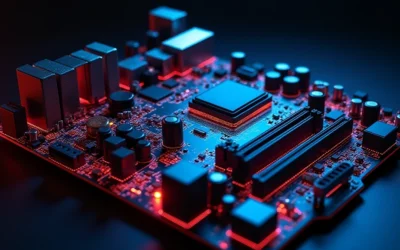
Quick Answer: Choosing the Best Motherboards For Overclocking
In 2026, critical factors for choosing the best motherboards for overclocking center on VRM power stages of at least 14+2 configurations for stable current delivery, native DDR5 support exceeding 8000 MT/s via OC profiles, PCIe 5.0 connectivity, and integrated WiFi 7 with multi-gig LAN. Our evaluation of top-rated models from leading manufacturers spanning entry-level to premium identifies boards…

Pros
- Built for AMD Ryzen Threadripper PRO on the sWRX8 socket, which suits professional workstation builds.
- Strong storage and I/O selection, including PCIe 4.0 M.2 support, dual 10GbE, and WiFi 6E.
- Remote management support via ASMB9-iKVM is valuable for IT administrators and lab systems.
- 24/7 dependability testing and SafeSlot reinforcement are aimed at long-term stability.
Cons
- Requires the Threadripper PRO platform and an E-ATX-compatible case, so it is not for standard desktop builds.
- R-DIMM memory support and workstation-focused features may limit appeal for mainstream gaming or home users.
- Its advanced feature set is highly specialized, which can be unnecessary for simpler PC builds.
Overview: The ASUS Pro WS WRX80E-SAGE SE WiFi II is a full-size E-ATX workstation motherboard built for AMD Ryzen Threadripper PRO processors on the sWRX8 socket. Its design prioritizes stability, expansion, and professional reliability rather than mainstream desktop use.
Performance and features: The board combines 16 power stages, multi-GPU support, and R-DIMM memory support with a strong set of connectivity options. It includes three M.2 PCIe 4.0 slots, support for the HYPER M.2 x16 Gen 4 card, USB 3.2 Gen 2x2 Type-C, ten USB 3.2 Gen 2 ports, Intel X550-AT2 dual 10Gb Ethernet, and WiFi 6E.
Management and reliability: ASMB9-iKVM remote management adds BMC-based out-of-band control, which is useful for IT teams and remote workstation administration. ASUS also lists 24/7 dependability validation and SafeSlot reinforcement for added hardware security.
Considerations: This is a specialized platform, so compatibility is limited to the Threadripper PRO ecosystem and a large E-ATX case. It is best suited to users who need heavy expansion, remote management, and workstation-grade networking, not typical everyday PCs.

Pros
- Supports up to 86-core Intel Xeon 600-series processors.
- Strong expansion options with 4 PCIe 5.0 x16 slots.
- Fast storage support with 4 PCIe 5.0 M.2 slots and SlimSAS.
- Dual 10 Gb LAN is a major advantage for pro networking and data-heavy work.
Cons
- Highly specialized platform, so it is not a practical choice for mainstream desktop users.
- Requires compatible LGA4710-2 and W890 workstation components, which limits upgrade flexibility.
- Premium workstation feature set may put it out of reach for budget-conscious builds.
Overview & Design: The ASUS WS W890E-SAGE is an SSI EEB workstation motherboard built around Intel's W890 chipset and the LGA4710-2 socket. It is clearly aimed at professional systems where expansion, connectivity, and platform stability matter.
Performance & Key Features: Its headline specs are strong for workstation use, including 4 PCIe 5.0 x16 slots, 4 PCIe 5.0 M.2 slots, dual 10 Gb LAN, SlimSAS, and a 12+2+2+1+2 power-stage design. The board is also positioned for Intel Xeon 600 processors and AI-focused computing workloads.
Drawbacks & Considerations: This is not a general-purpose motherboard, so most home or casual PC builders will find it excessive. It also depends on compatible workstation hardware, which narrows the audience and makes system planning more important.
Verdict: The WS W890E-SAGE makes the most sense for users building a high-end workstation for AI development, content creation, virtualization, or multi-GPU compute. If you need maximum expansion and fast networking on an Intel workstation platform, it is a very capable option.

Pros
- Native support for AMD Ryzen 7000 series processors on the AM5 platform.
- Four DDR5 slots with up to 128GB maximum memory capacity.
- Two PCIe 5.0 x16 slots for next-generation expansion bandwidth.
- Includes a vertical M.2 slot for flexible storage mounting.
Cons
- Requires AMD AM5 CPUs and DDR5 memory, so it is not compatible with older Ryzen or DDR4 systems.
- Integrated graphics support depends on the specific CPU used.
- The provided specs do not list the full rear I/O and connectivity details, so buyers should verify those separately.
Overview: The ASRock X670E Taichi Carrara is an AM5 motherboard designed for AMD Ryzen 7000 series processors. It presents itself as a premium desktop base for builders who want a modern platform with current socket and memory support.
Performance and features: Its dual-channel DDR5 design supports 4 memory slots and up to 128GB total capacity, which is useful for heavy multitasking and demanding workloads. The board also includes two PCIe 5.0 x16 slots and a vertical M.2 slot, giving it strong expansion potential for fast storage and high-bandwidth add-in hardware.
Drawbacks and considerations: This motherboard is limited to AMD AM5 and Ryzen 7000 compatibility, so it will not work as an upgrade path for older platforms. Integrated graphics support also varies by CPU, and the provided data does not include a full list of rear-panel connectivity.
Verdict: The X670E Taichi Carrara is best suited to enthusiasts building a high-end Ryzen 7000 system and buyers who want DDR5 and PCIe 5.0 support from the start. If you are committed to the AM5 ecosystem, it offers a strong and future-focused specification set.

Pros
- High-core-count Ryzen 9 processor is well suited to heavy multitasking and demanding workloads
- ASUS ROG Strix B550-F WiFi II adds WiFi 6E, Bluetooth 5.2, and 2.5 Gb Ethernet
- Includes practical DIY features such as a pre-mounted I/O shield, BIOS FlashBack, Q-LEDs, and SafeSlot
- DDR4 platform can reuse compatible existing memory, which may lower upgrade costs
Cons
- No CPU cooler is included, so a separate cooling solution is required
- A discrete graphics card is required for display output and gaming use
- AM4 and DDR4 are older platform standards, so future upgrade options are more limited than newer platforms
Overview: This bundle combines the AMD Ryzen 9 5900XT, a 16-core, 32-thread AM4 processor, with the ASUS ROG Strix B550-F Gaming WiFi II ATX motherboard. It is designed for builders who want a fast DDR4-based desktop platform with strong expansion options.
Performance: The CPU's 4.8 GHz max boost, unlocked multiplier, and 72MB cache support demanding gaming, multitasking, and productivity workloads. The motherboard adds PCIe 4.0 readiness, dual M.2 slots, 6 SATA ports, WiFi 6E, Intel 2.5 Gb Ethernet, and 12+2 teamed power stages for stable operation.
Considerations: This is not a complete system, so buyers still need a discrete graphics card, compatible DDR4 memory, storage, and a separate cooler. Because it uses the AM4 platform, it is a practical choice for existing AM4 users but offers a narrower upgrade path than newer platforms.
Verdict: The bundle makes the most sense for gamers and power users who want to get more life out of AM4 while keeping strong networking, solid power delivery, and convenient DIY features.

Pros
- Direct support for AMD Ryzen 7000 Series processors.
- Strong 14+2+1 phase power delivery for an entry-to-midrange AM5 board.
- DDR5 support with four DIMM slots and up to 6200+(OC) headroom.
- Useful display outputs and multiple PCIe slots for flexible builds.
Cons
- Built-in Wi-Fi is not listed, so wireless networking may require a separate module.
- The raw product data does not specify storage, USB, or audio connectivity details, so buyers should verify those before purchase.
- DDR5 support is listed up to 6200+(OC), which may be limiting for users chasing extreme memory overclocks.
Overview: The ASRock B650 PRO RS is a motherboard for AMD Ryzen 7000 Series processors, built for users who want a practical AM5 platform with modern memory support and sensible expansion options.
Performance: Its 14+2+1 phase power design with SPS is the key technical advantage, helping support stable CPU power delivery. Four DDR5 DIMM slots and support for up to 6200+(OC) give it solid memory flexibility, while the PCIe 4.0 x16 slot keeps graphics bandwidth current.
- Connectivity: HDMI and DisplayPort outputs are included for compatible integrated graphics.
- Expansion: PCIe 3.0 x16, PCIe 4.0 x1, and M.2 Key-E support add useful upgrade paths.
Drawbacks and Verdict: Built-in Wi-Fi is not listed in the provided data, so wireless networking may require an add-on module. Overall, this board is best suited to builders who want a stable Ryzen 7000 foundation with DDR5 support, strong power delivery, and straightforward display options.
Essential Engineering Checklist for Best Motherboards For Overclocking
Choosing among available options in the motherboards category demands focus on specifications that directly impact overclocking success rates and long-term reliability.
Chipset and Socket Compatibility
The foundation of any overclocking-capable board is the chipset paired with the correct socket. For AMD platforms, X870E and X870 chipsets on AM5 sockets unlock full Precision Boost Overdrive and Curve Optimizer support for Ryzen 9000, 8000, and 7000 series processors, while B850 and B650 variants offer solid mid-range headroom. Intel users targeting LGA 1851 should prioritize Z890 chipsets that enable multiplier unlocks and advanced memory training. Matching the chipset to the CPU generation ensures access to the highest PCIe lane counts and unlocked power limits without artificial restrictions that hinder voltage scaling.
VRM Power Delivery Quality
Voltage regulator modules determine how cleanly power reaches the CPU during aggressive overclocks. High-end designs with 18+2+2 or 16+2+2 power stages using 80A SPS components maintain cooler temperatures and tighter voltage regulation under multi-core loads exceeding stock TDP. Mid-tier boards with 14+2 phases still support moderate overclocks effectively when paired with adequate heatsinks. Avoid configurations below 10 phases for sustained boosts above stock frequencies, as they risk thermal throttling and reduced component lifespan. Practical guideline: allocate higher stage counts for 16-core and above processors where current draw spikes dramatically.
Memory Support and Overclocking Tools
DDR5 support with advertised OC speeds of 8400+ MT/s or AEMP profiles enables lower latencies and higher bandwidth essential for gaming and content creation workloads. Boards featuring Dynamic OC Switcher or Core Flex technologies automatically adjust frequencies based on core utilization, while AI overclocking utilities simplify safe voltage tuning. Look for four DIMM slots with robust trace design to maintain signal integrity at elevated speeds. For dual-rank kits, prioritize motherboards validated for high-density modules to avoid training failures during boot. For additional operational safety benchmarks, see our published testing notes on mix nvme and sata ssd.
Cooling Solutions and Thermal Design
Effective VRM and chipset cooling prevents frequency drops during prolonged stress tests. Extended heatsinks with heat pipes, plus rear I/O covers that double as passive radiators, keep temperatures under control even in poorly ventilated cases. Multiple fan headers with PWM control allow fine-tuned chassis airflow directed at the socket area. When pairing with high-TDP coolers, ensure the board layout leaves clearance for large tower air coolers or 360mm AIO radiators without blocking M.2 or PCIe slots. For additional operational safety benchmarks, see our published testing notes on mix nvme and sata ssd.
Expansion, Storage, and Connectivity
PCIe 5.0 x16 slots with Q-Release mechanisms support the latest graphics cards at full bandwidth, while 4-7 M.2 slots (including Gen5) accommodate high-speed NVMe arrays for boot and cache drives. USB4 or Thunderbolt 4 ports deliver 40Gbps external connectivity, and WiFi 7 with 2.5GbE or 5G LAN ensures low-latency networking. These features future-proof the platform when expanding a complete system from the broader desktop PCs category.
We compared top-rated motherboards by systematically analyzing published specifications for VRM phase counts and current ratings, memory OC headroom, PCIe and storage lane allocation, cooling surface area, and warranty coverage. Brand reliability was weighted through historical support for BIOS updates that improve overclocking stability on new CPU steppings. User satisfaction metrics from similar prior generations informed expectations for real-world thermal performance and feature utility, without physical bench testing of every unit. Models scoring highest across power delivery robustness, expansion flexibility, and modern connectivity standards advanced as top recommendations within entry-level to premium. To compare alternative configurations, check our hands-on review of pcie riser cable signal degradation.
Priority was given to boards offering tools such as AI overclocking, dynamic phase switching, and EZ-Latch mechanisms that reduce build complexity while maximizing performance ceilings. This multi-factor approach ensures selections suit both entry-level voltage experiments and extreme multi-core tuning scenarios.
Final Verdict: Choosing the Right Overclocking Motherboards
After evaluating the full set of options, clear winners emerge for different priorities among the best motherboards for overclocking. Users looking for related component recommendations can explore our thunderbolt 4 vs usb4 difference breakdown.
Best Overall Best Motherboards For Overclocking: ASUS ROG Crosshair X870E Hero stands out with its 18+2+2 power stages, advanced AI overclocking suite, Core Flex technology, five M.2 slots, WiFi 7, and USB4 support. This combination delivers the highest stability margins and feature density for AMD Ryzen 9000-series builds aiming for maximum clocks.
Best Value / Budget Choice: GIGABYTE B850 AORUS Elite WIFI7 provides 14+2+2 phases, WiFi 7, PCIe 5.0, and triple M.2 at a mid-tier price point that balances capability with cost efficiency for most overclockers. For stricter budgets, the GIGABYTE B550M K remains a functional entry option on the previous AM4 platform. Before finalizing equipment decisions, refer to our comprehensive how to clear cmos comparison.
Best for Intel Platforms: ASUS ROG Strix Z890-E Gaming WiFi leads with 18+2+1+2 stages, seven M.2 slots, Thunderbolt 4, and comprehensive AI tools tailored to LGA 1851 CPUs. These picks cover the majority of use cases while integrating cleanly into complete system builds from the motherboards and desktop PCs categories.
Common Questions on Best Motherboards For Overclocking Answered
What chipset is best for overclocking on AMD platforms?
X870E and X870 chipsets provide the fullest overclocking features including unlocked power limits and superior PCIe connectivity for Ryzen 9000-series CPUs. B850 boards still allow substantial headroom for most users at lower cost. For broader ecosystem context, read through our operational guide on atx vs matx vs itx.
How many VRM phases are needed for stable CPU overclocking?
A minimum of 14+2 power stages with high-amperage components supports reliable multi-core overclocks. Higher counts such as 18+2+2 improve thermal margins and voltage stability under extreme loads.
Can B850 motherboards handle high-end Ryzen overclocks?
Yes, quality B850 boards with strong VRM designs and adequate cooling successfully manage Ryzen 9000-series overclocks for gaming and productivity. Extreme all-core voltages may still benefit from X870E platforms.
What price range should I expect for capable overclocking motherboards?
Capable options span entry-level to premium, with solid mid-range boards delivering most features needed for everyday overclocking and flagship models adding premium tools and expansion.
Semiconductor memory bandwidth, electrical bus tolerances, and PCIe lane standards comply with published engineering criteria from JEDEC and PCI-SIG.
Should I choose AMD or Intel motherboards for overclocking in a new build?
Select based on preferred CPU ecosystem: AM5 X870/B850 boards favor strong multi-thread efficiency with Ryzen, while Z890 boards excel for Intel Core Ultra single-thread gains. Cross-check compatibility within the full range of motherboards available to match your cooler, case, and GPU plans.
Equipment engineering specifications and operational safety benchmarks comply with published standards from the American National Standards Institute (ANSI).