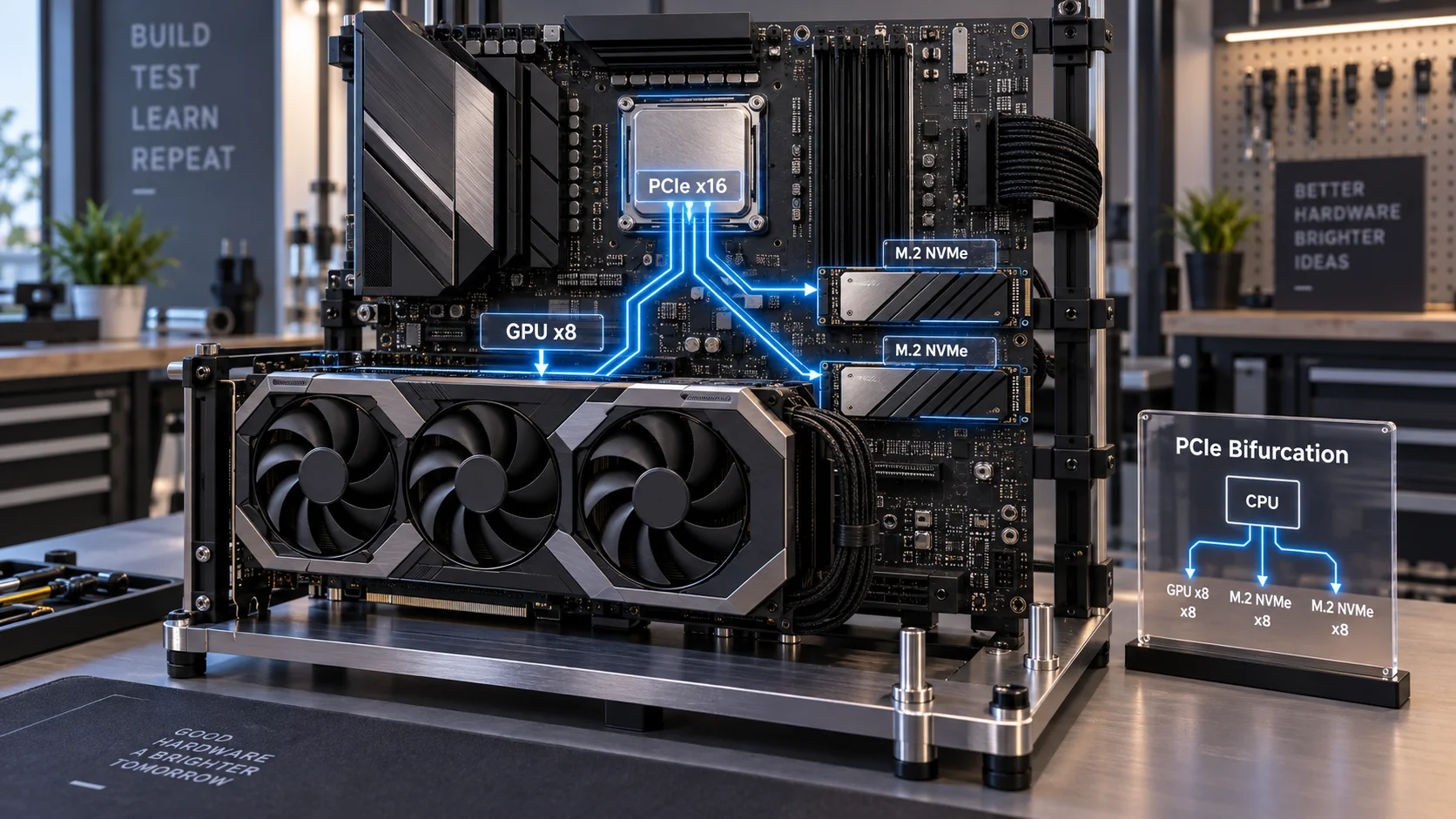
What Is PCIe Bifurcation? The Lane-Splitting Mechanism Explained
PCIe (Peripheral Component Interconnect Express) is a serial high-speed interconnect standard that allocates bandwidth in discrete units called lanes. Each lane is a full-duplex pair of differential signal wires. A PCIe 4.0 lane delivers 2 GB/s unidirectional; a PCIe 5.0 lane delivers 4 GB/s. Slots are physically sized to carry x1, x4, x8, or x16 lane widths.
Bifurcation is the CPU or PCH-level configuration that splits a single physical slot’s lane group into two or more independent logical endpoints. Instead of one device consuming all x16 lanes, the controller divides them — x8+x8, x8+x4+x4, or x4+x4+x4+x4 — each partition appearing to the OS as a discrete PCIe device. The physical connector remains x16 in size; only the electrical lane mapping changes.
Bifurcation is configured either in UEFI firmware (CPU-native bifurcation, available on Intel Core Ultra, AMD Ryzen 7000/9000 series, and HEDT platforms) or via a PCIe switch chip soldered onto an add-in card. Switch-based bifurcation requires no BIOS setting because the chip handles lane translation transparently — but it introduces ~100–200 ns of additional latency per hop, which matters for NVMe storage latency benchmarks.
Lane Budgets: Where Every Lane Comes From
Consumer CPUs expose a fixed number of PCIe lanes directly from the die. On Intel Raptor Lake Refresh and Arrow Lake, that budget is 20 CPU-direct lanes: 16 for the primary GPU slot and 4 for an M.2 slot. AMD Ryzen 7000/9000 (Zen 4/5) exposes 24 CPU-direct lanes: 16 for GPU, 4 for M.2_1, and 4 for M.2_2 on X670E boards. Additional connectivity routes through the PCH, which connects to the CPU via its own PCIe uplink (typically x4 or x8), creating a bandwidth ceiling for PCH-attached peripherals.
Understanding this budget is prerequisite to understanding why certain M.2 slot and GPU slot combinations interact. For deeper context on how PCIe generation affects backwards compatibility across slots, see our guide on PCIe 5.0 compatibility.
How M.2 SSDs Trigger GPU Lane Reduction
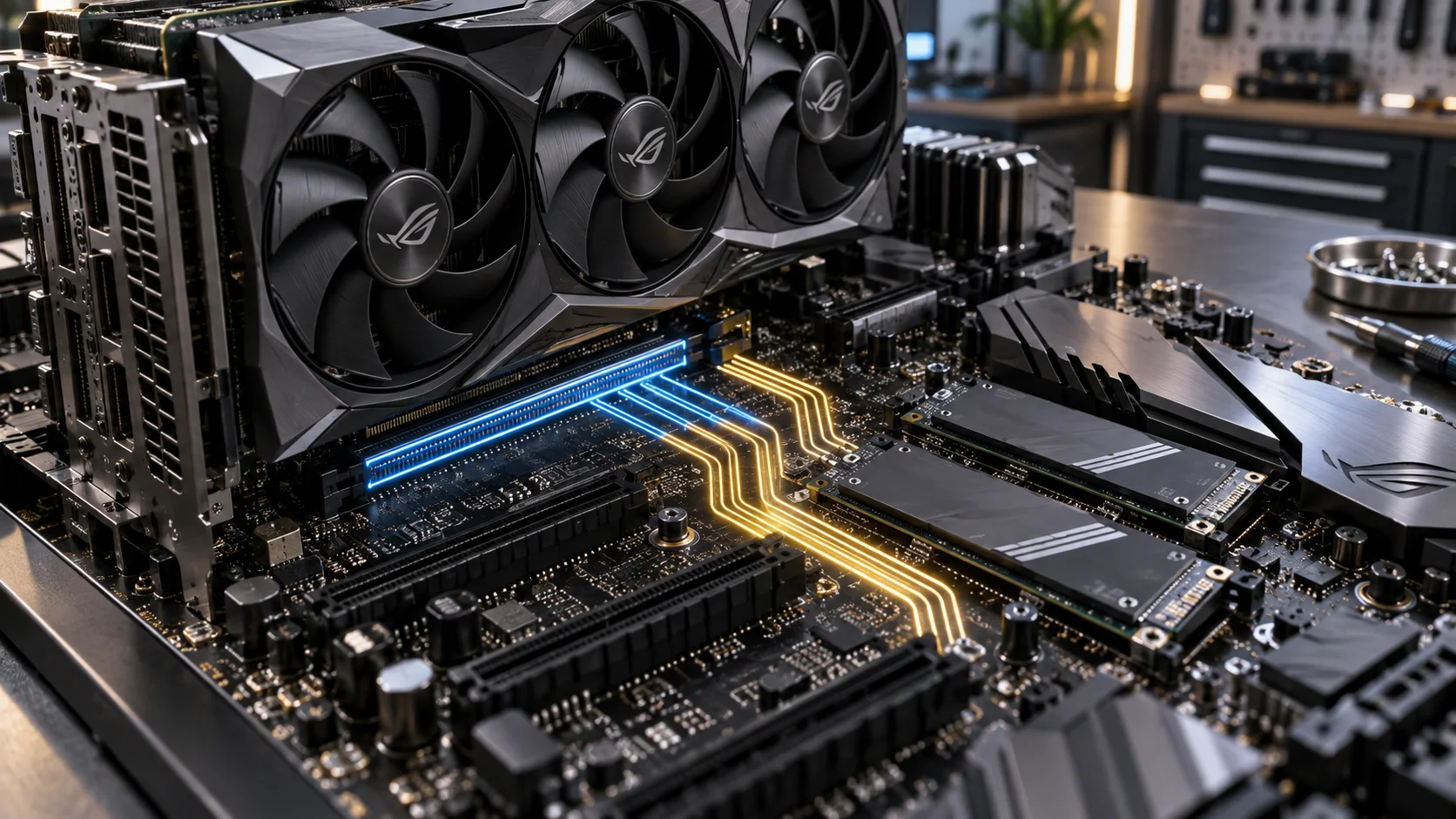
The lane reduction scenario occurs specifically when an M.2 slot is wired directly to the CPU’s primary x16 lane pool — not when it routes through the PCH. Motherboard manufacturers do this to maximize NVMe SSD bandwidth by bypassing the PCH uplink bottleneck. The trade-off: the CPU must share its x16 lane budget between the GPU and the SSD.
When you populate that CPU-direct M.2 slot, the UEFI detects device presence via PCIe enumeration during POST and automatically applies bifurcation, dropping the GPU electrical link from x16 to x8. The GPU slot retains its full physical x16 connector, but only eight lanes are electrically active — confirmed by software such as GPU-Z (Bus Interface field) or HWiNFO64.
Diagnostic Table: x16 vs. x8 GPU Slot — Real-World Impact
| Scenario | GPU Electrical Width | PCIe Gen | Theoretical GPU Bandwidth | Gaming FPS Delta | Workload Impact |
|---|---|---|---|---|---|
| GPU alone, no CPU M.2 | x16 electrical | PCIe 4.0 | 32 GB/s bidirectional | Baseline | None |
| GPU + CPU-direct M.2 SSD (bifurcated) | x8 electrical | PCIe 4.0 | 16 GB/s bidirectional | 0–3% loss | Negligible for rasterization; measurable in GPU-direct storage workloads |
| GPU alone, PCIe 5.0 slot | x16 electrical | PCIe 5.0 | 64 GB/s bidirectional | Baseline | None |
| GPU x8 on PCIe 5.0 (bifurcated) | x8 electrical | PCIe 5.0 | 32 GB/s bidirectional | <1% in gaming | Matches PCIe 4.0 x16; functionally identical for current GPUs |
| GPU x8 on PCIe 3.0 (legacy board) | x8 electrical | PCIe 3.0 | 8 GB/s bidirectional | 3–8% loss | Noticeable in high-resolution texture streaming and multi-GPU VRAM overflow |
| GPU via PCH-attached slot | x4 electrical | PCIe 3.0/4.0 | 4–8 GB/s bidirectional | 5–15% loss | Significant; avoid for discrete GPUs above entry-level |
The table quantifies the critical point: generation matters more than lane count. A GPU running x8 PCIe 5.0 has identical theoretical bandwidth to x16 PCIe 4.0. Current top-tier GPUs — RTX 4090, RX 7900 XTX — saturate roughly 10–13 GB/s under real gaming load, well within x8 PCIe 4.0’s 16 GB/s ceiling. PCIe 3.0 x8, at 8 GB/s, is where throttling becomes empirically detectable.
Which M.2 Slots Actually Cause Bifurcation — and Which Do Not
Not every M.2 slot on your motherboard shares lanes with the GPU. Lane routing is board-specific and documented in the motherboard manual’s block diagram. The three topologies you will encounter:
- CPU-direct M.2 (bifurcation risk): The SSD connects to CPU PCIe lanes. Populating this slot triggers x8 GPU reduction. Typically labeled M.2_1 or M2_CPU on premium ATX boards. Provides lowest latency and highest sequential throughput.
- PCH-attached M.2 (no GPU impact): The SSD routes through the chipset. No bifurcation of the GPU slot occurs, but the SSD shares the PCH uplink bandwidth with USB controllers, SATA, and other peripherals. Slots M.2_2 through M.2_4 are typically PCH-attached on consumer boards.
- PCIe switch M.2 (no GPU impact, with caveats): High-end boards use a PCIe retimer or switch (e.g., ASMedia ASM2824) to multiplex multiple M.2 slots without consuming additional CPU lanes. Transparent to the OS but adds marginal latency.
To confirm your board’s topology, open the manual and locate the “Block Diagram” or “Bandwidth Sharing” table. Cross-reference with HWiNFO64’s PCIe Bus section after populating each slot. If the GPU’s link width drops from x16 to x8 after inserting an SSD, the slot is CPU-direct and bifurcation is active.
UEFI Configuration: Enabling and Controlling Bifurcation
On boards that support manual bifurcation control, the setting appears under UEFI u2192 Advanced u2192 PCIe Configuration or equivalent vendor path (ASUS: Advanced u2192 PCH Configuration u2192 PCI Express Configuration; MSI: Settings u2192 Advanced u2192 PCI Subsystem Settings; Gigabyte: Chipset u2192 PCIe Slot Configuration). Options typically include:
- Auto: Firmware detects populated slots and bifurcates automatically. Safe default.
- x16: Forces full x16 to GPU. CPU-direct M.2 slot becomes non-functional or falls back to PCH routing if the board supports it.
- x8x8: Explicit bifurcation for GPU + one M.2 device.
- x8x4x4: Three-way split for GPU + two M.2 slots or a bifurcated M.2 card (e.g., ASUS Hyper M.2 x16 Gen 5).
- x4x4x4x4: Four-way split; used for quad-M.2 expansion cards, not for GPU operation.
Always save and reboot after changing bifurcation mode. Confirm the new link width in GPU-Z before running benchmarks. Mismatched bifurcation settings (e.g., forcing x8x8 while only a GPU is installed) can cause devices to enumerate at reduced link widths or fail to enumerate entirely.
Performance Implications for Gaming, Content Creation, and Professional Workloads
Gaming (1080p, 1440p, 4K)
Dozens of third-party benchmarks across RTX 4070 Ti, RTX 4090, and RX 7900 XTX confirm <3% FPS variance between x16 and x8 PCIe 4.0 at all resolutions. The GPU’s internal render pipeline, VRAM bandwidth (336–576 GB/s on current flagships), and CPU frame delivery timing are the binding constraints — not the PCIe uplink. The slot operates well below saturation under standard rasterized workloads. For related system-level thermal context during extended gaming sessions, refer to our article on CPU temperature limits.
Content Creation and GPU Compute
GPU-accelerated video encoding (NVENC, AV1), 3D rendering (Blender OptiX, OctaneRender), and machine learning inference are more PCIe-bandwidth-sensitive than gaming due to larger and more frequent hostu2194device memory transfers. Benchmarks show 2–7% slower throughput on x8 PCIe 4.0 vs. x16 in sustained DMA-heavy workloads. For creators transferring large datasets between system RAM and VRAM continuously, x16 operation is preferable — use a PCH-attached M.2 slot for the SSD in these builds.
NVMe SSD Throughput
CPU-direct M.2 slots operating post-bifurcation at x4 PCIe 4.0 still deliver the SSD’s full rated sequential performance (up to 7,400 MB/s for PCIe 4.0 x4 SSDs; 14,000+ MB/s for PCIe 5.0 x4 SSDs). Bifurcation does not reduce the SSD’s allocated lanes — it reduces the GPU’s lanes. Both endpoints receive their designated lane count from the split pool. For platform-level PCIe generation compatibility between SSD and slot, consult our guide on PCIe 5.0 compatibility.
Platform-Specific Bifurcation Behavior in 2025–2026
Intel Arrow Lake (Core Ultra 200S) — LGA1851
Arrow Lake exposes 24 CPU-direct PCIe lanes: 16x PCIe 5.0 for GPU, 4x PCIe 5.0 for M.2, and 4x PCIe 4.0 for a secondary device. On Z890 boards, populating M.2_1 (CPU-direct PCIe 5.0) bifurcates the GPU slot to x8 PCIe 5.0. At PCIe 5.0 x8, the GPU receives 32 GB/s — numerically equivalent to PCIe 4.0 x16. The practical performance impact is zero for all current-generation discrete GPUs. Intel’s official PCIe configuration documentation is available at intel.com PCIe Developer Resources.
AMD Ryzen 9000 Series (Zen 5) — AM5
Zen 5 CPUs on X870E boards expose 28 CPU-direct PCIe lanes. The primary x16 slot runs PCIe 5.0. M.2_1 and M.2_2 are typically CPU-direct at PCIe 5.0 x4 each, consuming from a separate lane pool that does not share with the GPU x16 lanes on X870E. This is the key architectural advantage of AM5 flagship boards — dedicated lane pools prevent GPU bifurcation from M.2 usage in most configurations. Verify your specific board’s block diagram; B650 boards reuse lane pools more aggressively.
AMD Ryzen AI 300 (Strix Point) — Laptop / SFF Platforms
Mobile and compact form factor platforms use integrated PCIe allocation from the APU fabric. The GPU slot is typically x8 PCIe 4.0 from the factory, and M.2 slots share the remaining PCIe budget. Bifurcation here is fixed by firmware with no user-configurable options — relevant for mini-PC builders and SFF enthusiasts.
Build Recommendations: Optimizing Lane Allocation
- Identify your primary M.2 slot type before purchasing. Read the motherboard manual block diagram — not marketing copy.
- Use CPU-direct M.2 for the OS/boot SSD only if the platform gives it a dedicated lane pool (X870E AM5 or HEDT). Otherwise, prioritize that slot for the GPU and use PCH-attached M.2 for storage.
- Gamers on PCIe 4.0 or 5.0 platforms: x8 operation is safe. Populate the CPU-direct M.2 freely — the FPS impact is within margin of error.
- Content creators on PCIe 3.0 legacy boards: Preserve x16 GPU operation. Bifurcation to x8 PCIe 3.0 (8 GB/s) introduces measurable overhead in render workloads.
- Multi-SSD builds: Fill PCH-attached M.2 slots first. Reserve CPU-direct slots for the device requiring lowest latency — either the GPU or a single high-performance NVMe SSD.
- After any hardware change, verify GPU link width in GPU-Z or HWiNFO64. If unexpectedly running at x8 or x4, check bifurcation UEFI settings and slot population order. A clean GPU driver reinstall after hardware topology changes is also advisable — see our guide on GPU driver clean install.
Common Misconceptions About PCIe Bifurcation
“x8 always means worse GPU performance”
False at PCIe 4.0 and 5.0 generations. The GPU’s internal memory bandwidth (hundreds of GB/s on GDDR6X/GDDR7) dwarfs the PCIe uplink’s contribution to frame rendering. PCIe bandwidth is consumed primarily during texture upload at load time and shader resource transfers — not per-frame rendering operations.
“The physical x16 slot size guarantees x16 operation”
False. Physical slot size and electrical lane width are independent. A full-length x16 physical slot can run at x8, x4, or even x1 electrically. Always verify with software diagnostics, not slot appearance.
“All M.2 slots cause bifurcation”
False. Only CPU-direct M.2 slots share lanes with the GPU pool. PCH-attached M.2 slots have no effect on GPU lane width. This is the most common point of confusion among builders. Understanding your platform’s full memory and I/O topology — including RAM speed and timings — is essential to building an optimized, bottleneck-free system.
“Bifurcation requires a special BIOS setting to work”
On most consumer boards, Auto mode handles bifurcation transparently during POST. Manual intervention is only needed when using multi-M.2 PCIe expansion cards or overriding automatic slot negotiation for specific workloads.
Summary: Key Takeaways for 2026 Builders
- PCIe bifurcation splits physical lane groups into independent logical endpoints at the CPU or PCH level.
- CPU-direct M.2 slots share the same lane pool as the primary GPU slot on many consumer platforms, triggering x8 GPU operation when populated.
- At PCIe 4.0 x8 and above, GPU performance loss is <3% in gaming — not a meaningful concern for the vast majority of users.
- PCIe 3.0 x8 is the threshold where GPU bifurcation becomes tangibly harmful, particularly for compute-intensive workloads.
- PCIe 5.0 x8 equals PCIe 4.0 x16 in raw bandwidth — Arrow Lake and modern AM5 platforms make bifurcation virtually irrelevant for gaming.
- Always verify slot topology in the motherboard block diagram and confirm actual GPU link width post-build using GPU-Z or HWiNFO64.
- Proper thermal management — including thermal paste application on the CPU — remains equally critical to sustained PCIe performance under load, as thermal throttling can mask or compound bandwidth-related bottlenecks in benchmarks.