Quick Answer: RX 7800 XT vs RX 9070 — Which Should You Buy in 2026?
Buy the RX 9070 if it costs approximately $620–$690 and you want the faster, more efficient card for modern 1440p, entry-level 4K, ray tracing, streaming, and newer AMD features. It is typically 7–16% faster in rasterized gaming and uses 43 W less board power. Choose the RX 7800 XT only when you find it near $450–$500, mainly play rasterized games, and do not need the RX 9070’s stronger ray tracing, media engine, or FSR 4 support.
Winner by Category
| Category | Winner | Margin / Evidence |
|---|---|---|
| 1080p | RX 9070 | Approximately 214 FPS vs 201 FPS, or 6.5% faster. |
| 1440p | RX 9070 | Approximately 123 FPS vs 109 FPS, or 12.8% faster; another modern suite measured 16.3%. |
| 4K | RX 9070 | Approximately 72 FPS vs 67 FPS, or 7.5% faster. |
| Ray tracing | RX 9070 | Cyberpunk 2077 RT Overdrive reached 123 FPS vs 76 FPS with FSR Quality and frame generation, approximately 62% faster. |
| Upscaling | RX 9070 | Supports FSR 3/3.1 and launch-era FSR 4/FSR Redstone features; the RX 7800 XT remains on earlier FSR support. |
| VRAM | Tie | Both have 16 GB of GDDR6 on a 256-bit bus. |
| Power | RX 9070 | 220 W TBP versus 263 W for the RX 7800 XT, a 43 W advantage. |
| Value | Depends on price | RX 7800 XT wins near $450–$500; RX 9070 is the better buy at typical 2026 new-card pricing. |

Pros
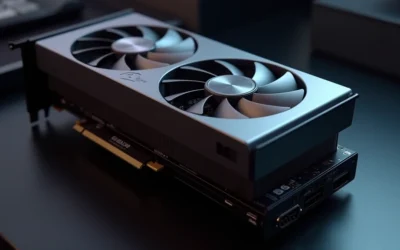
- Substantial 16GB VRAM for demanding applications and future-proofing
- Magnetic fan system enables straightforward maintenance and fan swaps
- RDNA3 power efficiency reduces thermal load and electricity consumption
Cons
- Physically large form factor at 13.4 inches may not fit compact or older PC cases

Pros
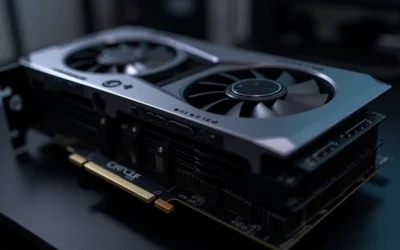
- Large 16GB GDDR6 frame buffer on a 256-bit bus for 4K textures and ray tracing
- Factory overclocked to 2520 MHz boost for smooth high-framerate gaming out of the box
- RDNA 4 with third-gen RT and second-gen AI accelerators
- Triple fans with 0dB silent mode for quiet idle operation
- LED indicator adds a visual touch
Cons
- 2.5-slot, 290x123x51mm size requires careful chassis clearance verification
- Needs two 8-pin power connectors and a recommended 700W PSU
- No pricing, rating, or review data supplied to judge value

Pros
- Clear clock specifications are provided, including up to 2880 MHz boost in OC mode.
- Cooling-focused hardware includes Axial-tech fans, dual ball bearings, and a phase-change thermal pad.
- Dual BIOS adds practical flexibility for different usage or tuning needs.
- The 2.5-slot form factor should fit more builds than larger triple-slot alternatives.
Cons
- The source data does not list key details such as memory configuration, dimensions, or power connector requirements.
- The highest advertised clocks require OC mode through GPU Tweak III, so users need software tuning to access them.
- Even with a 2.5-slot design, the card may still be too large for very compact cases.
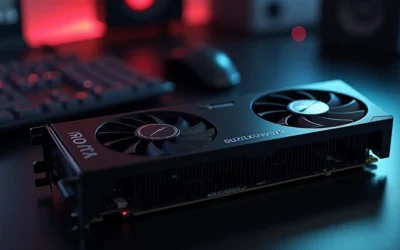
Overview: The ASUS Prime Radeon RX 9070 GRE EVO OC Edition is a modern PCIe 5.0 graphics card built with ASUS cooling hardware and a 2.5-slot design. It is positioned for builders who want a balance of performance, thermal management, and broader case compatibility.
Performance: The card lists up to 2880 MHz boost clock in OC mode through GPU Tweak III, with a default boost of up to 2860 MHz. Axial-tech fans, dual ball fan bearings, GPU Guard, and a phase-change GPU thermal pad are all aimed at keeping temperatures controlled during demanding use.
Considerations: The listing does not provide full details such as dimensions, memory configuration, or power connector information, so buyers should verify those before purchase. The top clock speeds also depend on OC mode, which means users will need ASUS software to access the advertised tuning levels.
Verdict: This model makes the most sense for PC builders who want a Radeon card with strong cooling features and a more manageable footprint than larger high-end cards. It is a practical option if you value thermal engineering and BIOS flexibility in a mainstream gaming build.

Pros
- Efficient dual-fan cooling with silent operation at idle
- Ample 12GB memory for high-resolution gaming
- Modern display outputs including DisplayPort 2.1
- Durable metal backplate adds structural rigidity
Cons
- May not be compatible with all pre-built systems
- Requires verification of power supply, chassis space, and motherboard specs
Specifications Side-by-Side
| Specification | Radeon RX 7800 XT | Radeon RX 9070 |
|---|---|---|
| Architecture | RDNA 3 | RDNA 4 |
| GPU design | Navi 32, chiplet design | Navi 48, monolithic design |
| Manufacturing process | TSMC 5 nm/6 nm | 4 nm |
| Compute units | 60 | 56 |
| Stream processors | 3,840 | 3,584 |
| CUDA cores | None | None |
| VRAM | 16 GB GDDR6 | 16 GB GDDR6 |
| Memory bus | 256-bit | 256-bit |
| Memory bandwidth | 624 GB/s | 640 GB/s |
| Game clock | 2,124 MHz | 2,070 MHz |
| Boost clock | Up to 2,430 MHz | Up to 2,520 MHz |
| Total board power | 263 W | 220 W |
| Launch MSRP | $499 | $549 |
| Typical U.S. street price in 2026 | Approximately $460–$500 used or clearance; $500–$800 new | Approximately $620–$690 new |
The specification sheet is closer than the generation numbers suggest. Both cards carry 16 GB of GDDR6 on a 256-bit memory bus, so neither has a VRAM-capacity advantage. The RX 9070 has slightly higher memory bandwidth at 640 GB/s compared with 624 GB/s, but its larger advantage comes from RDNA 4’s newer ray-tracing and AI hardware rather than from a dramatic memory upgrade.
The RX 7800 XT actually lists more compute units and stream processors: 60 CUs and 3,840 stream processors versus 56 CUs and 3,584 stream processors for the RX 9070. Those counts do not translate into a gaming win for the older card. Architecture, software features, and the newer design allow the RX 9070 to deliver higher results in the supplied gaming tests while also operating at a lower 220 W TBP.
Gaming Performance
1080p
At 1080p, the RX 9070 is ahead, but the difference is modest in the supplied average: approximately 214 FPS compared with 201 FPS for the RX 7800 XT. That works out to about a 6.5% advantage. At this resolution, the faster card may matter most when paired with a high-refresh display or when playing demanding modern games; for less demanding rasterized titles, both cards already provide a strong performance level. For troubleshooting and reliability insights, consult our in-depth how to clean gpu dust report.
1440p
1440p is the clearest target for both GPUs, and the RX 9070 separates itself more effectively here. One test average measured approximately 123 FPS for the RX 9070 versus 109 FPS for the RX 7800 XT, a 12.8% lead. A separate modern-game suite recorded 92.8 FPS versus 78.8 FPS, expanding the RX 9070’s advantage to 16.3%. Individual games can show an even larger gap: in Warhammer 40,000: Space Marine 2, the cards delivered 93 FPS and 69 FPS respectively, a 29.6% lead for the RX 9070.
4K
The RX 9070 also leads at 4K, averaging approximately 72 FPS versus 67 FPS for the RX 7800 XT, or 7.5% faster. Neither card gains additional VRAM over the other, so the RX 9070’s advantage comes from its newer architecture, slightly higher memory bandwidth, and stronger overall rendering capability. The RX 7800 XT remains a credible 4K option when settings are chosen carefully, but the RX 9070 provides more headroom for demanding games and future settings changes. Readers comparing setup options can review our technical analysis on vertical gpu mount airflow.
Ray Tracing & Upscaling
Ray tracing is the RX 9070’s largest performance advantage. In a Cyberpunk 2077 RT Overdrive test using FSR Quality and frame generation, it reached 123 FPS compared with 76 FPS for the RX 7800 XT, approximately 62% faster. The exact result depends heavily on the game, ray-tracing preset, upscaling mode, and whether frame generation is enabled, but RDNA 4’s substantially stronger ray-tracing hardware makes the RX 9070 the better choice for RT-heavy gaming.
Both cards can use AMD’s FSR ecosystem, but their feature paths differ. The RX 7800 XT supports FSR 2 and FSR 3, including frame generation where supported. The RX 9070 supports FSR 3 and 3.1, as well as the AI-based FSR 4/FSR Redstone features introduced for RX 9000 and RDNA 4 cards. FSR 4 support and game integration are not universal, so this is a future-facing advantage rather than a guarantee in every current title. For complementary field maintenance guidelines, examine our breakdown of weak psu cause gpu stutter.
Features & Ecosystem
Neither Radeon supports NVIDIA DLSS natively. DLSS is an NVIDIA RTX feature, so the practical comparison here is between AMD’s FSR versions and the other driver-level features available on each Radeon. The RX 7800 XT can use Radeon Super Resolution, Anti-Lag, HYPR-RX, and supported FSR 2 or FSR 3 implementations. It remains a capable feature set, particularly for a primarily rasterized 1440p system.
The RX 9070 adds newer AI accelerators, FSR 4 machine-learning upscaling, improved ray reconstruction and quality features, and newer HYPR-RX functionality. These features strengthen its case for a new build, but the software ecosystem is still developing. Early reports noted occasional driver crashes and inconsistent FSR 4 behavior, while the RX 7800 XT’s more mature drivers provide a more established baseline. To evaluate matched hardware tolerances, consult our detailed overview of black screen gpu drivers.
For streaming and recording, both cards provide hardware H.264, HEVC, and AV1 encoding through AMD’s media engine. The RX 9070’s newer VCN implementation improves encode quality and adds AV1 B-frame support, making it the stronger AMD-only choice for frequent recording or streaming.
Productivity requires more caution. Neither card supports CUDA, so CUDA-dependent applications, plug-ins, and AI tools may require an NVIDIA GPU. AMD’s alternative is ROCm/HIP, and the RX 9070’s newer architecture receives better modern AI support, particularly under Linux. However, ROCm is less broadly compatible and more setup-intensive than CUDA, with uneven Windows and application coverage. Independent testing also found NVIDIA substantially ahead in Adobe Premiere Pro and AI text-generation workloads, so neither Radeon is the safest choice for CUDA-centric creator work. When planning workspace deployment, consider the engineering criteria outlined in our daisy chain pcie cables guide.
Power, Thermals & Build Compatibility
The RX 9070 is the more efficient GPU on the supplied specifications. Its 220 W TBP is 43 W lower than the RX 7800 XT’s 263 W TBP. That does not automatically determine temperatures, since board-partner cooler design, case airflow, ambient temperature, and fan profiles also matter, but the lower board-power figure gives the RX 9070 an easier starting point for system power and cooling.
Use the card’s TBP as part of a complete system check rather than treating it as the entire power requirement. A suitable power supply must also account for the processor, drives, fans, USB devices, and transient demands. Because the research does not provide a universal PSU recommendation for every board partner, check the exact model’s manufacturer guidance before buying. The RX 7800 XT’s higher 263 W figure deserves particular attention in compact or airflow-limited systems.
- Confirm that the case has sufficient room for the specific board-partner card.
- Check the required power connectors and the manufacturer’s PSU guidance for the exact model.
- Account for the full system load, not only the GPU’s TBP.
- Prioritize airflow if selecting the 263 W RX 7800 XT for a compact or warm build.
- For a new system, the RX 9070’s 220 W TBP offers the simpler efficiency profile.
Price & Value Analysis
Pricing changes the recommendation. The RX 7800 XT launched at $499, but its 2026 U.S. street pricing is inconsistent because the model is discontinued or aging. Used and clearance examples are approximately $460–$500, while new cards can range from $500 to $800. That wide spread means a new RX 7800 XT is not automatically a bargain; at the high end, it can cost more than the newer and faster card.
The RX 9070 launched at $549 and typically sells for approximately $620–$690 new in the 2026 U.S. market, depending on board partner and availability. It costs more than a well-priced used or clearance RX 7800 XT, but it delivers the stronger rasterized results, much better ray tracing, lower TBP, newer media features, and access to FSR 4/FSR Redstone.
The value verdict is therefore price-sensitive rather than absolute. At approximately $450–$500, the RX 7800 XT is the better value for a buyer focused on traditional 1440p gaming. At typical new-card prices, the RX 9070 is the better purchase, particularly if the RX 7800 XT is listed above the lower end of its range. Avoid paying premium prices for remaining new RX 7800 XT stock simply because it carries 16 GB of VRAM; both cards have the same VRAM capacity.
Which Should You Buy?
Choose RX 7800 XT if…
- You find a used or clearance card near $450–$500.
- Your priority is rasterized 1440p gaming rather than ray tracing.
- You want 16 GB of GDDR6 and do not need the newer RX 9070 feature set.
- You are comfortable using FSR 2 or FSR 3 where supported instead of the RX 9070’s FSR 4 path.
- You are replacing an older GPU and the discounted price leaves room in your budget for another component.
Choose RX 9070 if…
- You want the faster overall gaming card, with typical rasterized gains of approximately 7–16%.
- You play demanding modern games at 1440p or target entry-level 4K performance.
- Ray tracing matters, especially in demanding games such as Cyberpunk 2077.
- You want the lower 220 W TBP instead of the RX 7800 XT’s 263 W figure.
- You stream or record frequently and value improved encode quality and AV1 B-frame support.
- You want access to FSR 4/FSR Redstone and newer AMD AI features.
- The RX 7800 XT is priced near the upper end of its inconsistent new-card range.
Consider a different card if…
Consider an ASRock Radeon RX 7700 XT Challenger 12GB OC if your budget is below these 16 GB options and you mainly play at 1080p or light 1440p, while accepting its lower 12 GB VRAM capacity. For CUDA-dependent applications, AI tools, or creator software where application compatibility is the priority, consider an NVIDIA GPU instead, since neither Radeon supports CUDA and independent testing found NVIDIA substantially ahead in Adobe Premiere Pro and AI text-generation workloads.
Frequently Asked Questions About Rx 7800 Xt Vs Rx 9070
Is the RX 9070 worth the extra cost over the RX 7800 XT?
Usually, yes, when comparing a new RX 9070 at approximately $620–$690 with an RX 7800 XT that is priced well above $500. The RX 9070 is generally 7–16% faster in rasterized gaming, substantially faster in ray tracing, uses 43 W less board power, and adds newer media and AI features. The RX 7800 XT becomes the stronger value when found near $450–$500.
Does the RX 7800 XT have more VRAM than the RX 9070?
No. Both cards have 16 GB of GDDR6 VRAM and a 256-bit memory bus. The RX 9070 has slightly higher memory bandwidth at 640 GB/s, compared with 624 GB/s for the RX 7800 XT, but neither card has a capacity advantage for texture-heavy workloads.
Which card is better for ray tracing and FSR?
The RX 9070 is better for both. Its RDNA 4 ray-tracing hardware produced 123 FPS versus 76 FPS for the RX 7800 XT in the supplied Cyberpunk 2077 RT Overdrive test with FSR Quality and frame generation. The RX 9070 also supports FSR 3/3.1 and the newer AI-based FSR 4/FSR Redstone features, while the RX 7800 XT supports FSR 2 and FSR 3 where implemented.
Mechanical safety standards, operational tolerances, and protective gear guidelines align with benchmark specifications established by the American National Standards Institute (ANSI).
Are the RX 7800 XT and RX 9070 good cards for content creation?
Both support hardware H.264, HEVC, and AV1 encoding, but the RX 9070 is the stronger AMD-only option because its newer VCN implementation improves encode quality and adds AV1 B-frame support. For CUDA-dependent applications, plug-ins, and AI tools, neither is ideal because neither supports CUDA. ROCm/HIP can help in supported workloads, particularly on Linux, but compatibility is less universal than CUDA.
Related Reading
For more GPU comparisons, check out our other reviews: RTX 5070 ti laptop GPU vs RX 7900M and RTX 5060 laptop GPU vs RTX 4060 laptop GPU. Also explore our GPU Reviews category or the Desktop PCs section for more buying guides.
For more hands-on benchmarks and buying recommendations, consult our guides on cordless stick vacuum buyer guide.