Quick Answer: RX 9060 vs Intel Arc B570 — Which Should You Buy in 2026?
Buy the Radeon RX 9060 if you want the faster conventional gaming card, particularly for 1080p and 1440p raster performance, and can find it near $280 or below. Choose the Intel Arc B570 if it is substantially cheaper, you need 10GB of VRAM, or AV1 encoding matters. The RX 9060 is the approximate performance winner, but the B570 can be the better value at roughly $220–$240. Neither is an ideal primary 4K GPU.
Winner by Category
| Category | Winner | Margin / Evidence |
|---|---|---|
| 1080p | Radeon RX 9060 | Approximately 5–15% faster overall in raster gaming; the RX 9060 averaged 154 fps in a seven-game low/medium test. |
| 1440p | Radeon RX 9060, narrowly | Approximately 0–10% faster overall, although the B570’s 10GB VRAM and 380 GB/s bandwidth can narrow or reverse the result in some games. |
| 4K | Intel Arc B570, for memory capacity | Neither is a strong 4K card. Both generally need reduced settings or upscaling, with roughly 30–45 fps depending on the game; the B570 has 10GB versus 8GB. |
| Ray tracing | Radeon RX 9060, approximately | Its RDNA 4 ray-tracing improvements and 28 ray accelerators should provide the stronger overall result, but the B570 can be competitive in selected titles. |
| Upscaling | Depends on the game | RX 9060 offers FSR 4 and Fluid Motion Frames; B570 offers XeSS and XeSS frame generation. Neither supports NVIDIA DLSS. |
| VRAM | Intel Arc B570 | 10GB GDDR6 on a 160-bit bus versus 8GB GDDR6 on a 128-bit bus for the RX 9060. |
| Power | Radeon RX 9060 | 132W TBP compared with 150W for the B570, a 18W difference in favor of the AMD card. |
| Value | Intel Arc B570 at the right price | B570 street pricing is approximately $250–$260 new, with occasional lower sales; the RX 9060 is attractive near $280 or below but has inconsistent standalone availability. |

Pros
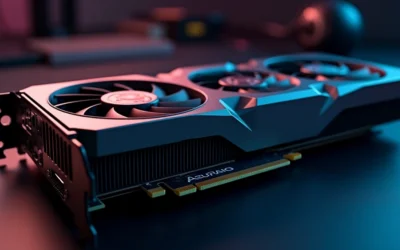
- Large 16GB frame buffer suits modern game textures and creative applications
- RDNA 4 brings ray tracing and AI accelerators for next-gen features
- 0dB silent mode keeps the card quiet during light loads
- Compact 2-slot footprint and single 8-pin power simplify installation
Cons
- 128-bit memory bus may limit bandwidth compared to wider-bus cards
- Requires a recommended 550W power supply, adding to system cost
- Check chassis clearance—card measures 249mm long and 41mm tall

Pros
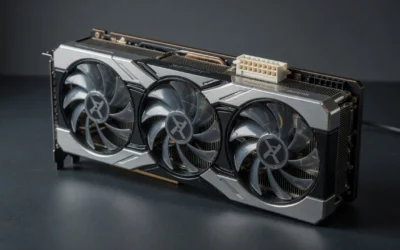
- Modern display connectivity via DisplayPort 2.1 and HDMI 2.1a supports latest monitors
- 0dB cooling mode reduces noise during light workloads
- Metal backplate adds durability and prevents physical sagging
- Supports current media standards including AV1 encoding
- Intel XeSS 2 provides AI-driven performance optimization for compatible titles
Cons
- Performance varies by game; titles without Intel Arc optimization may show limited gains
- Arc GPU ecosystem is smaller than NVIDIA and AMD alternatives, affecting driver maturity and game support

Pros
- Factory overclocked for immediate out-of-box performance.
- Quiet operation at idle thanks to 0dB Silent Cooling.
- Modern display connectivity with three DisplayPort 2.0 outputs.
- Reinforced build quality with a metal backplate and Super Alloy parts.
Cons
- Requires two 8-pin PCIe power connectors and a recommended 650W power supply.
- The 2.4-slot, 271 mm length may be difficult to fit in smaller cases.
- 8GB of VRAM may be limiting for some heavy 4K or pro-level workloads.
Overview: The ASRock Intel Arc A580 Challenger 8GB OC is a factory-overclocked graphics card based on Intel Xe HPG architecture. It uses a dual-fan cooler, a metal backplate, and ASRock Super Alloy components, giving it a solid and practical design for mainstream gaming PCs.
Performance & Features: With 8GB of GDDR6 memory, a 256-bit interface, and a 2000 MHz engine clock, this card is aimed at 1440p gaming and everyday creative workloads. It also supports Intel XeSS, DirectX 12 Ultimate, PCIe 4.0, and up to four displays through three DisplayPort 2.0 outputs and one HDMI 2.0b port.
Drawbacks & Considerations: This model is not the best fit for compact systems because it needs a 2.4-slot layout, two 8-pin PCIe power connectors, and a recommended 650W power supply. Users planning heavier high-resolution workloads should also consider that 8GB of VRAM can be a practical limit in some demanding scenarios.
Verdict: The ASRock Intel Arc A580 Challenger 8GB OC is a good option for buyers who want modern Intel graphics features, quiet idle operation, and strong display support at a midrange level. It is best suited to PC builders who have enough case space and adequate power delivery.

Pros
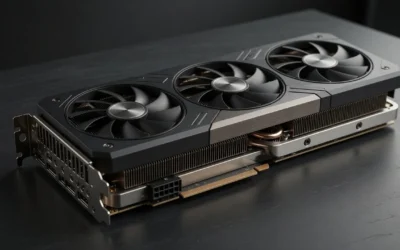
- 16GB GDDR6 memory provides ample headroom for high-res textures and modern games
- Axial-tech fan design improves cooling efficiency with increased air pressure
- 0dB technology enables near-silent operation during light loads
- Dual BIOS switch offers flexibility between quiet and performance modes
- Dual ball fan bearings are designed to last up to twice as long as sleeve designs
Cons
- 2.5-slot design may not fit compact or small-form-factor cases
- No bundled software or overclocking utilities mentioned in the specs
- Performance figures depend on system configuration and cooling
Specifications Side-by-Side
These GPUs target the same broad budget-to-mainstream gaming segment, but they make different compromises. AMD emphasizes lower board power and newer RDNA 4 features, while Intel gives the B570 a larger memory subsystem and a strong media engine. To compare alternative configurations, check our hands-on review of how to clean gpu dust.
| Specification | Radeon RX 9060 | Intel Arc B570 |
|---|---|---|
| Architecture | RDNA 4, Navi 44 XL | Xe2-HPG / Battlemage, BMG-G21 |
| Manufacturing process | TSMC 4 nm | TSMC 5 nm |
| CUDA cores / shader resources | No CUDA cores; 1,792 stream processors | No CUDA cores; 2,304 shaders across 18 Xe cores |
| VRAM | 8GB GDDR6 | 10GB GDDR6 |
| Memory bus | 128-bit | 160-bit |
| Memory speed | Up to 18 Gbps | 19 Gbps |
| Memory bandwidth | Up to 288 GB/s | 380 GB/s |
| Base or game clock | Approximately 2,400 MHz | Approximately 2,500 MHz |
| Boost clock | Up to 2,990 MHz | Approximately 2,750 MHz, depending on board model |
| Ray-tracing hardware | 28 ray accelerators | 18 RT units |
| AI hardware | 56 AI accelerators | 144 XMX engines |
| Total board power | 132W TBP | 150W TBP |
| Power connection | Research data lists a 450W recommended PSU | Typically one 8-pin connector |
| Video engine | AMD VCN: H.264, H.265/HEVC and AV1 encode/decode | Intel Quick Sync/media hardware: AV1, H.264 and H.265/HEVC encode/decode |
| Display support | DisplayPort 2.1a and HDMI 2.1b | Not specified in the supplied research |
| Launch MSRP | No official standalone MSRP; initially an OEM/prebuilt-only product | $219 |
| Typical 2026 street price | Approximately $280–$320 through OEM/system channels; standalone availability is inconsistent | Approximately $250–$260 new; occasional lower sales and used cards around $220 |
Gaming Performance
1080p
The Radeon RX 9060 has the clearest advantage at 1080p raster settings, although the gap is an estimate rather than the result of a standardized direct review. The available synthesis places it approximately 5–15% ahead overall. Hardware Unboxed recorded a seven-game RX 9060 average of 154 fps at low/medium settings, while Arc B570 reviews position Intel’s card around the RTX 4060 and RX 7600 class. CPU limits and older APIs can make the difference vary substantially from game to game.
1440p
At 1440p, the RX 9060’s estimated lead shrinks to approximately 0–10%. This is where the B570’s 10GB framebuffer, 160-bit bus and 380 GB/s bandwidth become more useful. GamersNexus measured the B570 at a 53 fps average in its 1440p raster suite, placing it 8% ahead of the RTX 4060 and 13% ahead of the RX 7600 in that testing. Individual results remain important: the RX 9060 reached approximately 59 fps at 1440p Ultra in Warhammer 40,000: Space Marine 2, while the B570 recorded 64 fps at 1440p Ultra in Baldur’s Gate 3 on XDA’s test system. Users looking for related component recommendations can explore our vertical gpu mount airflow breakdown.
4K
Neither card should be selected primarily for native 4K gaming. Depending on the title, reduced settings and/or upscaling may produce roughly 30–45 fps, but demanding games can fall sharply. The B570’s extra 2GB of VRAM and wider memory bus may help avoid some memory pressure, yet 10GB does not turn it into a high-end 4K solution. The RX 9060’s lower power draw and approximate performance lead remain more relevant at 1080p and entry-level 1440p than at this resolution.
Ray Tracing & Upscaling
The RX 9060 is the approximate ray-tracing winner because RDNA 4 brings newer RT improvements and 28 ray accelerators. That is not a guaranteed win in every workload. The Arc B570 reached 81 fps in Resident Evil 4 at 1080p RT, but managed 31 fps in Dragon’s Dogma 2 at 1440p RT. In Cyberpunk 2077, the B570 produced approximately 21 fps at 1440p RT Ultra natively and 52 fps with XeSS/DLSS-equivalent upscaling settings. The RX 9060 has no reliable, large independent RT suite directly against the B570, so its advantage should be treated as approximate. Before finalizing equipment decisions, refer to our comprehensive weak psu cause gpu stutter comparison.
Features & Ecosystem
The upscaling comparison is FSR 4 versus XeSS, not DLSS versus FSR. Neither the RX 9060 nor Arc B570 supports NVIDIA DLSS, which is exclusive to NVIDIA hardware. AMD’s RX 9060 supports FSR 4, also referred to as Redstone machine-learning upscaling on RDNA 4, along with Fluid Motion Frames. FSR’s open approach allows it to run across a broader range of supported hardware, although image quality and frame-generation support depend on the individual game.
Intel’s B570 supports XeSS and XeSS frame-generation features where games provide them. XeSS can use the Arc’s XMX engines and can be particularly useful in ray-traced workloads, but game support and implementation quality vary. Native rendering is still preferable when the card can deliver the desired frame rate without assistance. Both cards also provide driver-level gaming features: AMD includes Radeon Super Resolution, Anti-Lag 2, Smart Access Memory and FreeSync, while Intel provides XeSS, XMX acceleration and Intel Graphics Software. For broader ecosystem context, read through our operational guide on black screen gpu drivers.
For streaming and recording, both GPUs include hardware AV1, H.264 and H.265/HEVC support. The B570’s Intel Quick Sync/media hardware makes it highly competitive for AV1-focused encoding and streaming. The RX 9060 uses AMD’s VCN media engine and supports the same major codec families. Neither card has CUDA, so CUDA-dependent applications, plugins and AI workflows generally require NVIDIA hardware or a compatibility layer. AMD offers ROCm, OpenCL, HIP and Vulkan compute paths where the specific application and GPU are supported; Intel offers OpenCL, oneAPI and its own GPU compute/media stack.
Driver maturity is another practical difference. The Radeon card has a conventional AMD driver experience with broad Windows and Linux support, but its OEM-first launch makes finding a standalone card more difficult. Intel’s Arc drivers have improved substantially, yet game-to-game performance and frame-time consistency can still be less predictable than established AMD and NVIDIA alternatives. Older DirectX 11 games and older CPUs may be weaker on the B570. For troubleshooting and reliability insights, consult our in-depth daisy chain pcie cables report.
Power, Thermals & Build Compatibility
The RX 9060 is the more efficient option on the supplied specifications, with a 132W TBP versus 150W for the B570. That 18W difference is modest, but it can make the AMD card easier to cool in a compact or airflow-limited system. AMD lists a 450W recommended PSU for the RX 9060. The B570 typically uses one 8-pin power connector, so the power supply must provide the appropriate cable and the case must have sufficient clearance for the specific board design.
Arc compatibility requires more platform attention than simply installing the card. Intel explicitly requires Resizable BAR for optimal B-series performance. Before buying the B570, confirm that the system can use UEFI mode, Above 4G Decoding and ReBAR. Smart Access Memory is AMD’s corresponding platform feature, and should also be enabled when supported for the RX 9060.
- Check the PSU: the RX 9060 has a 450W recommended PSU specification; the B570 typically needs one 8-pin connector.
- Confirm motherboard settings: B570 systems should support UEFI, Above 4G Decoding and Resizable BAR.
- Match the case: board dimensions and cooler clearance vary by manufacturer, so verify the particular model.
- Consider the CPU: older CPUs can reduce Arc performance, especially in older DirectX 11 games.
- Plan for the display: the RX 9060 supports DisplayPort 2.1a and HDMI 2.1b; the supplied research does not specify B570 display outputs.
Price & Value Analysis
The Intel Arc B570 launched at $219 and is typically available new for approximately $250–$260 in 2026. Occasional sales can take it lower, while used cards have been reported around $220. At approximately $220–$240, it is the stronger value choice, particularly for buyers who can use its 10GB VRAM and AV1 media features.
The RX 9060 has no official standalone launch MSRP because it initially appeared as an OEM/prebuilt-only product. Its reported 2026 street price is approximately $280–$320 through OEM or system channels, with comparable listings around $319. Availability is inconsistent, which means the effective price may depend on whether you are buying a complete system or locating a standalone card.
At roughly $280 or below, the RX 9060 can justify its premium through its approximate 5–15% 1080p raster advantage, expected 0–10% 1440p advantage, lower 132W TBP and newer FSR 4 ecosystem. At $300–$320, its value proposition becomes less compelling unless you specifically want the AMD platform and can confirm that the card is genuine and supported through the OEM channel. If the B570 is only $10–$20 cheaper, the decision is closer; if it is $40–$80 cheaper, Intel’s extra VRAM and media capabilities make it much easier to recommend for a budget build.
Which Should You Buy?
Choose Radeon RX 9060 if…
- You want the faster conventional gaming card, especially for 1080p raster gaming.
- You expect to play at 1440p and want the better overall performance estimate, even though the advantage is only approximately 0–10%.
- You value a lower 132W TBP compared with the B570’s 150W.
- You want AMD’s FSR 4, Fluid Motion Frames, Anti-Lag 2, Smart Access Memory and FreeSync ecosystem.
- You can find the card near $280 or below and can accept inconsistent standalone availability.
- You prefer the conventional Radeon driver experience and broad Windows and Linux support.
Choose Intel Arc B570 if…
- You find it substantially cheaper, especially around $220–$240.
- You want 10GB of VRAM instead of the RX 9060’s 8GB.
- You need strong hardware AV1 encoding for streaming, recording or media work.
- You are comfortable enabling UEFI mode, Above 4G Decoding and Resizable BAR.
- You have a reasonably modern CPU and mostly play newer games where Arc performance is competitive.
- You want a 160-bit memory bus and 380 GB/s bandwidth for workloads where memory capacity and bandwidth help narrow AMD’s lead.
Consider a different card if…
Consider a higher-tier GPU if native 4K gaming or consistently strong ray-tracing performance is your main goal; both of these cards are better suited to 1080p and entry-level or optimized 1440p gaming. Also consider an NVIDIA card if your workflow depends on CUDA, because neither the RX 9060 nor Arc B570 provides native CUDA support. Buyers who cannot enable ReBAR should avoid making the B570 their first choice.
Everything You Need to Know: Rx 9060 Vs Arc B570 FAQ
Is the RX 9060 faster than the Intel Arc B570?
Approximately, yes. The available performance synthesis places the RX 9060 about 5–15% ahead overall at 1080p raster settings and approximately 0–10% ahead at 1440p. These are not results from a standardized direct head-to-head review, so individual games can favor the B570, particularly when its 10GB VRAM and higher memory bandwidth are useful.
Is 8GB of VRAM enough on the RX 9060?
8GB is the RX 9060’s available VRAM capacity, while the B570 provides 10GB. The extra capacity can help the Intel card in some higher-resolution or memory-demanding games, but neither GPU is primarily a 4K card. For the RX 9060, 1080p and entry-level 1440p settings are the more appropriate targets, with upscaling available when a game requires it.
Does the Intel Arc B570 support ray tracing and upscaling?
Yes. The B570 has 18 RT units and supports Intel XeSS, including frame-generation features where supported. Its results vary by game: it reached 81 fps in Resident Evil 4 at 1080p RT but 31 fps in Dragon’s Dogma 2 at 1440p RT. AMD’s RX 9060 is the approximate overall ray-tracing winner, while XeSS can make the B570 much more usable in supported titles.
Mechanical safety standards, operational tolerances, and protective gear guidelines align with benchmark specifications established by the American National Standards Institute (ANSI).
Which GPU is better for streaming and content creation?
The Arc B570 is highly competitive for AV1-focused streaming and encoding because of Intel’s Quick Sync/media hardware. The RX 9060 also supports hardware H.264, H.265/HEVC and AV1 encoding and decoding through AMD’s VCN engine. Neither card replaces NVIDIA for CUDA-dependent applications. AMD’s ROCm and Intel’s OpenCL, oneAPI and media stacks can be useful, but application support is less universal than CUDA.
Related Reading
For more GPU comparisons, check out our GPU Reviews category. You might also like:
- RTX 5060 laptop GPU vs RTX 4060 laptop GPU
- RTX 5070 ti laptop GPU vs RX 7900M
- RTX 5090 laptop GPU vs RTX 4090 laptop GPU
For desktop PC builds, visit our Desktop PCs section.