Quick Answer
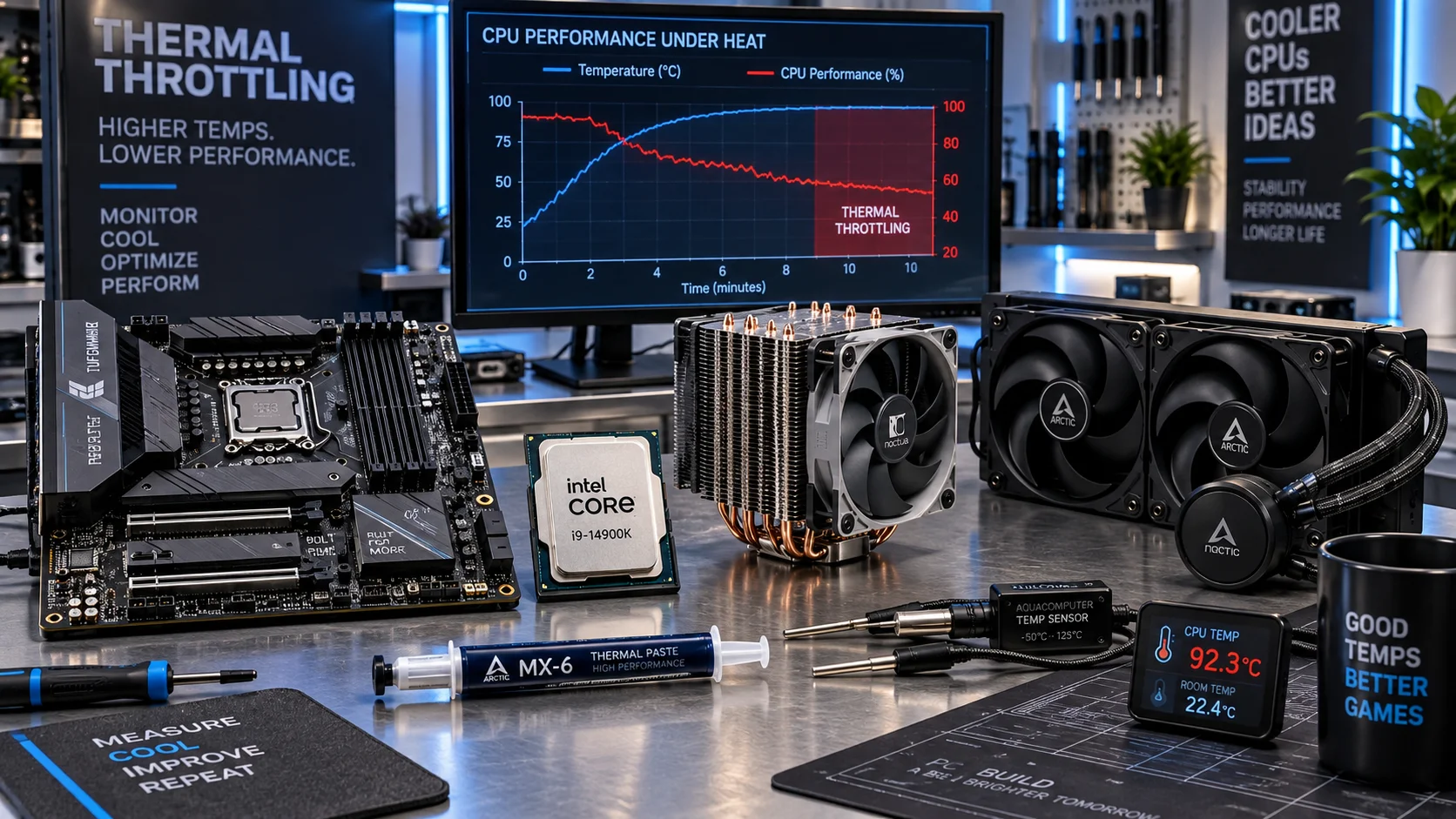
Thermal throttling is a protective control loop that forces a CPU to cut clock speed and voltage once its die temperature hits TjMax, typically 100°C on Intel desktop chips and 95°C on AMD Ryzen. On-die digital thermal sensors trigger the PROCHOT signal, dropping frequencies in 100 MHz steps or deeper. It prevents permanent silicon damage but causes measurable performance loss, stutter, and reduced boost residency.

Pros
- Built around a gaming-focused Ryzen 7 9800X3D processor with high cache capacity.
- Supports the AM5 platform for broad CPU compatibility and future upgrades.
- Includes ASUS intelligent control features that can simplify tuning and networking.
- Better thermal performance than previous-generation X3D designs is stated in the product data.
Cons
- The manufacturer listing does not list full motherboard specifications, so buyers may need to verify I/O and expansion details separately.
- This is a premium performance bundle, which may be more than needed for basic everyday computing.
- Gaming-centric X3D hardware may not offer the same value in every productivity workload.
Overview: The AMD Ryzen 7 9800X3D + ROG Strix B850-F Gaming WiFi bundle pairs a Zen 5 gaming processor with an ASUS AM5 motherboard. It is aimed at builders who want a high-end desktop platform with strong upgrade potential.
Performance: The processor offers 8 cores, 16 threads, 96MB of L3 cache, and boost speeds up to 5.2GHz. With Next Gen 3D V-Cache, it is designed to improve gaming responsiveness while keeping power efficiency and thermal behavior in mind.
Considerations: This is a performance-first bundle, so it may be more than casual users need. The available product data also does not include full motherboard specifications, so buyers should confirm the exact features they need before purchasing.
Verdict: For gamers and AM5 upgraders looking for a fast CPU platform with ASUS tuning tools such as AI Advisor, AI Networking II, and AEMP, this bundle is a strong fit. It makes the most sense for users building a premium, future-ready desktop.

Pros
- 8 cores and 16 threads (manufacturer-stated)
- 96MB L3 cache with clocks up to 5.2GHz (stated)
- 16+2+1 power stages with 80A SPS (stated)
- Listed for AM5 Ryzen 9000, 8000 and 7000 series
- Sold as a product bundle with processor and motherboard
Cons
- No independent benchmark data in the listing
- Memory, cooling and GPU are not listed in the details

Pros
- 20 cores and 28 threads, per specifications
- P-core max boost listed at 5.6 GHz
- PCIe 5.0 16-lane support listed
- DDR5-5600 and DDR5-5200 support listed
- SilverStone SST-TF01 thermal grease listed as included
Cons
- CPU cooler not included; requires a separate purchase
The Thermal Control Loop: How Silicon Protects Itself
Digital Thermal Sensors and the PROCHOT Signal
Every modern CPU core contains multiple digital thermal sensors (DTS) sampled hundreds of times per second. These sensors report a margin-to-max value, the delta between the current hottest reading and the part’s rated junction temperature (TjMax). When any single sensor’s margin reaches zero, the processor asserts the PROCHOT# signal and the power management unit intervenes within microseconds. This is not an operating system function, not a driver, and not something you can disable safely. It lives in the silicon’s microcode and clock generation logic, as documented in Intel Architecture Technical Documentation, where the Thermal Monitor (TM1 and TM2) mechanisms are specified.
The Two Intervention Stages
TM1, the older mechanism, uses duty-cycle modulation: the clock is gated on and off rapidly, which lowers average power but creates latency spikes. TM2, the modern path on every current platform, performs ordered frequency and voltage transitions, stepping clocks down in 100 MHz increments (100 MHz bins on Intel, 25 to 50 MHz P-state transitions on AMD) until the temperature slope inverts. If heat keeps climbing despite maximum throttling, a failed fan, a blocked heatsink, a delidded chip with no cooling, the platform escalates to a hard thermal shutdown (THERMTRIP) at roughly 5 to 20°C above TjMax. That shutdown is an emergency brake, not throttling, and it indicates an acute cooling failure rather than a tuning problem.
Thermal Throttling vs. the Other Throttles
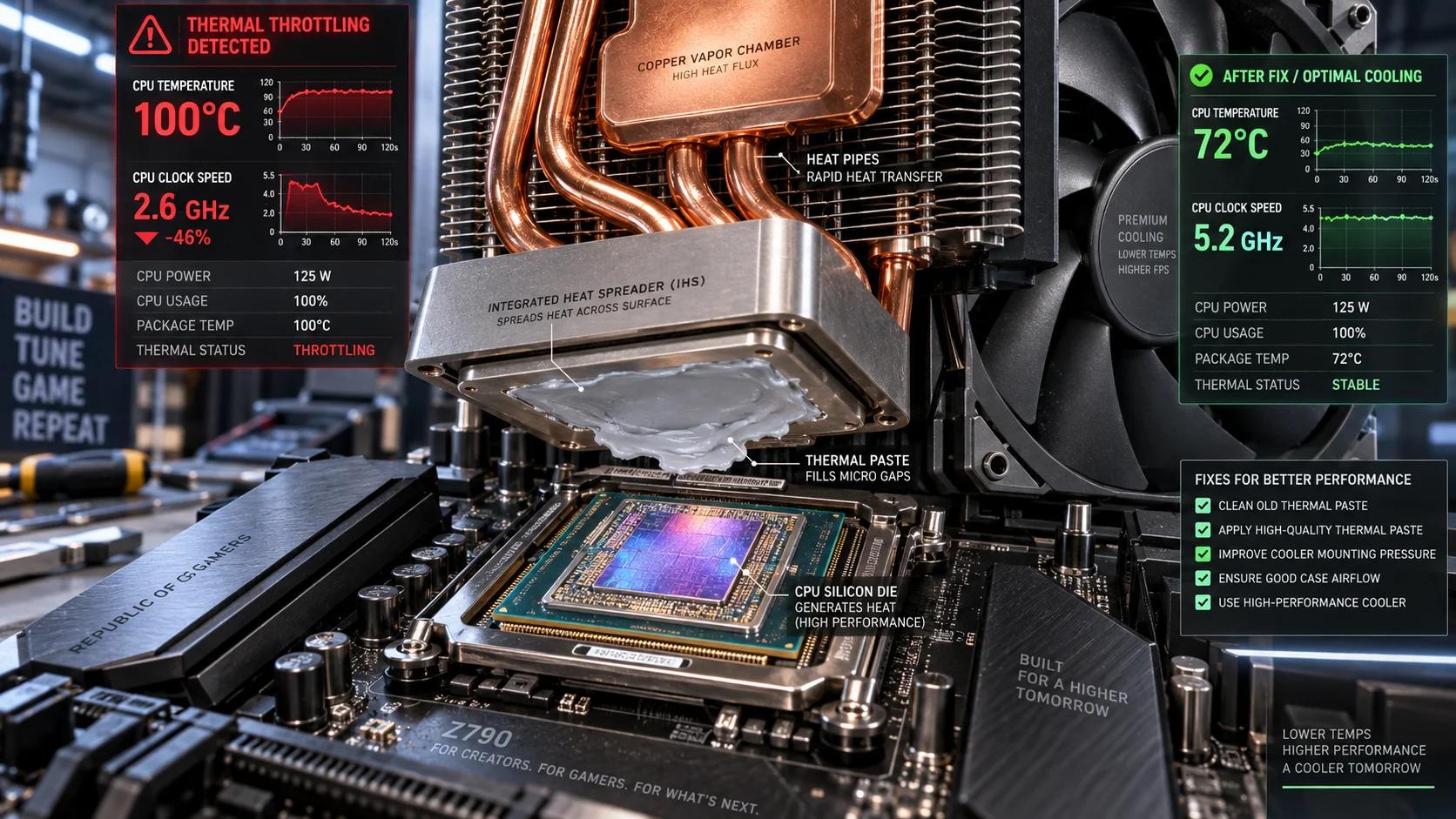
The single most common diagnostic error is mislabeling power-limit or current-limit throttling as thermal throttling. They produce similar symptoms , clocks below rated boost, reduced benchmark scores , but have completely different fixes. A CPU running a heavy all-core workload at 75°C and 4.8 GHz instead of 5.7 GHz is almost never thermally limited; it is hitting a configured power ceiling. Before touching a heatsink, read the throttle reason flags. The matrix below separates the four distinct mechanisms. Readers comparing setup options can review our technical analysis on custom cpu fan curve. For complementary hardware performance, examine our breakdown on cpus for data analysis.
| Throttle Type | HWiNFO64 / ThrottleStop Flag | Temperature at Onset | Clock Behavior | Correct Fix |
|---|---|---|---|---|
| Thermal | “Thermal Throttling: Yes”, PROCHOT, THERMAL | At or near TjMax (95 to 105°C) | Sharp drops in 100 MHz steps, sawtooth clock pattern | Cooling service: paste, airflow, mounting pressure |
| Power limit (PL1/PL2, PPT) | “Power Limit Exceeded: Yes”, POWER | Any temperature, often 60 to 85°C | Plateau at a fixed frequency matching wattage cap | Raise PL1/PL2 or PPT in BIOS if VRM and cooling allow |
| Current limit (IccMax / TDC / EDC) | EDP OTHER, “Max Current Limit” | Any temperature | Boost curtailed in short bursts, low-load dips | Raise IccMax/TDC/EDC within safe spec |
| VRM thermal (motherboard) | “VR Thermal Throttling: Yes”, VR THROTTLING | CPU temp normal; VRM sensors 100°C+ | Erratic, workload-dependent drops | VRM heatsink airflow, heatsinkless-VRM boards: replace board |
A related confusion affects gamers: GPU-side throttling mimics CPU-side stalls. A graphics card hitting its own 83 to 90°C hotspot or VRAM thermal junction limit will tank frame rates while the CPU sits cool at 65°C. Before condemning the processor, cross-check GPU thermal and power metrics using our graphics card tests & GPU guides, and note that VRAM capacity behavior, covered in the Radeon RX 9060 XT 8GB vs 16GB comparison, causes its own class of frame-time degradation that no amount of CPU cooling will fix.
Exact Temperature Thresholds by Platform
Throttle onset is platform-specific, and 2026-era parts shifted some long-standing numbers. Ryzen 9000X3D chips, for example, raised TjMax to 95°C after the 7000X3D generation’s 89°C ceiling, meaning an older mental model of “X3D must stay under 89” now causes unnecessary undervolting. The table below lists the values that matter when interpreting sensor logs.
| Platform (2026-relevant) | TjMax / Tctl Target | Throttle Behavior | Healthy Sustained Load Temp | Hard Shutdown |
|---|---|---|---|---|
| Intel Core Ultra 200S (Arrow Lake) | 105°C | 100 MHz step-downs; sustained 105°C is by design under max turbo | 80 to 95°C in heavy all-core | ~115 to 125°C |
| Intel 13th/14th Gen desktop | 100°C | Aggressive step-downs; 100°C common in stock 253W workloads | 75 to 90°C | ~115°C |
| AMD Ryzen 9000 / 7000 | 95°C | Boost algorithm targets 95°C by design under PBO; clocks scale down gradually | Up to 95°C is normal; 70 to 85°C preferred | ~105 to 110°C |
| AMD Ryzen 9000X3D | 95°C | Raised from 7000X3D’s 89°C; same 95°C target | 65 to 80°C typical in games | ~105°C |
| Mobile HX / H-class chips | 100 to 105°C | Constant thermal cycling between skin-temp and TjMax limits | 85 to 95°C under sustained load is normal | ~110°C |
The critical nuance: on AMD desktop parts, hitting 95°C under a multi-threaded stress test with PBO enabled is expected algorithm behavior, not a fault. The boost logic uses temperature headroom as a budget, it will push frequency until the thermal ceiling, then trade clocks for sustainability. On Intel, sustained 100°C on a 253W i9 is likewise within spec, though it usually indicates the cooler is undersized for the configured power limits. Genuine pathology is thermal throttling in light or gaming workloads, where the die should be nowhere near its ceiling.
How to Diagnose Thermal Throttling Correctly
The Monitoring Toolchain
Use HWiNFO64 in sensors-only mode with the layout configured to log minimum, current, and maximum values side by side. The rows that matter: CPU Package Temperature, CPU thermal throttling (Yes/No), CPU power, and, critically, effective clocks versus multiplier clocks. Effective clocks expose duty-cycled throttling (TM1-style modulation) that the raw multiplier hides: a chip reporting a 52x multiplier but 4.3 GHz effective clock is being clock-gated even though the nominal speed looks healthy. On Intel laptops and older desktops, ThrottleStop’s LIMITS panel gives the reason codes directly: THERMAL, POWER, EDP OTHER, and PROCHOT 98 to 100°C entries.
A Reproducible Test Protocol
- Idle the system 10 minutes, then record baseline package temperature and ambient room temperature.
- Run a 10-minute mixed load (Cinebench multi-core loop or Prime95 Small FFT for worst-case thermal density).
- Log maximum temperature, clock behavior over time, power draw, and every throttle flag.
- Compare score against published results for the same CPU at stock settings; a 10%+ deficit with “Thermal Throttling: Yes” confirms the diagnosis.
- Re-test with the case side panel removed. If temperatures drop more than 5°C, airflow is the bottleneck, not the cooler itself.
Fixes Ranked by Impact
1. Thermal Interface and Mounting Pressure
Dried paste is the number-one cause of throttling in systems older than three years. Remove the cooler, clean both surfaces with isopropyl alcohol, and apply fresh compound, a pea-sized center dot or thin X pattern for large bare dies. On AMD Ryzen 7000/9000’s exposed die, many builders now use PTM7950 phase-change pads, which outlast paste and resist pump-out at sustained 95°C operation. On LGA1700, an ILM contact frame corrects Intel’s stock socket bending, which tilts the cooler and starves one edge of the die, a known cause of 8 to 12°C gradients between cores. Check mounting pressure evenly in a diagonal tightening pattern; overtightening one corner is worse than slight undertightening.
2. Airflow Path and Fan Curves
A 360 mm AIO cannot beat physics if it drinks its own exhaust. Verify front-to-back, bottom-to-top airflow with at least one intake and one exhaust fan, and check that GPU waste heat is not being recirculated into the CPU cooler intake. Set custom fan curves so fans reach 80 to 100% by 80°C rather than the silent-stock 90°C trigger. Dust filters and heatsink fins require cleaning every 3 to 6 months in normal environments; packed fins can add 10°C in isolation.
3. Electrical Tuning: Undervolting and Power Limits
Undervolting cuts heat at the source. On Intel Core Ultra, a CPU loadline calibration reduction combined with a modest voltage offset commonly removes 8 to 15°C at identical clocks. On AMD, PBO Curve Optimizer with negative per-core offsets (start at -15 and test downward with CoreCycler) delivers cooler operation and often higher sustained boost, because the algorithm gains thermal headroom. Power-limit tuning belongs in the same conversation: a 253W PL2 chip capped to 125W loses peak multicore speed but runs dramatically cooler, a legitimate trade for small-form-factor builds. Board quality matters here, and premium VRMs with strong BIOS control surfaces, compared in our ASUS ROG Maximus Z890 Hero vs MSI MEG Z890 ACE breakdown, sustain high current limits without themselves becoming the VRM-throttle bottleneck.
Platform Behavior Notes for pc hardware 2026 Builds
Current-generation parts differ sharply in how they wear their thermal ceilings. Arrow Lake’s chiplet design moved the compute tile’s heat into a smaller area, which is why Core Ultra 200S chips tolerate 105°C targets but demand flat, high-pressure cooler contact. Ryzen 9000’s 95°C targeting under PBO means the factory behavior looks like throttling in every stress test, interpret logs against the algorithm, not against a generic 85°C comfort number. For buyers weighing the two platforms, the thermal and efficiency deltas covered in AMD Ryzen 5 9600X vs Intel Core Ultra 5 245K show why the mid-range landscape rewards understanding wattage-to-performance ratios before choosing a cooler class. Laptop owners face a stricter reality: thin chassis thermal-cycle between 85°C and TjMax continuously, and the only meaningful levers are repasting, elevating the chassis, capping turbo boost to 90 to 95%, and keeping vents unobstructed.
Final Diagnostic Verdict & Maintenance Checklist
Thermal throttling is a symptom, never a root cause. The verdict logic is simple: throttling under all-core stress at TjMax on a modern chip is normal design margin in use; throttling in games, light loads, or within minutes of boot indicates a cooling-stack failure , paste, mounting, airflow, or a dying fan bearing. Diagnose the flag before the temperature, and the temperature before the cooler. Follow the checklist to keep the problem permanently resolved. To evaluate matched hardware tolerances, consult our detailed overview of thermal paste shelf life.
Maintenance Checklist
- Quarterly: Blow out dust filters, heatsink fins, radiator fins, and fan blades with compressed air at low pressure.
- Quarterly: Run a 10-minute HWiNFO64-monitored stress test and confirm “Thermal Throttling: No” in your real workloads; archive the log.
- Semi-annually: Verify fan RPM at full load against specification; replace any fan below rated speed or exhibiting bearing noise.
- Annually (or every 2 to 3 years with PTM7950): Repaste the CPU; inspect the cold plate and die for uneven paste patterns that reveal mounting tilt.
- After any hardware change: Re-run the throttle-flag test; reseating a cooler or GPU routinely disturbs airflow balance.
- Continuous: Keep ambient temperature in mind, every 1°C of room heat adds roughly 1°C of die temperature under load.
- Annually: Update BIOS, since vendors routinely refine boost tables, thermal policies, and voltage curves for stability and efficiency.
Treat TjMax as a governed redline, not a cliff. A CPU that touches its ceiling during a compile job and settles back is healthy; a CPU that lives there is asking for service. Diagnose the flags, service the stack, and the throttling that motivated this what is thermal throttling cpu guide stops costing you performance.
Throttling Limits and Noise
Throttling often comes from power or temperature limits, and readers tuning those limits can check amd pbo curve optimizer for more.
Noise is a separate concern, and cpu fan loud fix may suit readers whose cooling is also loud. For neutral background on electronics terms, see American National Standards Institute (ANSI).