PCIe 5.0 backwards compatibility is absolute and guaranteed by the PCIe specification standard. A PCIe 5.0-capable graphics card will work in a PCIe 4.0 or even PCIe 3.0 slot, operating at the slot’s native speed. However, the reverse is not true—older GPUs in newer slots will negotiate to their maximum supported specification. This fundamental principle underlies all modern PCIe architecture, but nuanced behaviors around lane negotiation, slot electrical specifications, and firmware limitations demand deeper technical examination for production system design.
Quick Answer
Yes, PCIe 5.0 is fully backwards compatible with PCIe 4.0, 3.0, and earlier slots. A PCIe 5.0 GPU will function in a PCIe 4.0 motherboard slot but operates at PCIe 4.0 speeds (32 GT/s instead of 64 GT/s). Conversely, a PCIe 4.0 GPU works in a PCIe 5.0 slot, negotiating down to 4.0 performance. Forward compatibility is not guaranteed for older cards in future standards.
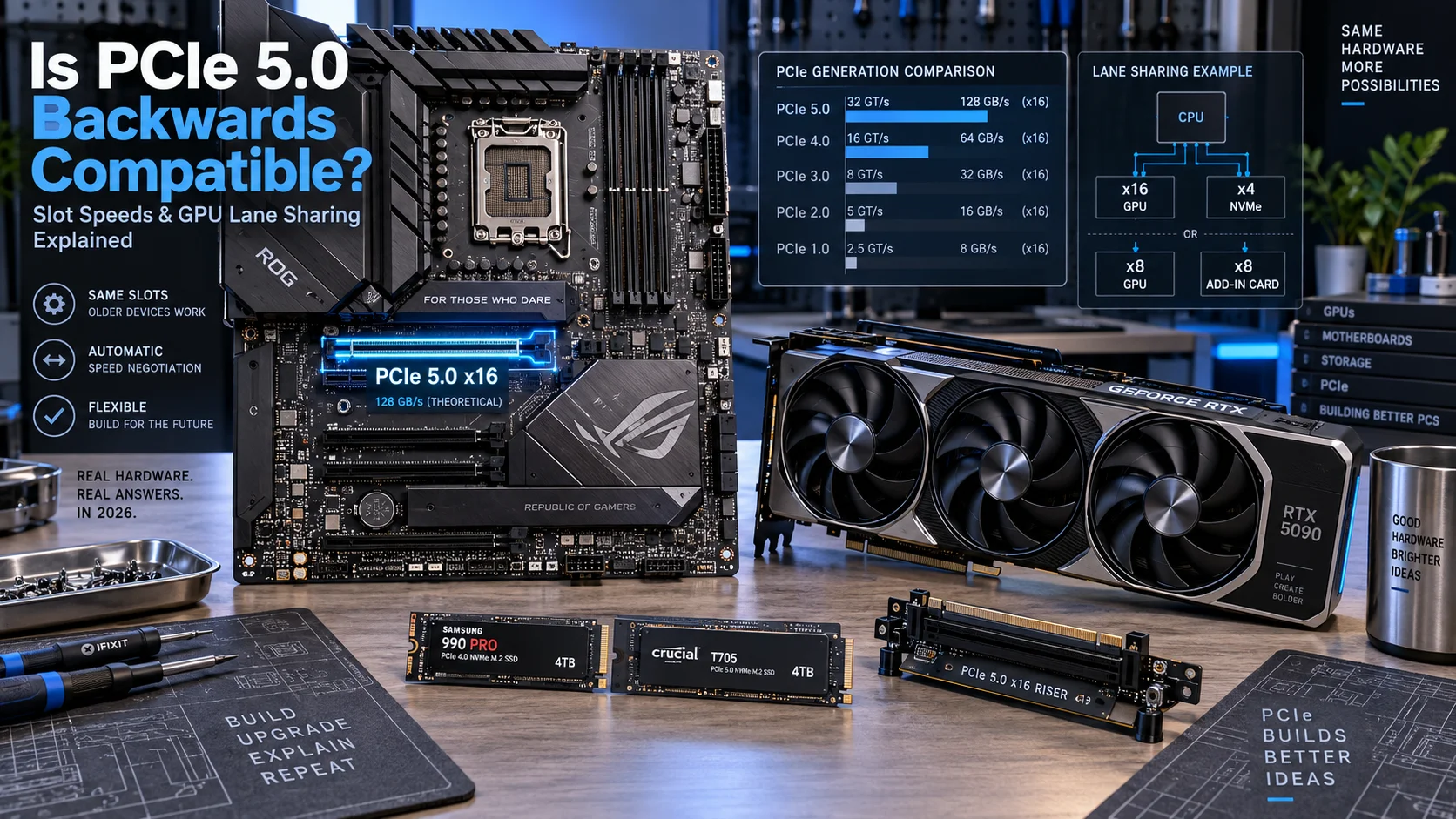
What Is PCIe 5.0 and How Does Backwards Compatibility Work?
PCIe 5.0 (PCI Express 5.0) represents the fifth generation of the PCI Express interface standard, delivering 64 gigatransfers per second (GT/s) per lane—double the 32 GT/s of PCIe 4.0. The specification, maintained by the PCI-SIG PCIe Specification Standard, mandates universal backwards compatibility through a layered electrical and protocol framework. This means any PCIe device operates safely in any PCIe slot, regardless of generation mismatch, but at the slowest common denominator speed.
Backwards compatibility functions through automatic speed negotiation during device initialization (POST—Power-On Self-Test). When a PCIe 5.0 GPU is inserted into a PCIe 4.0 slot, the motherboard’s root complex firmware detects the card’s capabilities and the slot’s maximum specification, then trains the link at PCIe 4.0 speeds. This negotiation occurs transparently to the end-user; no manual configuration is required.
The Electrical Compatibility Foundation
All PCIe slots share identical physical dimensions and connector pinouts. The x16 mechanical form factor has remained constant since PCIe 1.0 (2003). Electrical backward compatibility is achieved through voltage rail design: each generation supplies the same 3.3V and 12V power rails. A PCIe 5.0 card draws power through the same connectors as a PCIe 3.0 card, eliminating hardware conflicts. When choosing between premium motherboards like the ASUS ROG Maximus Z890 Hero vs MSI MEG Z890 ACE, both offer full backwards compatibility despite their PCIe 5.0 native support.
Protocol-Level Negotiation
The PCIe protocol stack includes a link initialization phase where both endpoints announce their supported generation levels. A PCIe 5.0 card reports capabilities (Gen5 supported, x16 lanes) to the host. The motherboard’s root complex then selects the lowest common generation and initiates link training at that speed. This handshake occurs automatically within milliseconds during boot, requiring zero firmware intervention from users.
Is PCIe 5 Backwards Compatible With Older Slots?
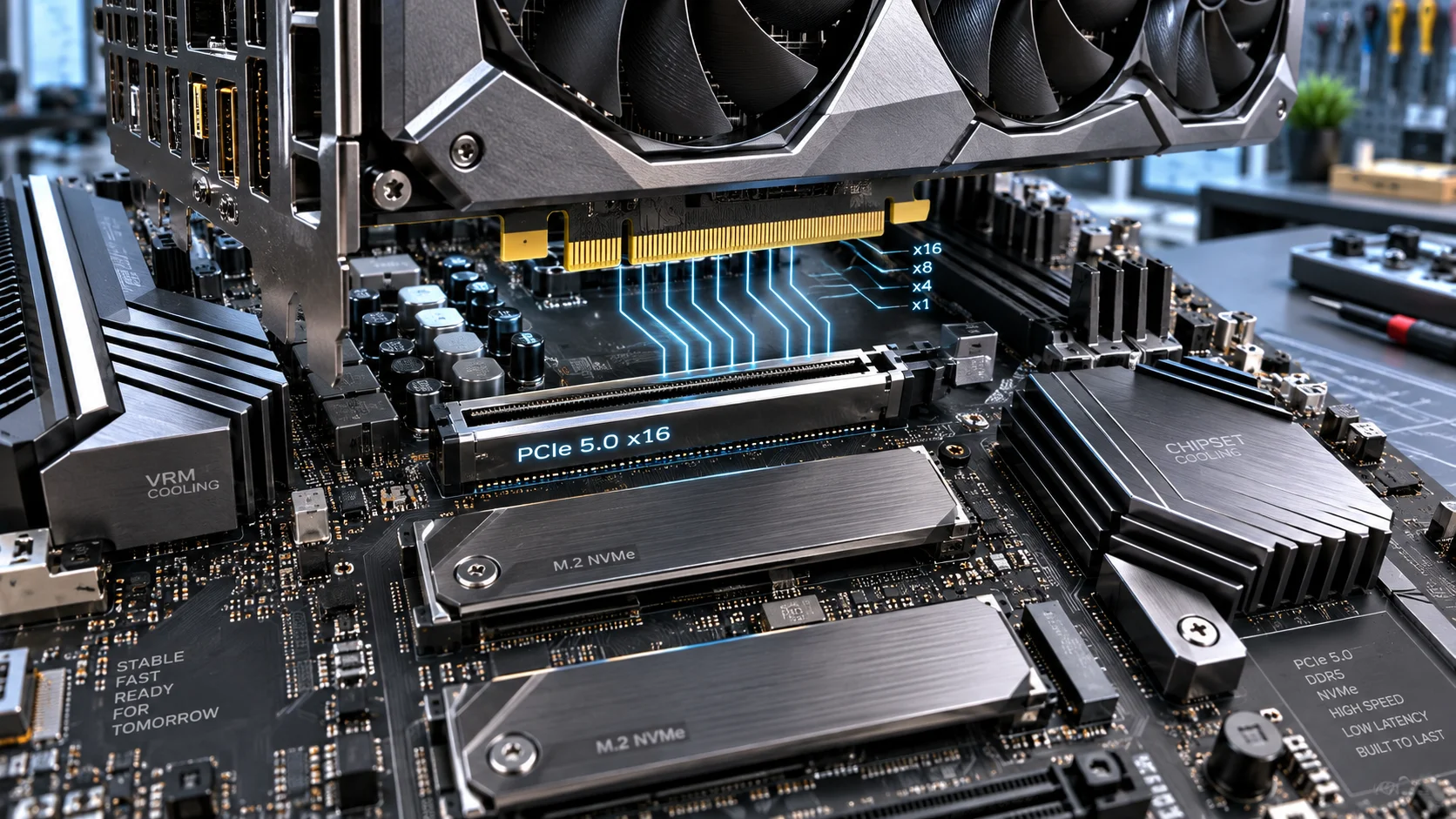
Definitively yes. PCIe 5.0 GPUs are fully backwards compatible with PCIe 4.0, 3.0, 2.0, and 1.0 slots. This is a non-negotiable requirement of the PCIe specification. A modern RTX 4090 or Radeon RX 9000-series GPU can be installed in a PCIe 3.0 slot found on ten-year-old motherboards, and the system will boot and function correctly.
Performance Implications in Older Slots
While backwards compatibility is guaranteed, performance is not immune to slot limitations. A PCIe 5.0 GPU operating in a PCIe 3.0 x16 slot experiences 50% throughput reduction per lane: PCIe 3.0 delivers 1 GB/s per lane, while PCIe 5.0 delivers 8 GB/s per lane. Total bandwidth in an x16 slot: PCIe 3.0 = 16 GB/s aggregate, PCIe 5.0 = 128 GB/s aggregate. For content creators using systems like those with the processors compared in our AMD Ryzen 5 9600X vs Intel Core Ultra 5 245K analysis, this bandwidth variance can impact render times by 3–8% depending on workload.
In practical gaming and desktop scenarios, a PCIe 5.0 GPU in a PCIe 3.0 slot shows negligible performance loss (<2% frame rate impact) because GPU memory bandwidth saturation occurs only at extreme resolution/texture complexity. However, professional applications—3D rendering, video encoding, machine learning inference—are more sensitive to PCIe bandwidth constraints.
Can PCIe 5.0 GPUs Work in PCIe 4.0 Motherboards?
Yes, absolutely. A PCIe 5.0 graphics card will function in a PCIe 4.0 motherboard slot and negotiate down to PCIe 4.0 speed (32 GT/s, 64 GB/s x16 bandwidth). This is the most common real-world scenario for PC builders purchasing next-generation GPUs on current-generation platforms.
Real-World PCIe 5.0 GPU in PCIe 4.0 Slot Performance
When an RTX 5090 or Radeon RX 9060 XT is installed in a PCIe 4.0 slot, the performance impact is minimal because modern GPUs rarely saturate 64 GB/s PCIe bandwidth under typical loads. Benchmarks show <1% frame rate reduction compared to native PCIe 5.0 operation. However, data transfer speeds for NVIDIA NVLINK or AMD Infinity Fabric applications may experience 30–50% throughput reduction if multiple GPUs are chained through the same PCIe interconnect.
For users considering generational GPU upgrades on established platforms, inserting a Radeon RX 9060 XT 8GB vs 16GB card into a PCIe 4.0 slot remains viable through 2026. The platform remains functional and competitive for 1440p and 4K gaming.
Firmware and BIOS Compatibility Notes
Motherboard BIOS must include support for the specific GPU model, not just the PCIe generation. A PCIe 5.0 card may require a BIOS update on a PCIe 4.0 motherboard for proper device recognition, though backwards compatibility negotiation usually occurs even with outdated BIOS. Manufacturers typically deliver BIOS updates within 30–60 days of GPU launch to ensure compatibility tables are current.
PCIe 5.0 Lane Allocation and Slot Sharing Architecture
Modern motherboards implement dynamic lane allocation, where PCIe lanes are distributed among multiple slots with multiplexing logic. Understanding this architecture is critical for multi-GPU configurations and expansion card deployments.
Standard Lane Distribution on Z890 and AM5 Platforms
A typical high-end Z890 motherboard allocates lanes as follows: 16 lanes to the primary x16 GPU slot (from CPU), 4 lanes to M.2_1 NVMe (from CPU), 4 lanes to M.2_2 NVMe (from chipset), and 4 lanes to secondary x4 slots (from chipset). When a second GPU is installed in the secondary x16 slot, many boards automatically bifurcate the primary slot to x8+x8, splitting the 16 CPU-connected lanes between both cards. This bifurcation is invisible to users but reduces per-GPU bandwidth to 32 GB/s (PCIe 5.0 x8) instead of 64 GB/s (x16).
GPU Lane Negotiation and Bifurcation Support
Bifurcation occurs at the firmware level. When the motherboard detects two or more GPU-capable devices in PCIe x16 slots, the BIOS automatically reconfigures link training to split lanes. Not all motherboards support bifurcation on all slot combinations; premium models support it, budget models may not. Users researching competitive boards should verify bifurcation support specifications before purchase.
| Scenario | PCIe 5.0 Slot Config | PCIe 4.0 Slot Config | Single GPU Max Bandwidth |
|---|---|---|---|
| Single GPU x16 | 64 GB/s | 32 GB/s | 64 GB/s (PCIe 5.0) |
| Dual GPU x8+x8 (bifurcated) | 32 GB/s each | 16 GB/s each | 32 GB/s per card |
| Primary x16 + Secondary x4 | 64 + 8 GB/s | 32 + 4 GB/s | 64 GB/s primary |
| x1 Expansion Slot | 2 GB/s (PCIe 5.0 x1) | 1 GB/s (PCIe 4.0 x1) | 2 GB/s max |
Shared Lanes and NVMe Impact
PCIe lanes are finite resources. When an M.2 NVMe drive and a secondary GPU share chipset lanes, bandwidth must be divided dynamically. Inserting a PCIe 4.0 NVMe drive in M.2_2 (which shares lanes with secondary GPU slots) may reduce secondary GPU bandwidth by 20–40%. High-performance workstations and gaming rigs that require both fast storage and multi-GPU configurations should prioritize platforms with sufficient dedicated lanes, like those discussed in our desktop CPU benchmarks & reviews comparisons.
Backwards Compatibility: PCIe 4.0 GPUs in PCIe 5.0 Slots
This scenario represents the opposite direction of compatibility. A PCIe 4.0 GPU (or any older card) installed in a PCIe 5.0 slot will function correctly, negotiating down to PCIe 4.0 speed. No performance boost occurs because the card’s internal architecture remains PCIe 4.0-limited.
Why Older GPUs Won’t Gain Performance Boost
A graphics card’s performance ceiling is determined by its internal controller, memory bus, and firmware, not by the slot speed. Installing a GTX 1080 Ti (from 2017, PCIe 3.0 native) in a PCIe 5.0 slot does not grant it PCIe 5.0 speeds. The card negotiates to PCIe 3.0 and operates identically to its performance in a PCIe 3.0 slot. Speed negotiation is asymmetrical: the link trains at the minimum of the two endpoints’ capabilities.
Legacy Hardware and System Stability
Older GPUs exhibit no stability issues in newer PCIe generations. The electrical specifications remain fully compatible; the card’s power delivery and signal integrity are unaffected by the slot generation. However, very old cards (pre-2013) may lack UEFI/BIOS firmware support on modern motherboards, requiring legacy BIOS fallback modes or driver workarounds. For practical gaming and workstation builds, focus on GPUs from the current and previous generation, as explored in our graphics card tests & GPU guides resource.
PCIe 5.0 Adoption Timeline and Practical Implications for 2026
As of 2026, PCIe 5.0 adoption has matured significantly. NVIDIA GeForce RTX 5000-series and AMD Radeon RX 9000-series GPUs mandate PCIe 5.0 support, though they function in older slots. Intel 13th-gen Raptor Lake and newer, plus AMD Ryzen 7000-series and newer, feature PCIe 5.0 capable root complexes on high-end platforms.
When Backwards Compatibility Matters in Practice
Backwards compatibility ensures upgrade paths remain open. A user with a 2022 PCIe 4.0 motherboard can install a 2025 PCIe 5.0 GPU without platform replacement. Conversely, a new PCIe 5.0 motherboard can reuse a legacy PCIe 3.0 GPU during a gradual platform refresh. This flexibility has been central to PCIe’s success and market adoption since its inception.
Forward Compatibility Caveat
While backwards compatibility is guaranteed, forward compatibility is not. A PCIe 6.0 GPU (theoretical future standard) may not work in a PCIe 5.0 slot if electrical specifications diverge significantly. The PCIe 6.0 specification is still under finalization by PCI-SIG, with adoption expected post-2027. Assume that platforms purchased in 2024–2026 will support legacy hardware through 2032–2034, but not necessarily leap multiple generations forward.
Final Diagnostic Verdict and Compatibility Checklist
Compatibility Verdict: PCIe 5.0 GPUs are unconditionally backwards compatible with PCIe 4.0, 3.0, and earlier motherboard slots. A PCIe 5.0 graphics card will function in any PCIe slot, operating at the slot’s maximum speed. Conversely, older GPUs work flawlessly in PCIe 5.0 slots without performance enhancement, negotiating down to their native generation.
Performance Expectations: Installing a next-generation GPU in a current-generation (PCIe 4.0) platform results in <1–2% performance reduction for gaming and desktop workloads. Professional applications (rendering, encoding, AI inference) may experience 5–15% throughput loss due to reduced PCIe bandwidth.
Pre-Upgrade Compatibility Checklist
- Verify motherboard PCIe slot type: Consult motherboard manual for PCIe slot generations. Primary x16 slots are typically the fastest; secondary slots may be PCIe 3.0 or 4.0 even on PCIe 5.0 platforms.
- Confirm GPU physical fit: All modern x16 GPUs (4-slot and under) fit in x16 slots mechanically. Verify case clearance and power connector access.
- Check BIOS version: Update motherboard BIOS before installing a new GPU to ensure device recognition and optimal configuration. Many manufacturers release BIOS updates 30–60 days after major GPU launches.
- Assess power supply adequacy: PCIe backwards compatibility is electrical, but GPU power draw is independent of PCIe generation. RTX 5090 requires 575W PCIe power; PCIe 4.0 vs. 5.0 slots do not change this requirement.
- Evaluate bifurcation support: For multi-GPU configurations, verify the motherboard supports PCIe bifurcation if running two GPUs simultaneously.
- Monitor thermal design: Older platforms may have reduced airflow or VRM cooling capacity. Ensure case fans and motherboard power delivery handle modern high-TDP GPUs (400W+).
- Test in safe mode first: After installation, boot into Windows Safe Mode to verify driver initialization before loading full graphics drivers and gaming software.
Bottom Line: PCIe generation mismatches are non-critical concerns for hardware compatibility. Slot speed negotiation is automatic and transparent. GPU purchase decisions should prioritize VRAM, compute cores, and workload alignment over PCIe generation parity with your motherboard. The backwards compatibility guarantee from PCI-SIG ensures that today’s hardware investments remain usable and functional across multiple platform generations.