Quick Answer
An iGPU shares system RAM and CPU die space, costing zero extra watts or dollars at idle but delivering 3–8u00d7 lower rasterization throughput than a mid-range dGPU. A dGPU carries dedicated GDDR memory, its own VRM, and a separate thermal solution — mandatory for 1080p+ gaming, 3D rendering, or ML inference workloads above roughly 15 W sustained.
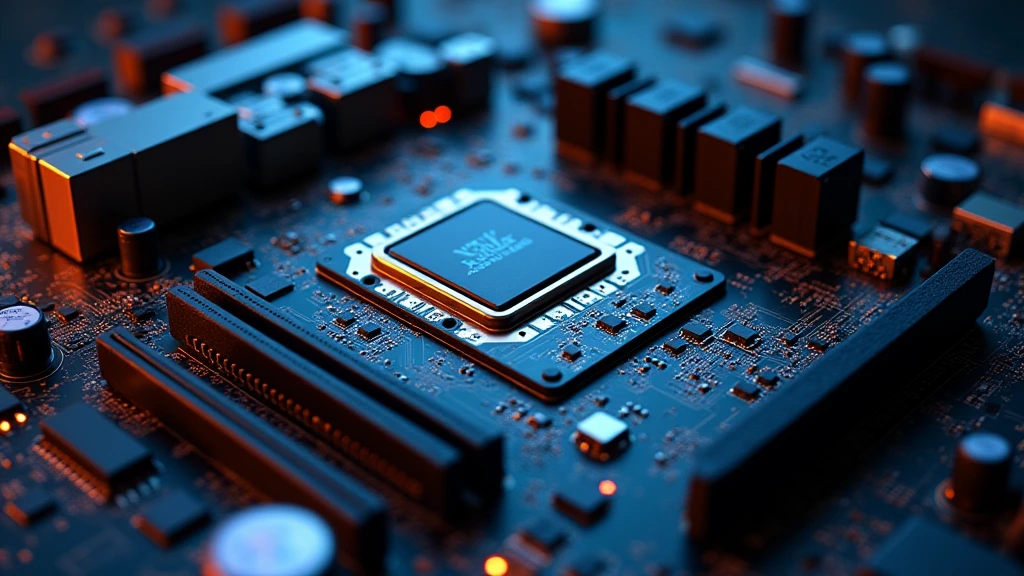
Every modern PC ships with at least one graphics processor. Whether that processor is etched directly onto the CPU die or seated in a PCIe x16 slot determines thermal budget, memory bandwidth, frame rates, and total system cost in ways that ripple across every use case — from office productivity to pc hardware 2026 gaming rigs. Understanding the architectural gap between integrated graphics (iGPU) and dedicated graphics (dGPU) is not optional for informed hardware decisions; it is the foundation of rational platform selection.
Architecture: How iGPUs and dGPUs Are Built
Integrated GPU Die Architecture
An iGPU occupies silicon area on the same monolithic die — or chiplet package — as the CPU cores. Intel’s Xe-LP and Xe2-LPG graphics blocks, documented extensively in Intel Architecture Technical Documentation, share the ring bus or interconnect fabric with the CPU’s last-level cache. AMD’s RDNA 3 and RDNA 3.5 iGPUs on Ryzen AI 300 and Phoenix APUs connect to the unified memory controller via the same internal bus that feeds the CPU compute clusters. The silicon consequence is area efficiency at the cost of dedicated resources: no on-package GDDR, no independent power rail, and execution unit counts measured in dozens rather than thousands.
Shader processors on a modern iGPU — Intel Arc graphics in Core Ultra 200S, AMD Radeon 890M — range from 128 to 768 shaders. Those shaders share L2 and L3 cache with the CPU, introducing contention under mixed CPU+GPU workloads. For a deep dive into how these CPU platforms compare in real-world mixed workloads, see our AMD Ryzen 5 9600X vs Intel Core Ultra 5 245K comparison, which benchmarks CPU-GPU interaction on both platforms under sustained load.
Dedicated GPU Architecture
A dGPU is a fully independent processor. NVIDIA’s Ada Lovelace and Blackwell architectures, AMD’s RDNA 3 and RDNA 4 discrete cards, and Intel’s Arc Battlemage GPUs all implement their own memory subsystem — GDDR6, GDDR6X, or GDDR7 — with bus widths from 128-bit to 384-bit, delivering 288 GB/s to over 1.79 TB/s of local bandwidth. Shader counts range from 1,024 on entry-level cards to 16,384+ on flagship parts. The GPU communicates with the CPU exclusively through the PCIe bus — PCIe 4.0 x16 at 32 GB/s bidirectional, PCIe 5.0 x16 at 64 GB/s — and draws power from dedicated 8-pin or 16-pin (12VHPWR) connectors, wholly separate from the CPU VRM.
Memory Architecture and RAM Sharing — The Core Trade-off
How iGPU Memory Sharing Works
An iGPU has no local framebuffer. It carves a region from system DRAM — typically 512 MB to 8 GB dynamically via DVMT (Dynamic Video Memory Technology) on Intel, or UMA (Unified Memory Architecture) on AMD APUs. This allocation is physically contiguous in RAM, managed by the memory controller on the same die. The critical bottleneck is bandwidth: DDR5-6000 in dual-channel delivers roughly 96 GB/s theoretical — competitive for light rendering but nowhere near the 576 GB/s GDDR6X bandwidth on NVIDIA’s RTX 4080. Latency is also higher because the iGPU competes with the CPU for memory bus access every single clock cycle under load.
Practical consequence: enabling XMP/EXPO to maximize RAM speed is mandatory on iGPU systems. An AMD Radeon 890M running DDR5-5600 single-channel loses approximately 35–40% GPU throughput versus the same die with DDR5-6400 dual-channel. Always populate two matched DIMMs. The motherboard platform matters too — the memory trace routing and BIOS memory training quality directly affect iGPU headroom, a point explored in the ASUS ROG Maximus Z890 Hero vs MSI MEG Z890 ACE board comparison, which tests memory subtiming impact across iGPU-equipped configurations.
Dedicated VRAM: Why Isolation Matters
GDDR memory on a dGPU is physically isolated on the PCB, connected via a wide memory bus directly to the GPU’s memory controller. No CPU process can page into VRAM without an explicit API call (PCIe BAR transfer or Resizable BAR/Smart Access Memory mapping). This isolation means the GPU never stalls waiting for CPU memory arbitration. VRAM capacity — 8 GB, 12 GB, 16 GB, 24 GB — determines the texture and asset working set that can reside locally. When VRAM overflows, the driver spills to system RAM over PCIe, inducing 5–15u00d7 latency penalties and causing the stuttering behavior visible in VRAM-limited scenarios. If VRAM capacity is a primary decision factor in your GPU purchase, the Radeon RX 9060 XT 8GB vs 16GB comparison dissects exactly what the 8 GB buffer ceiling costs across modern game titles at 1080p and 1440p.
Performance Comparison: Real-World Throughput Numbers
Rasterization, Compute, and AI Inference
The performance gap between iGPU and dGPU is not linear — it is categorical at the high end and narrowing only at the entry-level dGPU tier. AMD’s Radeon 890M iGPU scores approximately 4,200–5,000 points in 3DMark Time Spy. An NVIDIA RTX 4060 scores approximately 9,800–10,500 — roughly 2.1–2.5u00d7 faster. An RTX 4080 Super scores approximately 25,000 — over 5u00d7 faster. For AI inference (tokens per second in LLM workloads), the iGPU’s shared bandwidth is the hard ceiling: a Radeon 890M processes roughly 10–14 tokens/second on a 7B quantized model, while an RTX 4090 sustains 80–120 tokens/second. The gap in compute-bound ML is functionally unbridgeable by iGPU hardware today.
Power Consumption and Thermal Profile
An iGPU draws 0 W at idle when the display output is routed through the dGPU (Optimus/MUX switch architecture on laptops, or simply not active on desktops with a dGPU installed). Under GPU load, the iGPU raises total CPU package power — typically 5–20 W additional within the CPU TDP envelope. A dGPU under full rasterization load consumes 75 W (RTX 4060) to 320 W (RTX 4090) from the PCIe slot and aux connectors. Thermal management on dGPUs requires case airflow planning: GPU exhaust must not recirculate into CPU cooler intake. For full desktop CPU and platform thermal analysis, visit our desktop CPU benchmarks & reviews section.
Specification Comparison Matrix
| Attribute | iGPU (AMD Radeon 890M) | Entry dGPU (RTX 4060) | Mid dGPU (RTX 4070 Super) | High-End dGPU (RTX 4090) |
|---|---|---|---|---|
| Shader Processors | 768 (RDNA 3.5) | 3,072 | 7,168 | 16,384 |
| Memory Type | Shared DDR5 (UMA) | 8 GB GDDR6 | 12 GB GDDR6X | 24 GB GDDR6X |
| Memory Bandwidth | ~76–96 GB/s (dual DDR5) | 272 GB/s | 504 GB/s | 1,008 GB/s |
| TDP / GPU Power | Within CPU TDP (5–20 W GPU share) | 115 W TGP | 220 W TGP | 450 W TGP |
| Max Junction Temp | 95°C (CPU package limit) | 83°C GPU core | 83°C GPU core | 83°C GPU core / 110°C HotSpot |
| 3DMark Time Spy | ~4,500 | ~10,200 | ~19,500 | ~36,000 |
| 1080p Gaming Target | Low–Medium settings, 30–60 fps | High settings, 60–100 fps | Ultra settings, 100–165 fps | Ultra/4K, 60–120 fps |
| Upscaling Support | FSR 3.1 (no XeSS Tensor, no DLSS) | DLSS 3, FSR 3, XeSS | DLSS 3 + Frame Gen, FSR 3 | DLSS 3 + Frame Gen, FSR 3 |
| Additional Cost | $0 (included in CPU) | ~$299–$329 | ~$599–$649 | ~$1,599–$1,999 |
| PSU Requirement | No change (CPU PSU spec) | 550 W minimum | 750 W minimum | 850–1000 W minimum |
When to Use an iGPU vs. a Dedicated GPU
iGPU Is the Right Choice When:
- Budget is the primary constraint — no discrete GPU spend, lower PSU tier, smaller case, lower cooling cost.
- Workload is display output + 2D acceleration — web browsing, office suites, 4K video playback (hardware decode on Xe or RDNA handles AV1/HEVC at effectively 0% GPU utilization).
- SFF or fanless builds — Mini-ITX and NUC-class systems where a PCIe slot physically does not exist or total TDP must remain under 35 W.
- Redundant display output on a dGPU workstation — iGPU drives a secondary monitor while the dGPU handles render workload, preserving VRAM headroom.
- Casual gaming at 720p–900p — Ryzen AI 300 series iGPUs run titles like CS2, Stardew Valley, and older esports titles at playable frame rates without DLSS dependency.
Dedicated GPU Is Mandatory When:
- 1080p High+ or 1440p gaming — bandwidth and shader count requirements exceed any current iGPU ceiling.
- Ray tracing workloads — iGPUs lack dedicated RT cores; software ray tracing fallbacks run at 3–5 fps on iGPU silicon.
- Video production and 3D rendering — CUDA, ROCm, and oneAPI compute queues on dedicated hardware complete renders 10–40u00d7 faster than iGPU equivalent.
- Machine learning training — tensor core density and dedicated HBM/GDDR bandwidth on dGPUs are non-negotiable above hobbyist-tier inference.
- Multi-monitor professional workflows at 4K — driving three or four 4K displays with color-accurate output requires the display engine count and VRAM only a dGPU provides.
For a comprehensive view of dGPU options across the current stack — including AMD RDNA 4 and NVIDIA Ada/Blackwell entries — the graphics card tests & GPU guides hub covers tested benchmarks, driver stability, and value-per-frame analysis across the full price ladder.
RAM Allocation Strategy for iGPU Systems
Optimal DVMT and UMA Configuration
On Intel platforms with Arc integrated graphics, enter BIOS and set DVMT Pre-Allocated to 1024 MB minimum; the remainder scales dynamically. On AMD APU platforms, the UMA Frame Buffer Size setting should be 4 GB if running any 3D workloads, and 2 GB for pure 2D/video. Allocating more than 8 GB statically wastes RAM capacity that could serve the CPU’s L3 miss workload. Critically, the operating system also reserves additional stolen memory for display engine operation — this is visible as reduced available RAM in Task Manager and is expected behavior, not a fault.
Dual-Channel Memory Is Non-Negotiable
Single-channel DDR5 at 6400 MT/s delivers approximately 51 GB/s — this halves iGPU throughput relative to dual-channel (96 GB/s+). Every iGPU build must populate paired DIMM slots (A2+B2 on ATX boards). Mismatched DIMM capacities force FLEX mode, which recovers dual-channel only for the matched capacity portion. Use matched kits. Run XMP/EXPO. Validate stability with HCI MemTest at 400% coverage before benchmarking iGPU performance.
Final Diagnostic Verdict & Maintenance Checklist
The igpu vs dgpu decision reduces to three variables: workload class, thermal envelope, and budget. The iGPU is a capable, zero-cost-overhead graphics processor for productivity, media, and light gaming — its architectural constraint is memory bandwidth, not shader design quality. The dGPU is a purpose-built compute accelerator with independent memory, mandatory for sustained graphics or compute workloads. Neither is universally superior; both are correct choices for their respective design targets. This igpu vs dgpu guide applies equally to platform selection decisions in 2025 and pc hardware 2026 build planning cycles.
- Identify workload class first — 2D/video/light gaming u2192 iGPU sufficient; 1080p+ gaming/render/ML u2192 dGPU required.
- Verify dual-channel RAM population on iGPU systems — single-channel is the single most common iGPU performance bottleneck, recoverable without new hardware.
- Enable XMP/EXPO in BIOS on iGPU platforms — default JEDEC speeds (DDR5-4800) leave 25–40% iGPU performance on the table.
- Set UMA/DVMT allocation in BIOS to 2–4 GB for gaming use; do not rely on auto/default (often 512 MB) for 3D workloads.
- Monitor GPU temperatures — iGPU ceiling is CPU Tj Max (typically 95–105°C); dGPU core should stay below 83°C under load, HotSpot below 110°C. Sustained thermal throttle indicates cooler contact or paste failure.
- Check PCIe slot negotiation on dGPU builds — confirm x16 electrical link in GPU-Z; x8 or x4 indicates BIOS misconfiguration or physical slot damage, costing 5–15% in bandwidth-sensitive titles.
- Validate PSU headroom — dGPU transient power spikes reach 150–200% of rated TGP for microseconds; undersized PSUs cause shutdown under GPU benchmark load, not under idle browsing.
- Update GPU driver to current release — iGPU drivers (Intel Arc graphics, AMD Radeon Software for APU) update independently of CPU microcode; outdated iGPU drivers cause display engine bugs and upscaling failures.
- Enable Resizable BAR / Smart Access Memory on dGPU builds — requires UEFI BIOS, Above 4G Decoding ON, and a Resizable BAR-capable GPU; delivers 3–15% performance uplift at no cost in supported titles.
- Revisit platform choice before adding a dGPU to an APU board — AMD AM5 APU motherboards support PCIe 4.0 x16 for discrete cards; the iGPU deactivates automatically when a dGPU is detected, recovering system RAM previously allocated to UMA.